21
6.1.2 Playback
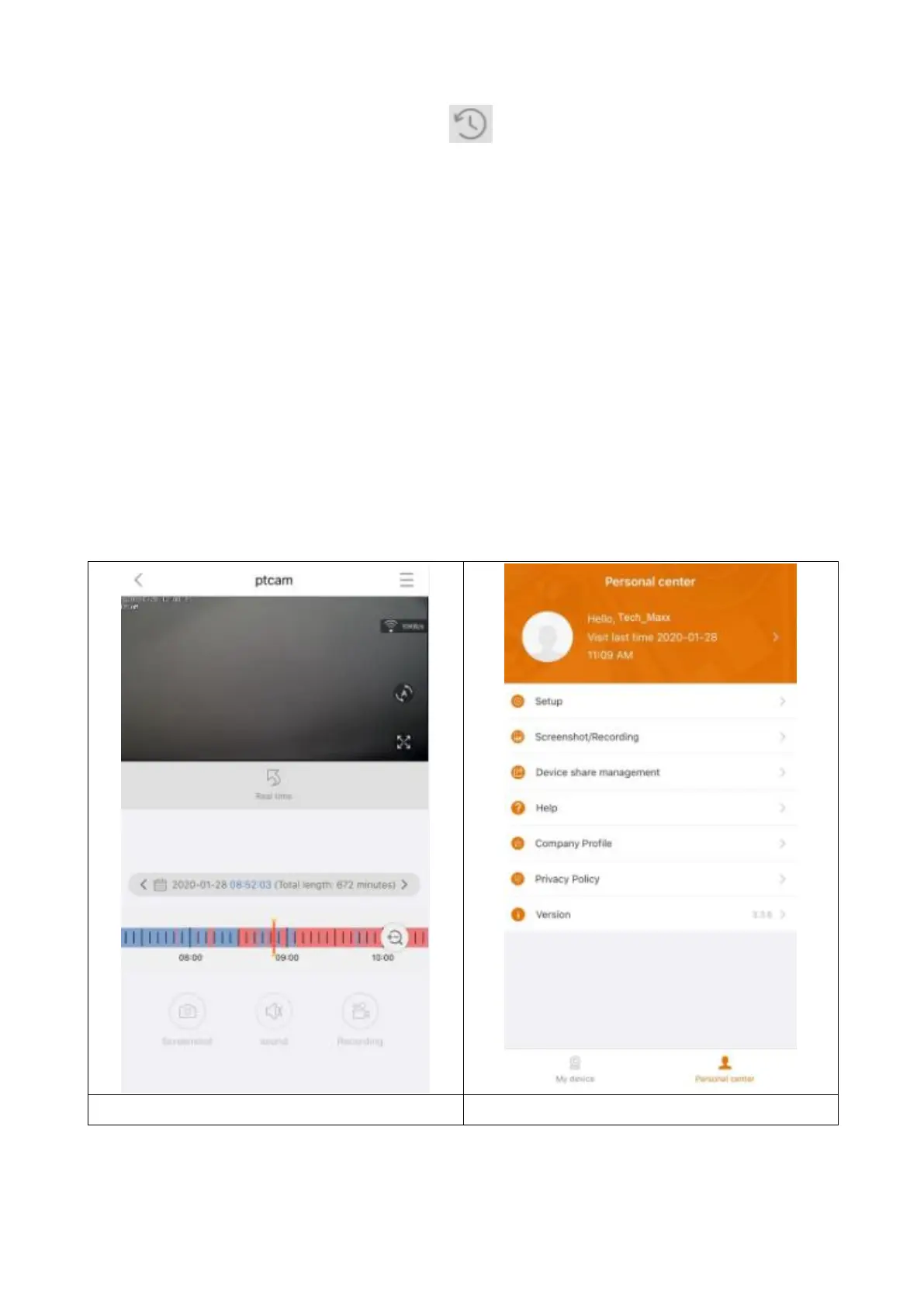
Click the button of remote playback in the live view.
Precondition of TX-145 remote playback:
→ Make sure the camera time is already time synchronized with the App →
Insert the suitable MicroSD card into the camera. → Setup recording schedule
and enable time video OR (not necessary to setup recording schedule and)
enable motion detection recording. None of these three conditions can be
omitted. Remote playback function of the device then only can be used.
→→ Choose the time by swiping the timeline left and right. →→The red cursor
marks the start time of playback. →→ Two fingers touch the timeline & move
outward to narrow the time scale. →→Two fingers touch the timeline and
move inward to enlarge the time scale. →→ Press play in the middle of the
shown image to start the playback
In the timeline you can find the colour BLUE and RED. BLUE marks the
continuous recordings and RED the recordings of motion detection.


 To Next Page