7
3. OPERATING INSTRUCTION
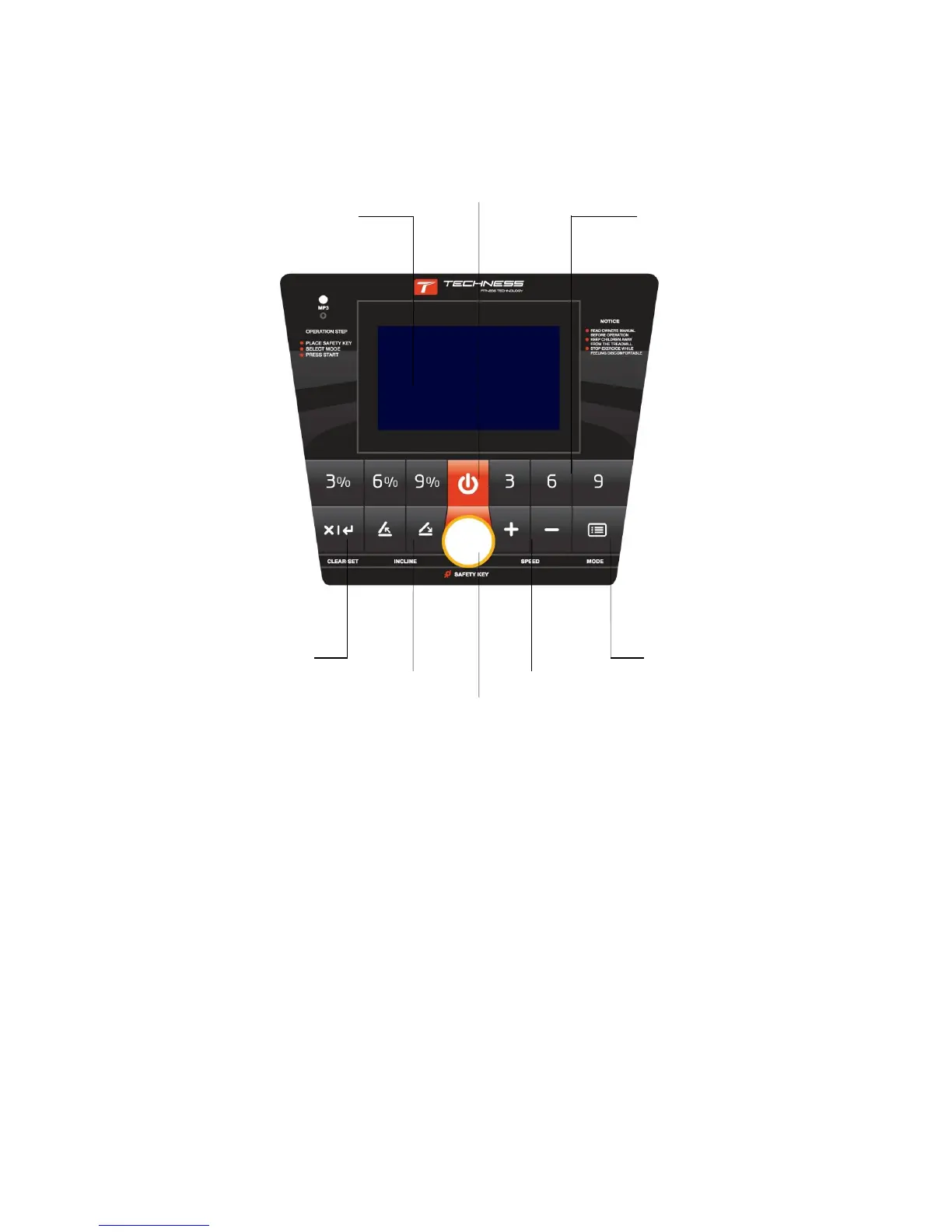
3.1 Keys for Meter Panel
(1) MODE
Power on the machine, press it to choose pre-set programs P1-P25. Press CLEAR/SET to exit.
(2) CLEAR/SET
Power on the machine, press it to choose time, distance, and calorie count-down training. When
running, clear up time, distance and calorie.
(3) START/STOP
Power on the machine, press it to start running. When running, press it to stop and record the
running. Press CLEAR/SET to clear up the record.
(4) SPEED +
When running, press it to increase speed by 0.5km/h. Hold it, speed will increase continuously.
(5) SPEED –
When running, press it to decrease speed by 0.5km/h. Hold it, speed is deceased continuously.


 To Next Page