P-2
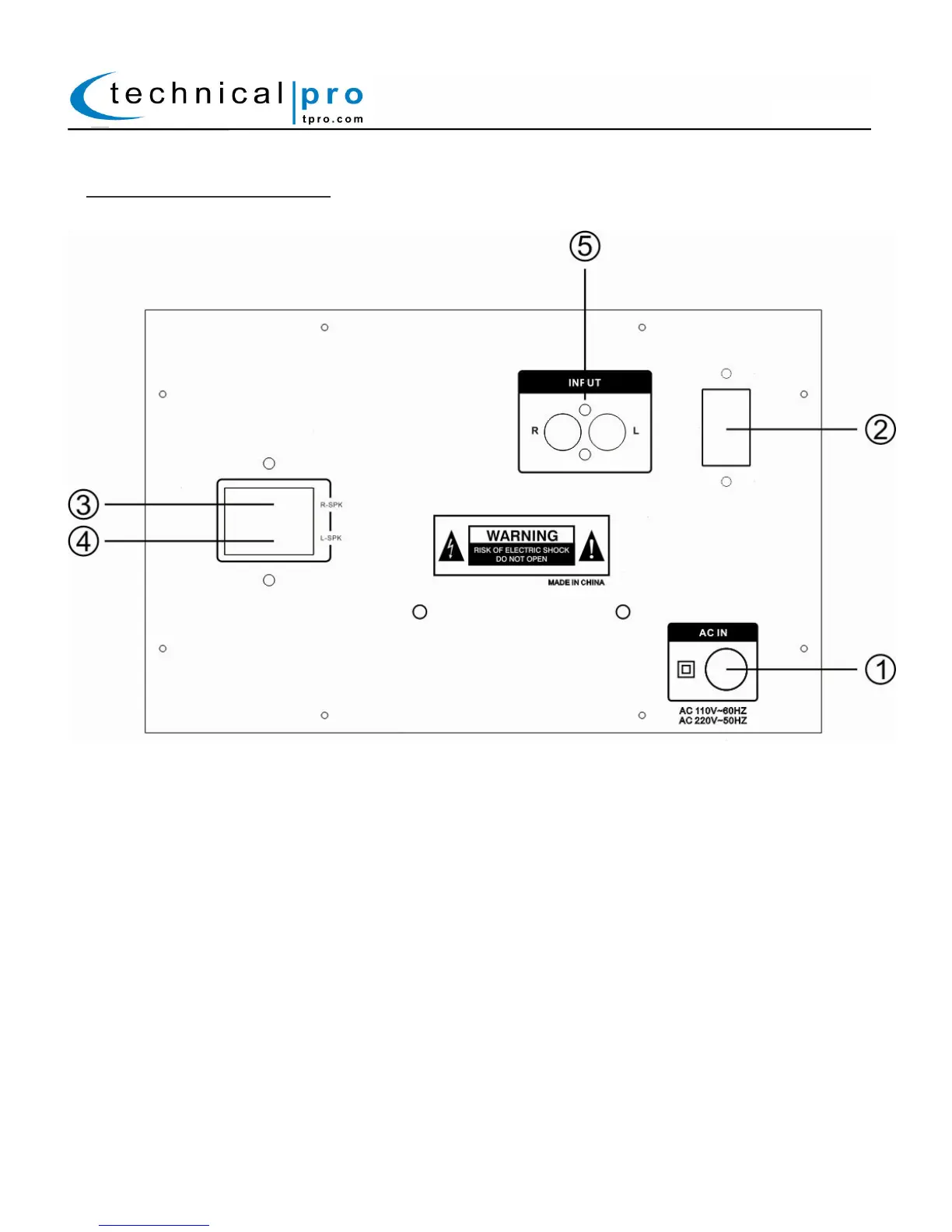
BLUET32LG Rear Panel:
1. Power Supply: Connect the power cord here. The power switch should be set to the off position before the
power supply is connected.
2.Voltage selector: Select between 110V AC 60Hz / 220V AC 50Hz. When using with a 110V outlet, the unit should
be set to 110V.
3. Right Satellite Speaker Connector: Connect one of the satellite speakers to this output.
4. Left Satellite Speaker Connector: Connect one of the satellite speakers to this output.
5. AUX Line Input (RCA): Connect your sound source to this RCA input. The line volume will be controlled by
the volume knob located on the front panel of the unit. Only passive signals should be connected to this
input.
BLUET32LG


 To Next Page