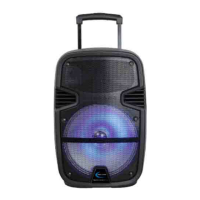
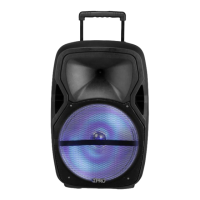
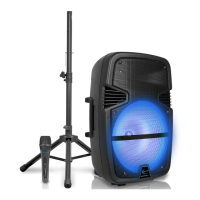
This document describes the Technical Pro PB1050LED, an ABS molded powered loudspeaker designed for portable use. It features a built-in amplifier and a rechargeable battery, making it suitable for various applications where mobility and sound reinforcement are needed.
Function Description:
The PB1050LED is a versatile loudspeaker capable of playing audio from multiple sources. It supports wired inputs such as AUX/LINE IN (1/8" jack) and microphone inputs (1/4" jack), as well as wireless connectivity via Bluetooth. Additionally, it can play MP3 files directly from USB flash drives and TF cards. A unique feature is its ability to record audio from wired microphones onto a connected USB flash drive or TF card. The unit also includes LED lights for the grill, which can be switched on or off.
Important Technical Specifications:
- Model: PB1050LED
- Power Source: AC power cord (for operation and charging), built-in rechargeable battery, external DC12V input.
- Supported Audio Files (USB/TF): .mp3 files only.
- Maximum USB Flash Drive/TF Card Storage: 16GB.
- Battery Charging Time: Approximately 8-10 hours for a full charge.
- Indicators: Charging LED (RED for charging, GREEN for full charge).
- Inputs:
- 1/8" AUX/LINE IN
- USB Flash Drive slot
- TF Card slot
- Bluetooth
- 1/4" Microphone Input (MIC IN)
- DC9V IN (for AC power cord)
- EXT DC12V IN (for external 12V power supply)
- Controls:
- Input Selector Button (AUX/LINE IN, USB, TF, Bluetooth)
- USB / TF Card Recorder Button
- Repeat Selector Button (CURRENT track, ALL tracks)
- Previous Track Button
- Play/Pause Button
- Next Track Button
- Microphone Volume Knob
- Microphone Echo Knob
- Master Volume Knob
- Power Switch
- LED Light Switch
Usage Features:
- Input Selection: A dedicated button allows users to switch between AUX/LINE IN, USB, TF card, and Bluetooth inputs.
- Bluetooth Connectivity: The device can be paired with Bluetooth-compatible devices (appearing as "BT Speaker"). The display shows "blue" with a flashing icon during pairing, which becomes solid upon successful connection. Playback can be controlled from both the speaker and the Bluetooth device.
- USB/TF Card Playback: Directly plays .mp3 files from USB flash drives and TF cards up to 16GB. Controls include previous track, next track, play/pause, and repeat functions. Holding down the previous/next track buttons allows for rewinding/fast-forwarding within a track.
- Microphone Functionality: Features a 1/4" microphone input with independent volume and echo controls, useful for announcements or karaoke.
- Recording: The unit can record audio from wired microphones directly onto a connected USB flash drive or TF card.
- Volume Control: Separate knobs for microphone volume, microphone echo, and master volume for all line inputs (AUX, USB, TF, Bluetooth).
- LED Grill Lights: An LED light switch allows users to turn the grill lights on or off.
- Power Management: Can operate on AC power, its internal rechargeable battery, or an external 12V DC power supply. Note that the external DC12V input only powers the unit for audio playback and does not charge the built-in battery.
Maintenance Features:
- Battery Care:
- Fully charge the battery for 8-10 hours before first use to maximize lifespan.
- Always fully charge the battery after each use.
- Avoid completely draining the battery.
- Do not leave the unit plugged in after the battery is fully charged.
- Use the battery at least every two weeks to prevent power-on issues.
- Dispose of depleted batteries at a recycling center in accordance with local laws.
- General Safety:
- Always read instructions thoroughly before use.
- Keep instructions for future reference.
- Heed all warnings and follow all instructions.
- Do not expose the equipment to rain or moisture.
- Clean only with a dry cloth.
- Do not store or operate near heat sources.
- Ensure proper grounding and do not defeat safety purposes of polarized/grounding plugs.
- Protect all wires from being walked on or pinched.
- Unplug during lightning storms or when unused for long periods.
- Ensure all equipment is OFF and volume controls are DOWN before wiring or powering on.
- Slowly raise volume levels after powering on to prevent damage.
- Inspect hardware, suspension, and associated equipment for damage before placement or rigging.
- Consult a licensed professional engineer for physical equipment installation.
- Refer all servicing to qualified service personnel, especially if damaged.
- Power Cord Connection:
- Only plug in the AC power cord when the unit's power is OFF and volume is turned DOWN.
- Ensure the plug is well connected.
- Replace damaged power cords with new ones from a local electrician.
- Do not force plugs into incompatible outlets; consult an electrician for upgrades.
- USB/TF Card Usage:
- Do not connect a computer to the USB input.
- Ensure volume knobs are turned down before inserting USB/TF cards to prevent damage.

 Need help?
 General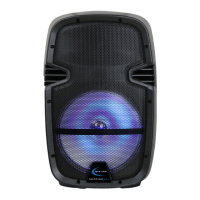

 To Next Page