I I I t I I I t
Super-treble range
This control can be used to provide an extra measure of delicate
vibration to the sounds of the cymbals, triangle, etc.
If tape "hiss" noises are annoying, thi_ control's setting can be
reduced to alleviate suc.h noises.
[]
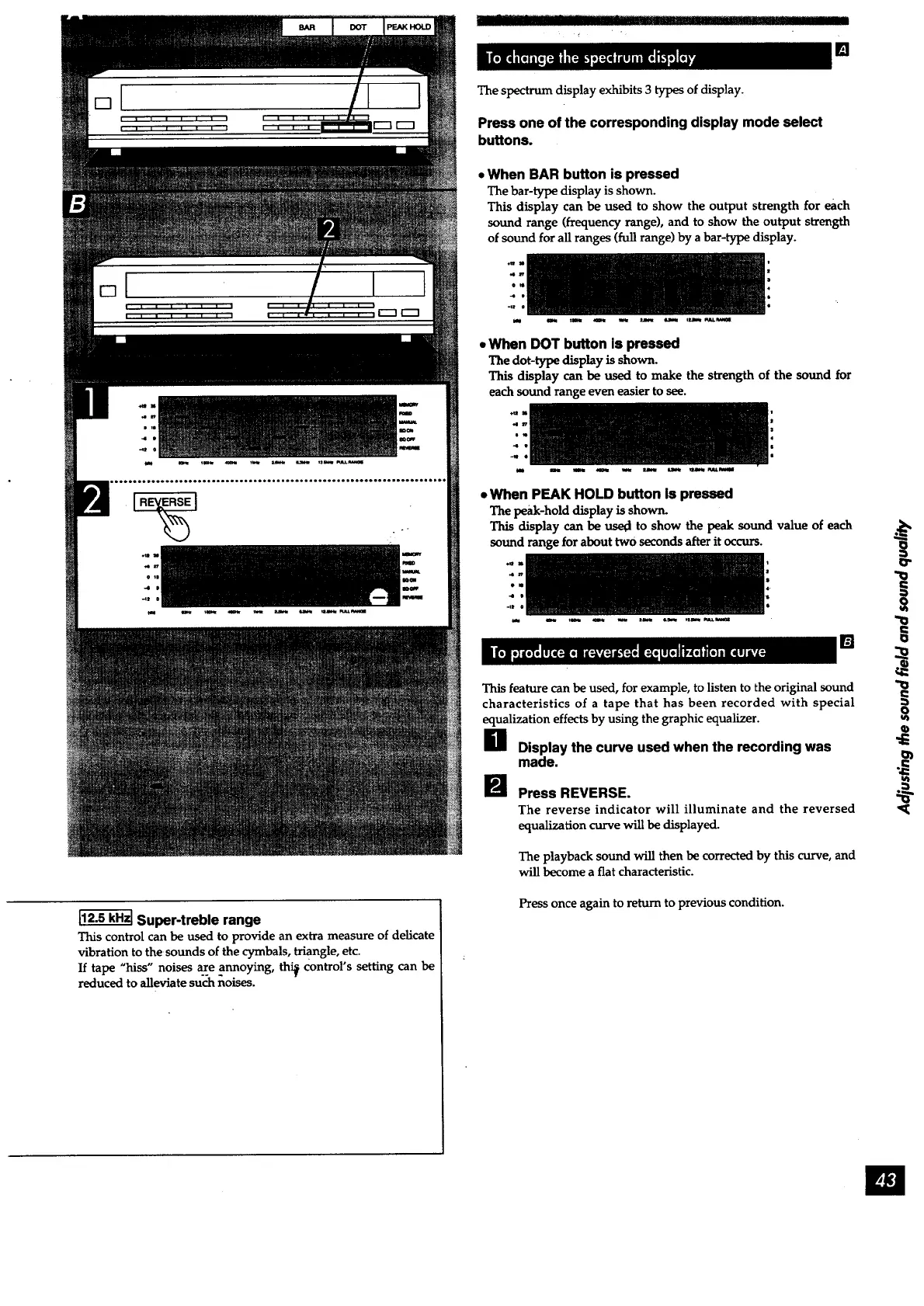
The spectrum display exhibits 3 types of display.
Press one of the corresponding display mode select
buttons.
• When BAR button is pressed
The bar-type display isshown.
This display can be used to show the output strength for each
sound range (frequency range), and to show the output strength
of sound for all ranges (full range) by a bar-type display.
-4 S
• When DOT button is pressed
The dot-type display is shown.
This display can be used to make the strength of the sound for
each sound range even easier to see.
d
e
-i
• When PEAK HOLD button is pressed
The peak-hold display is shown.
This display can be used to show the peak sound value of each
sound range for about twO seconds after it occurs.
]
This feature can be used, for example, to listen to the original sound
characteristics of a tape that has been recorded with special
equalization effects by using the graphic equalizer.
g Display the curve used when the recording was
made.
B Press REVERSE.
The reverse indicator will illuminate and the reversed
equalization curve will be displayed.
The playback sound will then be corrected by this curve, and
will become a fiat characteristic.
Press once again to return to previous condition.
O



 To Next Page