I I I I I I I I
i i i l i i i i i I
MANUAL/FIXED
Equalization-preset indicator
I_L_i'q
[]
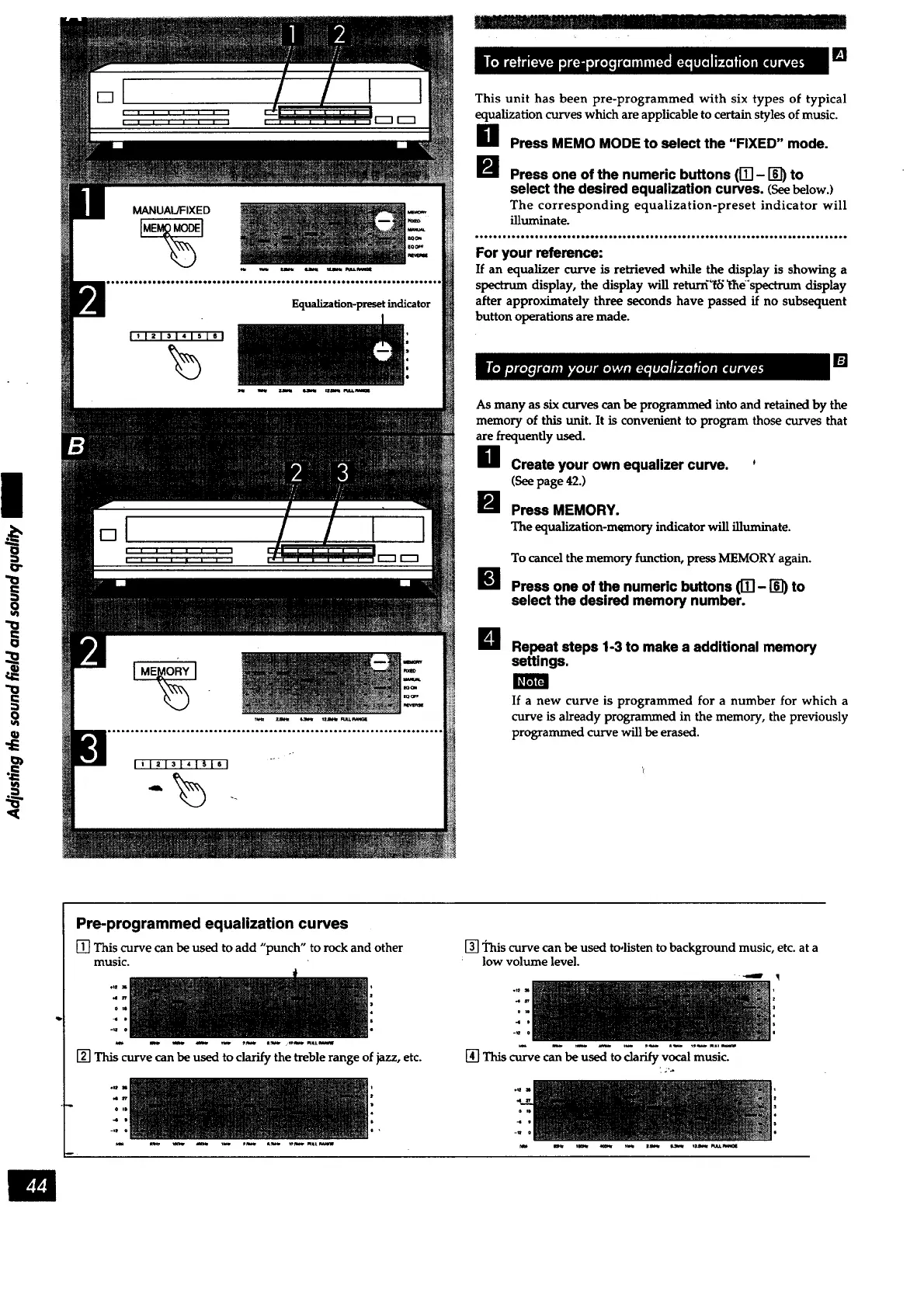
This unit has been pre-programmed with six types of typical
equalization curves which are applicable to certain styles of music.
Press MEMO MODE to select the "FIXED" mode.
Press one of the numeric buttons (IT] - I_) to
select the desired equalization curves. (Seebelow.)
The corresponding equalization-preset indicator will
illuminate.
For your reference:
If an equalizer curve is retrieved while the display is showing a
spectrum display, the display will returff_ _l_e'spectrum display
after approximately three seconds have passed if no subsequent
button operations are made.
[]
As many as six curves can be programmed into and retained by the
memory of this unit. It is convenient to program those curves that
are frequently used.
H Create your own equalizer curve. *
(See page 42.)
Press MEMORY.
The equalization-memory indicator will illuminate.
To cancel the memory function, press MEMORY again.
Press one of the numeric buttons ([_- _ to
select the desired memory number.
U Repeat steps 1-3 to make a additional memory
settings.
If a new curve is programmed for a number for which a
curve is already programmed in the memory, the previously
programmed curve will be erased.
Pre-programmed equalization curves
[] This curve can be used to add "punch" to rock and other
music.
[] This curve can be used to clarify the treble range of jazz, etc.
• ,D
-0 0
-le 0
[] _nis curve can be used to,listen to background music, etc. at a
low volume level.
om
4
[] This curve can be used to clarify vocal music.



 To Next Page