i
v_
..... r, ;[oil.*]el_.'_Iq:_,."l'_g_.
I Preparation I
• Turn Dolby Pro Logic and the SFC mode OFF.
• Set the TREBLE and BASS tone controls to their center positions.
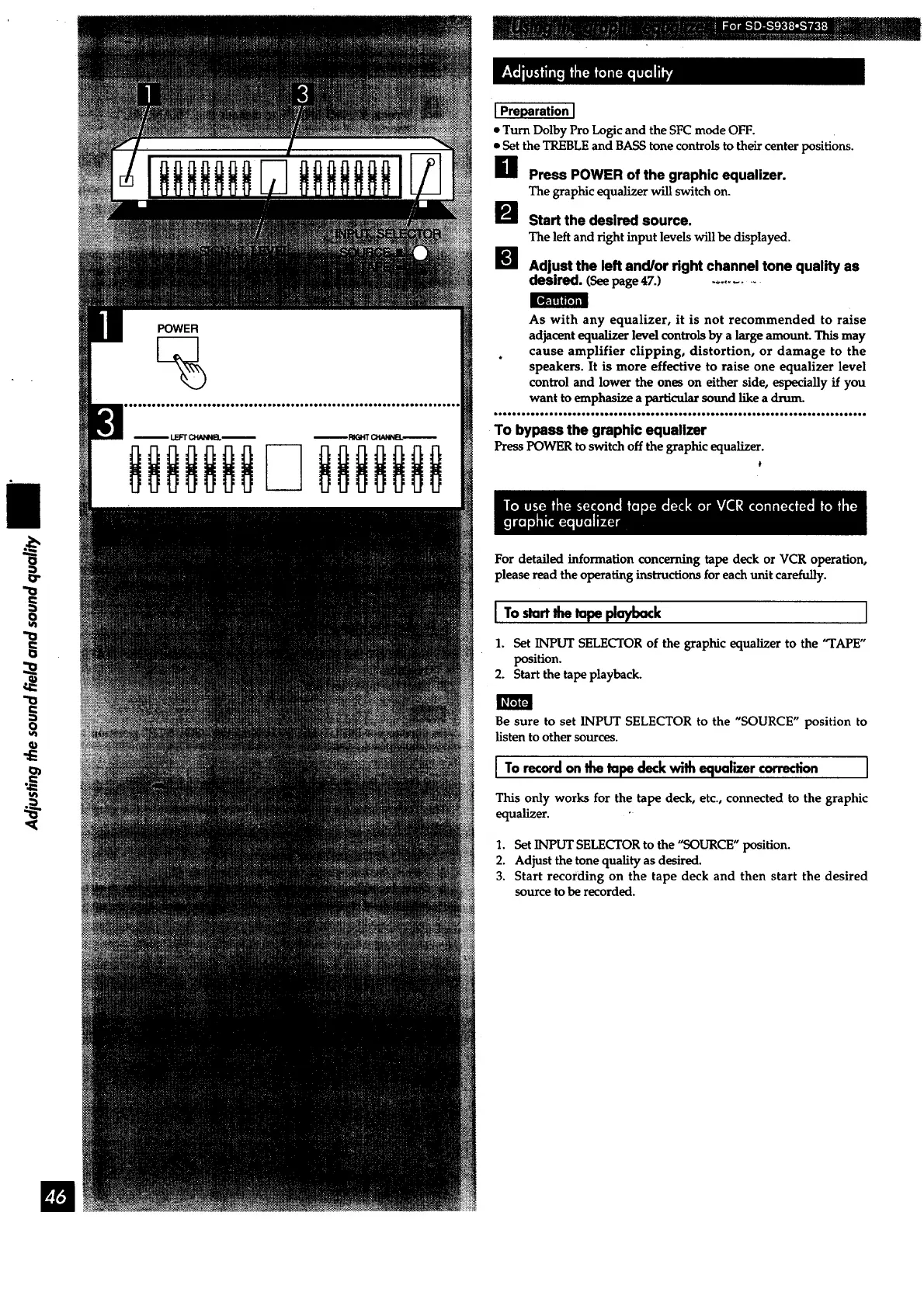
O Press POWER of the graphic equalizer.
The graphic equalizer will switch on.
I_ Start the desired source.
The left and right input levels will be displayed.
_l Adjust the left and/or dght channel tone quality as
desired. (Seepage 47.) .........
As with any equalizer, it is not recommended to raise
adjacent equalizer level controls by a large amount. This may
cause amplifier clipping, distortion, or damage to the
speakers. It is more effective to raise one equalizer level
control and lower the ones on either side, especially if you
want to emphasize a particular sound like a drum.
To bypass the graphic equalizer
PressPOWER to switch off the graphic equalizer.
t
For detailed information concerning tape deck or VCR operation,
please read the operating instructions for each unit carefully.
ITo, =rt playback I
1. Set INPUT SELECTOR of the graphic equalizer to the "TAPE"
position.
2. Start the tape playback.
Be sure to set INPUT SELECTOR to the "SOURCE" position to
listen to other sources.
I To recordonthetape deckwin equalizercorrection I
This only works for the tape deck, etc., connected to the graphic
equalizer.
1. Set INPUT SELECTOR to the "SOURCE" position.
2. Adjust the tone quality as desired.
3. Start recording on the tape deck and then start the desired
source to be recorded.



 To Next Page