EasyManua.ls Logo

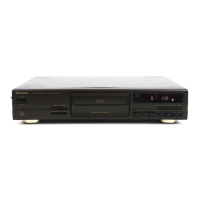
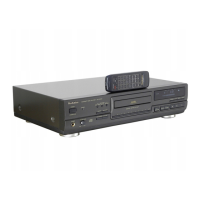
Technics SL-PG340 - Product Service and Information; Product Information and Support

Technics SL-PG340
28 pages
Print Icon
To Previous Page IconTo Previous Page
Loading...
Product
Service
Product
information
Index
Auto
cue
button
(AUTO
CUE)
14
Clear
button
(CLEAR)
13
Disc
link
button
(DISC
LINK)
22
Fade
out
editing
24
Link
function
22
Over"
mark
(
)
7
RQT1
708-1
P
Printed
in
Japan
For
product
service,
product
information
or
assistance
with
product
operation,
refer
to
the
servicenter
directory.
Panasonic
Company,
Division
of
Matsushita
Electric
Corporation
of
America
One
Panasonic
Way
Secaucus,
New
Jersey
07094
Panasonic
Sales
Company,
Division
of
Matsushita
Electric
of
Puerto
Rico,
Inc.
San
Gabriel
Industrial
Park
65th
Infantry
Ave.
Km.
9.5
Carolina,
P.R.
00630
Do
not
attempt
to
remove
the
cover(s)
or
repair
the
unit
yourself.
Refer
servicing
to
qualified
personnel
only.
Peak
search
button
(PEAK
SEARCH)
.
Peak
search
indicator
(PEAK)
Program
editing
Program
Play
Program
button
(PROGRAM)
Program
indicator
(PGM)
18
18
20
12
12
12
Tape
length
button
(TAPE
LENGTH)
..
Tape
side
indicator
(
■►A
,
-*B
)
Tape
side
select
button
(SIDE
A/B)
.
..
.
Time
fade
................................
Time
fade
button
(TIME
FADE)
Time
mode
select
button
(TIME
MODE)
18-25
.
.
.
.18
..
.
.20
.
.
.
.16
.16,
24
.
.
.
.17
..
.10
.
.
.10
.
.13
.
.
15
.
.
.15
Panasonic
Company
(West)
of
America,
Division
of
Matsushita
Electric
Corporation
of
America
6550
Katella
Ave.
Cypress,
CA
90630
Matsushita
Electric
of
Canada
Limited
5770
Ambler
Drive,
Mississauga,
Ontario
L4W
2T3
Random
play
button
(RANDOM)
Random
Play
...........
....
Recall
button(RECALL)
...........
Repeat
button
(REPEAT)
...
.
Repeat
indicator
(
|
cj
~|
)
...
Search
buttons
(◄◄
SEARCH
►►)
.
Sequential
Play
Sequential
recording
(Automatic
editing)
Skip
buttons
(
SKIP,
SKIP)
..
Synchro
edit
.
.11
.
8
.18
.11
.
.18

Related product manuals