
 Need help?
Do you have a question about the Technics SL-PG590 and is the answer not in the manual?
Emphasizes reading instructions completely for safety.
Instructions for replacing the fuse in the AC plug.
Warnings about foreign objects, liquids, and self-service.
Mandatory warning for Class 1 Laser Product.
Identifies buttons and indicators on the player's main unit.
Explains the functions of buttons on the remote control.
Step-by-step guide for standard playback of all tracks.
How to select and play specific tracks directly.
Instructions for creating custom track sequences.
A chart of common problems, causes, and suggested remedies.
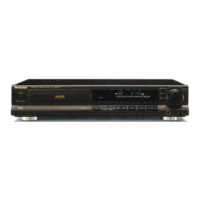
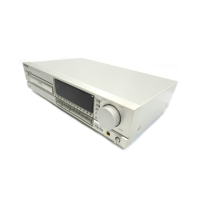
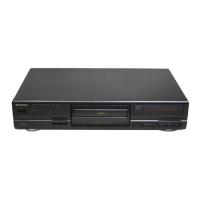
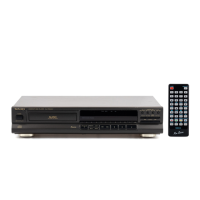
This document provides operating instructions for the Technics Compact Disc Players, models SL-PG590, SL-PG490, and SL-PG390. While the instructions fundamentally explain the operation of the SL-PG590 model, they are applicable to all three.
The Technics Compact Disc Player is designed to play audio CDs. It offers a range of playback modes and features to enhance the listening experience, including sequential play, direct access play, program play, and random play. Advanced functions like CD edit recording, time fade, auto cue, and peak search are also available, particularly on the SL-PG590 model. The device supports both main unit and remote control operation for convenience.
Basic Playback: To begin playing a disc, first ensure the unit is powered on by pressing the "STANDBY/ON" switch. If "no dISC" is displayed, open the disc tray using the "OPEN/CLOSE" button, insert a CD with the label facing upward, and then close the tray. Playback will automatically begin from the first track. To stop playback, press the stop button. To pause, press the pause button, and press it again to resume.
Searching and Skipping: During playback, you can search forward or backward within a track by holding down the search buttons (◄◄◄◄ or ►►►►). To skip to the previous or next track, press the skip buttons (◄◄◄ or ►►►).
Direct Access Play (SL-PG590, SL-PG490): This feature allows you to play a disc from a desired track to the last track, after which it stops automatically. On the SL-PG590, you can use the numeric buttons on the main unit or remote control to select the track. For the SL-PG490, direct access play is only available via the remote control. To select a two-digit track, press "≥10" followed by the two desired numbers within 7 seconds (e.g., "≥10 – 2 – 5" for track 25).
Program Play: You can program up to 20 tracks to play in any desired order. While the disc is stopped, press "PROGRAM." Then, select the tracks using the numeric buttons (SL-PG590) or the skip buttons (SL-PG490, SL-PG390) and press "PROGRAM" after each selection. Repeat until all desired tracks are entered. If a mistake is made, press "CLEAR." Press the play button to start programmed playback. Program contents are stored even after playback ends. To cancel program mode, press "PROGRAM."
Random Play: This function plays all tracks on a disc one time each in random order, stopping automatically afterward. To activate, press "RANDOM." Random play is canceled when playback is stopped or by pressing "RANDOM" again. During program play, this function will play the programmed tracks in random order.
Repeat Playback: You can repeat all tracks or specific desired tracks. Press "REPEAT" before or during play. To repeat only one track or specific tracks, first specify the track numbers (as in program play), then press "REPEAT," and finally press play. To cancel repeat, press "REPEAT" again.
A-B Repeat (SL-PG590, SL-PG490): Available only from the remote control, this feature allows you to repeat a specific segment of a disc. While the disc is playing, press "A-B REPEAT" at the desired start point (point A) and again at the desired end point (point B). The segment between A and B will play repeatedly. To cancel, press "A-B REPEAT." Note that A-B repeat is not possible during random or program play.
Output Level Control (SL-PG590, SL-PG490): Available from the remote control, this feature allows you to temporarily lower the sound output of the CD player, rather than adjusting the amplifier's volume. Press "- LEVEL" to decrease the volume (from 0dB to -12dB in steps). Press "LEVEL +" to increase it. The output level returns to 0dB when the unit is turned off and on again. During CD edit recording, the output level cannot be adjusted.
Time Fade (SL-PG590): This function allows you to specify a playback time, after which the volume gradually decreases, and playback ends. While the disc is stopped or paused, press "TIME FADE." Use the numeric buttons to specify the playback time (5 seconds to 99 minutes and 59 seconds). Press play to start. Five seconds before the specified time, "T.FADE" flashes, the volume decreases, and the disc pauses. Time fade is canceled simultaneously if you press play again. To check the remaining time until fade out, press "TIME MODE" three times during playback.
Time Mode Selection: While the disc is playing or paused, pressing "TIME MODE" cycles through different display modes: elapsed time of track, time remaining on disc, time remaining on track, and elapsed time of entire disc. The display returns to its original state if playback is stopped and started again.
Auto Cue: This function pauses playback at the beginning (where sound can be heard) of all tracks, one track at a time. Press "AUTO CUE." If a disc was playing, playback pauses at the beginning of the next track. Then, use the skip buttons (or numeric buttons on SL-PG590/SL-PG490) to select the track number, and the unit switches to play standby mode. Press play to hear the sound immediately. To play tracks successively, press play for each track. To cancel, press "AUTO CUE" during playback.
Peak Search: This function searches for the peak level on the disc, which is useful for adjusting the recording level on a cassette deck. Press "PEAK SEARCH" to start the search. It takes about 2 minutes and 30 seconds for a 60-minute CD. Once found, the unit repeatedly plays an approximately 6-second segment around the peak level. Refer to your cassette deck's instructions for adjusting recording levels.
CD Edit Recording (SL-PG590): This feature helps you record CDs onto tape without cutting off tracks at the end of the tape. It automatically adds an interval between tracks if one doesn't exist, ensuring tape search functions work correctly.
Listening with Headphones (SL-PG590, SL-PG490): Connect 3.5 mm stereo headphones to the "PHONES" jack. Adjust the volume using the "PHONES LEVEL" control. Avoid listening for prolonged periods to prevent hearing damage.
Handling CDs: Always handle CDs by their edges, with the label facing upwards. Do not touch the recorded surface. Return CDs to their cases after use to protect them from dust, scratches, and warping. Avoid using irregular-shaped CDs (heart-shape, octagonal, etc.) as they can damage the unit. If a CD is moved from a cold to a warm environment, wipe off any moisture with a soft, dry, lint-free cloth before use. Do not write on the label side with ball-point pens or other writing instruments. Do not use record cleaning sprays, benzine, thinner, static electricity prevention liquids, or any other solvent. Do not attach labels or stickers to CDs, especially those with exposed adhesive. Do not use scratch-proof protectors or covers other than those specified for use with this system.
Storing CDs: Store CDs in their cases in a cool, dark place. Do not store them in direct sunlight, humid or dusty locations, near heat vents or heating appliances, or in the glove compartment or on the rear deck of an automobile, as these conditions can damage the CDs.
Cleaning the Unit: To clean the unit, wipe it with a soft, dry cloth. For extremely dirty surfaces, use a soft cloth dipped in a soap-and-water solution or a weak detergent solution. Never use alcohol, paint thinner, benzine, or chemically treated cloths to clean the unit. If using a chemically impregnated cloth, read its instructions carefully.
Troubleshooting: The manual provides a troubleshooting guide for common issues such as the disc tray not closing, indicators not appearing, playback not starting, or the remote control not working. It suggests probable causes and remedies, such as re-inserting the disc correctly, cleaning dirty discs, or replacing remote control batteries. If problems persist, it advises contacting an Authorized Service Center.
 General
| Type | CD Player |
|---|---|
| Frequency Response | 2 Hz - 20 kHz |
| Digital Outputs | Optical |
| Power Consumption | 12W |
| Digital to Analog Converter | 1-bit DAC |
| Disc Format | CD |
| Digital Converter | MASH |
| Line Output | 2V |



 To Next Page