EasyManua.ls Logo

Technics ST-G460 - Page 5

Technics ST-G460
17 pages
Print Icon
To Next Page IconTo Next Page
To Previous Page IconTo Previous Page
Loading...
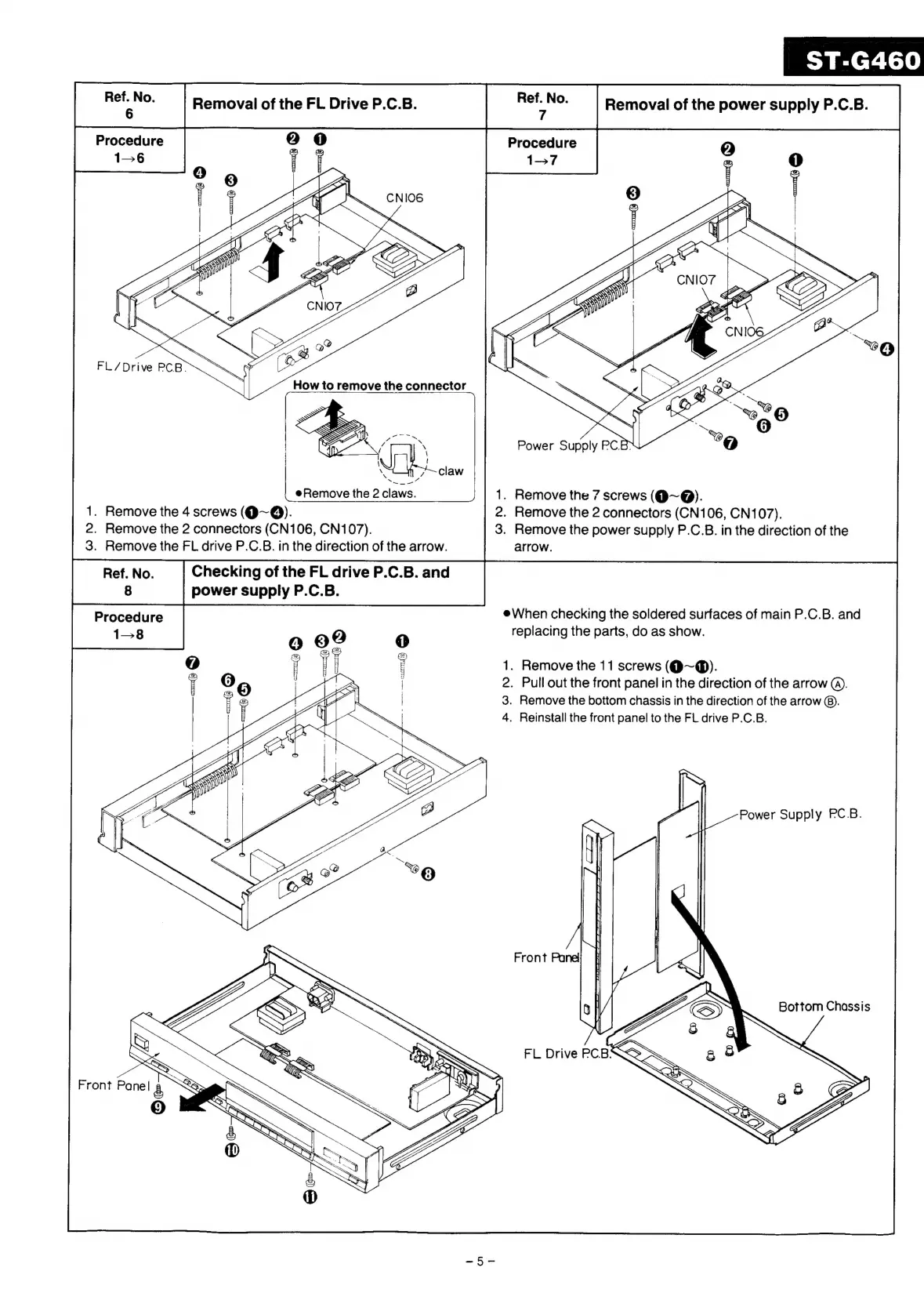
Removal
of
the
FL
Drive
P.C.B.
Removal
of
the
power
supply
P.C.B.
Power
Supply
PC.B>
Remove
the
2
claws.
.
Remove
the
7
screws
(Q@~@).
2.
Remove
the
2
connectors
(CN106,
CN107).
3.
Remove
the
power
supply
P.C.B.
in
the
direction
of
the
arrow.
1.
Remove
the
4
screws
(@~@).
2.
Remove
the
2
connectors
(CN106,
CN107).
3.
Remove
the
FL
drive
P.C.B.
in
the
direction
of
the
arrow.
Ref.
No.
Checking
of
the
FL
drive
P.C.B.
and
8
power
supply
P.C.B.
Procedure
1-8
eWhen
checking
the
soldered
surfaces
of
main
P.C.B.
and
replacing
the
parts,
do
as
show.
1.
Remove
the
11
screws
(@~@).
2.
Pull
out
the
front
panel
in
the
direction
of
the
arrow
@).
3.
Remove
the
bottom
chassis
in
the
direction
of
the
arrow
@®).
4.
Reinstall
the
front
panel
to
the
FL
drive
P.C.B.
Bottom
Chassis

Related product manuals