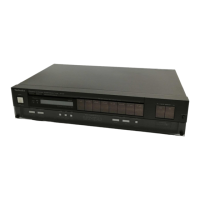
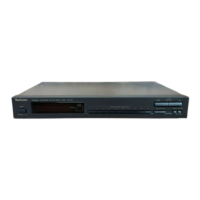
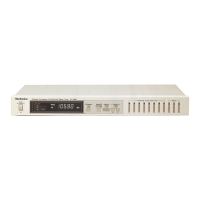
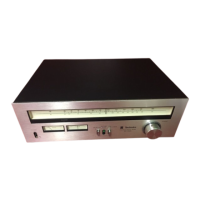
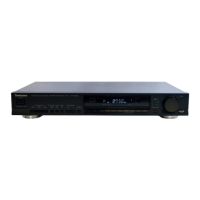
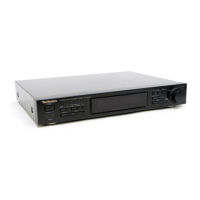
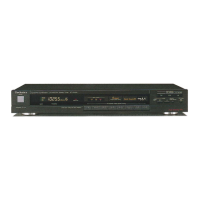
The Technics ST-G45A and ST-G45AL are QUARTZ Synthesizer AM/FM Stereo Tuners, with the ST-G45AL model additionally supporting LW/MW/FM stereo reception. These operating instructions provide a comprehensive guide for users to maximize enjoyment from their new audio component.
Function Description
The primary function of these units is to receive and tune into radio broadcasts across AM, FM, and for the ST-G45AL, LW and MW bands. The "QUARTZ Synthesizer" technology ensures precise and stable tuning.
Memory Presettings: The tuners allow users to preset up to 16 radio broadcast stations (FM/AM random presetting). Once stations are preset, they can be quickly selected by touching a single button.
- Automatic Memory Presetting: This feature automatically presets FM and AM (or FM, MW, and LW for ST-G45AL) broadcasting stations to channels 1 through 16 (FM) and 9 through 16 (AM/MW/LW). Users must first select the appropriate frequency step for their locality. The process involves turning the unit on, initiating the automatic presetting, and then confirming the preset stations. If fewer than 16 stations are found, remaining channels are left empty and can be filled manually. If a new station is preset into an occupied channel, the previous station is automatically erased. For strong AM signals, minor frequency adjustments might be needed manually.
- Manual Memory Presetting: Stations can also be freely preset to any desired channel. This involves turning the unit on, selecting the desired broadcast band (FM, AM, MW, or LW), tuning to the desired broadcast using the tuning buttons (either automatic or manual tuning), and then pressing the desired channel button while the memory indicator is illuminated. The memory indicator will stop illuminating once presetting is complete. This allows for flexible organization of preferred stations.
- "Most-recent" Memory: The unit remembers the last FM or AM broadcast station heard when it was turned off and automatically tunes to that station the next time it is powered on.
- "Back-up" Memory: This function preserves both preset memory and most-recent memory for approximately one week in the event of a power failure or if the power cord is disconnected. This is maintained by a capacitor that needs to be recharged if the power supply is interrupted for a week or longer. To recharge, the unit should be left in the "on" position for at least thirty minutes before reprogramming.
Tuning Features:
- Band Selector: Buttons are provided to select between FM and AM (or FM, MW, LW for ST-G45AL) bands.
- Tuning Buttons: These buttons are used to tune to the desired broadcast station. Pressing momentarily changes the frequency step by step, while pressing and holding initiates continuous frequency change.
- FM Mode Selector (FM mode): This button switches the FM mode between stereo and mono. If the broadcast signal is weak or if there is significant interference in a stereo broadcast, setting it to "mono" position can improve sound quality. The FM stereo indicator will not illuminate in mono mode.
- Digital Frequency Display: The received frequency of the FM or AM broadcast station, or the preset channel number when using the preset tuning buttons, is indicated by a digital display.
- Quartz-lock Indicator (quartz lock): This indicator illuminates when the unit is precisely tuned to an FM or AM station.
- Signal-strength Indicators (signal strength): These indicators show the relative strength of the broadcast signal being received by the antenna. More indicators illuminate for stronger reception.
- Channel Display: The channel number selected by the preset tuning buttons is displayed.
Usage Features
Connections:
- AC Power Supply: The unit connects to a standard electrical AC wall outlet. It is crucial to ensure the correct voltage setting for the area, especially if a voltage selector is present on the rear panel. Using an incorrect voltage setting can seriously damage the unit.
- FM Antenna:
- FM Indoor Antenna (included): This antenna should be attached to a wall (using tack or tape) facing the direction of best reception. It should not contact internal antenna wire. This antenna reduces multipath distortion and external noise.
- FM Outdoor Antenna (option): Recommended for best reception sound quality, especially in mountainous regions or inside reinforced-concrete buildings. If an outdoor antenna is installed, the indoor antenna should be disconnected.
- AM Loop Antenna (included): This antenna is essential for receiving AM broadcasts. It should be attached vertically to a column, rack, or wall, not horizontally, and away from metal surfaces, power cords, speaker wires, and tape decks to avoid noise and impaired reception. The AM loop antenna connects to dedicated terminals on the rear panel.
- Stereo Connection Cable (included): Used to connect the tuner's output terminals to the amplifier's tuner input terminals.
- Control Input Terminal (CONTROL INPUT): This terminal is for connecting a timer to control the tuner via an external control signal.
- Attachment Plug (included, For United Kingdom only): Specific instructions are provided for wiring the mains lead in the United Kingdom, ensuring correct connection of blue (neutral) and brown (live) wires to the appropriate terminals in the plug.
Safety Suggestions:
- Power Source: Use only a standard AC wall outlet. Avoid high-voltage sources (like those for air conditioners) or DC power sources.
- Water Spills: Exercise extreme caution to prevent water spills, which can cause fire or electric shock. Disconnect power immediately if a spill occurs and consult a dealer.
- Ventilation: Place the unit in a well-ventilated area, at least 10 cm (4") away from wall surfaces, and away from direct sunlight.
- Heat Sources: Keep the unit away from heaters and other heat sources to prevent damage to internal circuits and external surfaces.
- Power Cord: Always grasp the plug, not the cord, when connecting or removing. Avoid touching the plug with wet hands.
- Repair: Never attempt to repair or reconstruct the unit yourself, as this can lead to serious electric shock.
- Children: Prevent children from inserting metal objects (coins, needles, screwdrivers) into the unit's ventilation holes.
- Insecticides: Avoid spray-type insecticides, as they can damage the cabinet and plastic parts, and the gas may ignite.
- Cleaning Agents: Never use alcohol, paint thinner, benzine, or chemically treated cloths for cleaning, as these can damage the finish.
- Power Off After Use: Turn off the unit after use to prolong its operational life and prevent unexpected issues.
- Troubleshooting: If any trouble occurs (interrupted sound, non-illuminating indicators, abnormal odor, or smoke), immediately disconnect the power cord and contact a dealer or Authorized Service Center.
Troubleshooting Guide:
A detailed troubleshooting guide is provided to help users identify and resolve common issues before seeking service. This includes problems related to:
- FM Broadcasts: Hissing noise in stereo, excessive noise in both stereo and monaural, flickering indicators, excessive distortion, and issues with preset-tuning buttons. Remedies often involve adjusting the antenna's location/direction, switching to an outdoor antenna, setting the FM mode to mono, or re-presetting stations.
- AM Broadcasts: Unusual "beat" sound, low-pitched "hum," strange hissing noise, and issues with preset-tuning buttons. Solutions include turning off nearby televisions, separating antenna wires from power cords, reversing the power cord connection, installing an outdoor antenna, or moving the unit away from interfering electrical appliances.
Maintenance Features
Cleaning:
- Use a soft, dry cloth for general cleaning.
- For extremely dirty surfaces, use a soft cloth dipped in a soap and water solution or a weak detergent solution. Wring the cloth well before wiping the unit, and then wipe again with a soft dry cloth.
- Do not use alcohol, paint thinner, benzine, or chemically treated cloths, as these can damage the unit's finish.

 Need help?
 General

 To Next Page