EasyManua.ls Logo

Technics SX-G5 - Page 15

Technics SX-G5
44 pages
Print Icon
To Next Page IconTo Next Page
To Previous Page IconTo Previous Page
Loading...
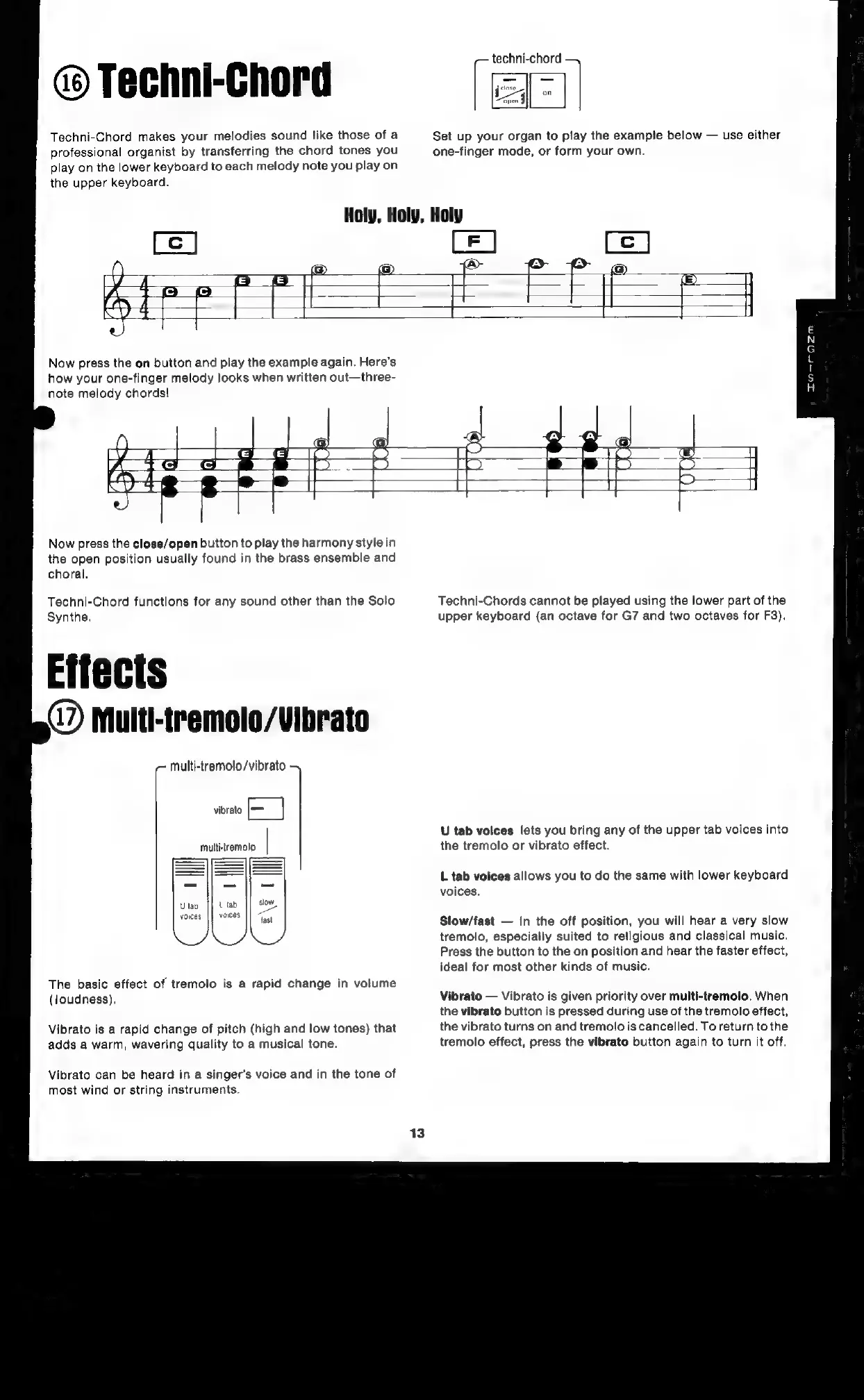
Techni-Chord
Techni-Chord
makes
your
melodies
sound
like
those
of
a
professional
organist
by
transferring
the
chord
tones
you
play
on
the
lower
keyboard
to
each
melody
note
you
play
on
the
upper
keyboard.
techni-chord
Set
up
your
organ
to
play
the
example
below
use
either
one-finger
mode,
or
form your
own.
(el
@&
ati
Now
press
the
on
button
and
play
the
example
again.
Here’s
how
your
one-finger
melody
looks
when
written
out—three-
note
melody
chords!
set
Now
press
the
close/open
button
to
play
the
harmony
style
in
the
open
position
usually
found
in
the
brass
ensemble
and
choral.
Techni-Chord
functions
for
any
sound
other
than
the
Solo
Synthe.
4?)
Multi-tremolo/Vibrato
~
Multi-tremolo/vibrato
vibrato
[|
multi-tremolo
The
basic
effect
of
tremolo
is
a
rapid
change
in
volume
(loudness),
Vibrato
is
a
rapid
change
of
pitch
(high
and
low
tones)
that
adds
a
warm,
wavering
quality
to
a
musical
tone.
Vibrato
can
be
heard
in
a
singer’s
voice
and
in
the
tone
of
most
wind
or
string
instruments.
Techni-Chords
cannot
be
played
using
the
lower
part
of
the
upper
keyboard
(an
octave
for
G7
and
two
octaves
for
F3).
U
tab
volces
lets
you
bring
any
of
the
upper
tab
voices
into
the
tremolo
or
vibrato
effect.
L
tab
voices
allows
you
to
do
the
same
with
lower
keyboard
voices.
Slow/fast
In
the
off
position,
you
will
hear
a
very
slow
tremolo,
especially
suited
to
religious
and
classical
music.
Press
the
button
to
the
on
position
and
hear
the
faster
effect,
ideal
for
most
other
kinds
of
music.
Vibrato
Vibrato
is
given
priority
over
multi-tremolo.
When
the
vibrato
button
is
pressed
during
use
of
the
tremolo
effect,
the
vibrato
turns
on
and
tremolo
is
cancelled.
To
return
to
the
tremolo
effect,
press
the
vibrato
button
again
to
turn
it
off.

Related product manuals