EasyManua.ls Logo

Technics SX-G5 - Page 30

Technics SX-G5
44 pages
Print Icon
To Next Page IconTo Next Page
To Previous Page IconTo Previous Page
Loading...
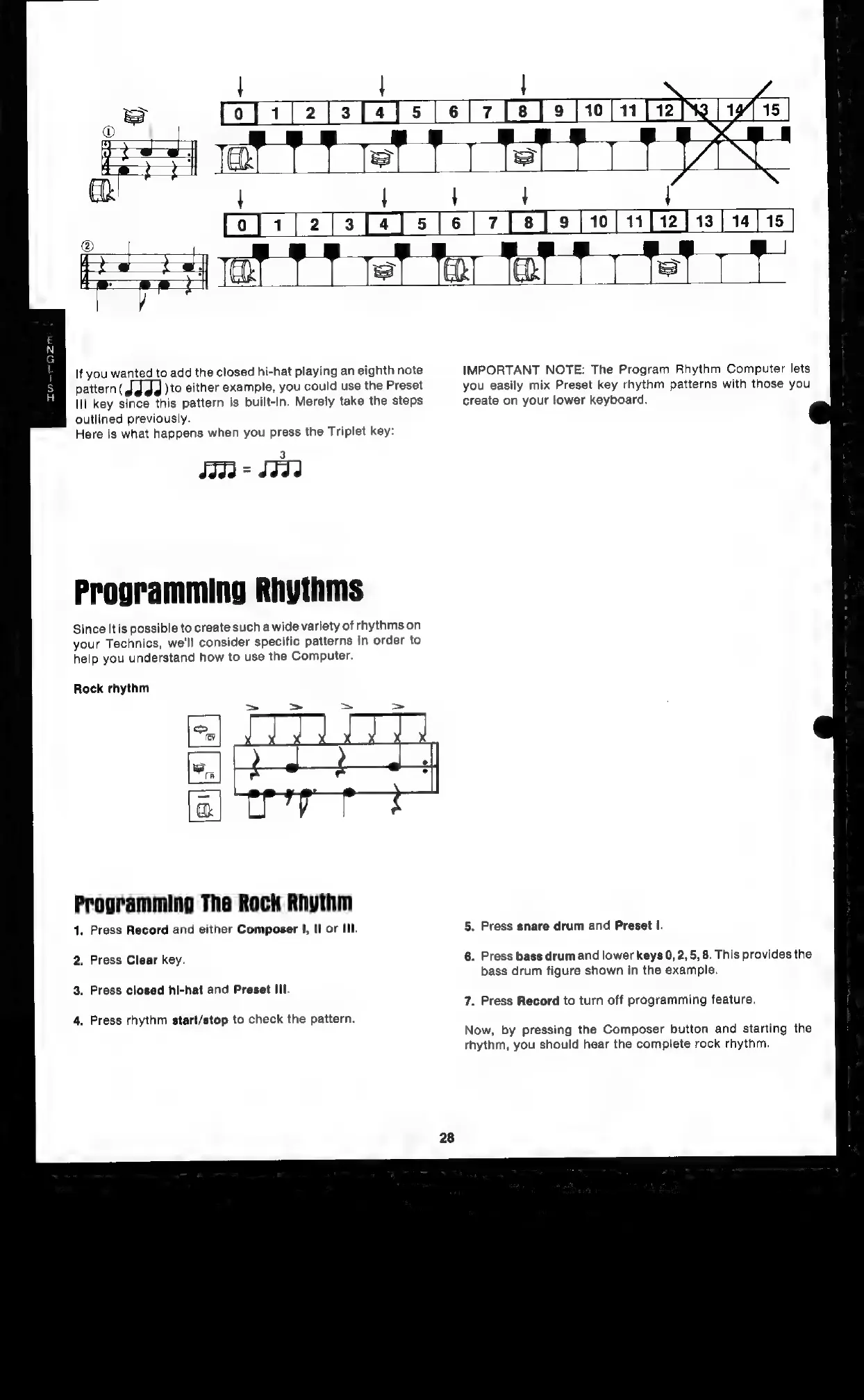
If
you
wanted
to
add
the
closed
hi-hat
playing
an
eighth
note
IMPORTANT
NOTE:
The
Program
Rhythm
Computer
lets
pattern(J
dg
)to
either
example,
you
could
use
the
Preset
you
easily
mix
Preset
key
rhythm
patterns
with
those
you
Ill
key
since
this
pattern
is
built-in.
Merely
take
the
steps
create
on
your
lower
keyboard.
outlined
previously.
Here
is
what
happens
when
you
press
the
Triplet
key:
Programming
Rhythms
Since
itis
possible
to
create
such
a
wide
variety
of
rhythms
on
your
Technics,
we'll
consider
specific
patterns
in
order
to
help
you
understand
how
to
use
the
Computer.
Rock
rhythm
Programming
The
Rock
Rhythm
1.
Press
Record
and
either
Composer
|,
Il
or
III.
5.
Press
snare
drum
and
Preset
I.
6.
Press
bass
drum
and
lower
keys
0,
2,
5,
8.
This
provides
the
2.
Press Clear
key.
bass
drum
figure
shown
in
the
example.
3.
Press
closed
hi-hat
and
Preset
III.
7.
Press
Record
to
turn
off
programming
feature.
4.
Press
rhythm
start/stop
to
check
the
pattern.
Now,
by
pressing
the
Composer
button
and
starting
the
rhythm,
you
should
hear
the
complete
rock
rhythm.

Related product manuals