EasyManua.ls Logo

Technics SX-G5 - Page 37

Technics SX-G5
44 pages
Print Icon
To Next Page IconTo Next Page
To Previous Page IconTo Previous Page
Loading...
Fullband
Setting
Computer
The
Fuliband
Setting
Computer
is
used
to
set
tones,
effects
and
rhythm
combinations.
{t
also
allows
storage
in
the
digital
memory
pack
of
information
needed
to
play
songs
such
as
the
contents
stored
in
the
Program
Chord
Computer
and
Program
Rhythm
Computer.
The
stored
contents
in
the
digital
memory
pack
can
be
freely
retrieved
for
use
whenever
required.
*
When
Play
Sequencer
is
employed,
the
memory
pack
allows
storage
of
one
song.
Without
the
Play
Sequencer,
up
to
4
songs
can
be
stored
in
the
SY-P2
memory
pack
(supplied
and
optional),
and
up
to
8
songs
in
the
optional
SY-P3.
thythen
composer
ee
ee
a
FSC
VSO
PCC
PRE
PS
=
Tam
%
organ
“Hm
De
5
For
Storage
In
the
Memory
Pack:
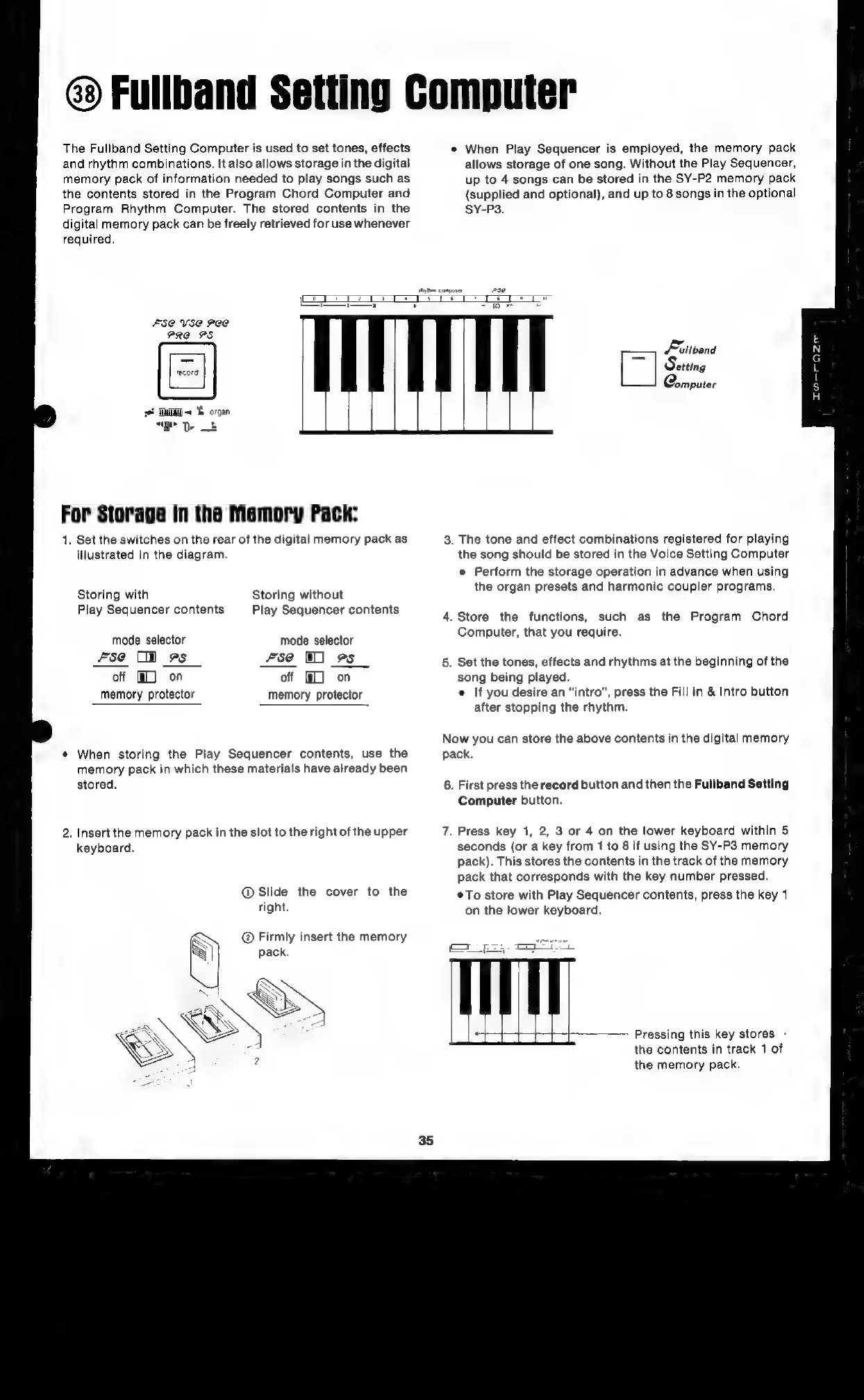
1.
Set
the
switches
on
the
rear
of
the
digital
memory
pack
as
illustrated
in
the
diagram.
Storing
with
Play
Sequencer
contents
Storing
without
Play
Sequencer
contents
mode
selector
mode
selector
fse
Ol
es
fse
1]
9s
off
@L)
on
off
f#L)
on
memory
protector
memory
protector
¢
When
storing
the
Play
Sequencer
contents,
use
the
memory
pack
in
which
these
materials
have
already
been
stored.
2.
Insert
the
memory
pack
in
the
slot
to
the
right
of
the
upper
keyboard.
@
Slide
the
cover
to
the
right.
@
Firmly
insert
the
memory
co
Fittband
[7
|
Setting
Qomputer
3.
The
tone
and
effect
combinations
registered
for
playing
the
song
should
be
stored
in
the
Voice
Setting
Computer
e
Perform
the
storage
operation
in
advance
when
using
the
organ
presets
and
harmonic
coupler
programs.
4.
Store
the
functions,
such
as
the
Program
Chord
Computer,
that
you
require.
5.
Set
the
tones,
effects
and
rhythms
at
the
beginning
of
the
song
being
played.
e
If
you
desire
an
“intro”,
press
the
Fill
in
&
Intro
button
after
stopping
the
rhythm.
Now
you
can
store
the
above
contents
in
the
digital
memory
pack.
6.
First
press
the
record
button
and
then
the
Fullband
Setting
Computer
button.
7.
Press
key
1,
2,
3
or
4
on
the
lower
keyboard
within
5
seconds
(or
a
key
from
1
to
8
if
using
the
SY-P3
memory
pack).
This
stores
the
contents
in
the
track
of
the
memory
pack
that
corresponds
with
the
key
number
pressed.
*To
store
with
Play
Sequencer
contents,
press
the
key
1
on
the
lower
keyboard.
re
mm
pore
Pressing
this
key
stores
-
the
contents
in
track
1
of
the
memory
pack.

Related product manuals