EasyManua.ls Logo

Technics SX-G5 - Page 38

Technics SX-G5
44 pages
Print Icon
To Next Page IconTo Next Page
To Previous Page IconTo Previous Page
Loading...
In
asimilar
manner,
store
the
contents
of
your
favorite
songs
in
the
remaining
tracks
of
the
memory
pack.
e
Write
the
titles
of
the
stored
songs
on
the
index
label
of
the
memory
pack.
Steps
3
to
7
above
remove
the
contents
of
the
stored
memory
pack
and
store
the
new
song.
If
you
wish
to
keep
the
stored
contents,
turn
on
the
digital
memory
pack’s
memory
protector.
By
using
the
optional
digital
memory
pack,
you
can
form
an
original
library
of
your
favorite
songs.
7
@
The
memory
pack
allows
storage
of
your
performance
in
either
the
PS
mode
or
the
FSC
mode.
The
PS
mode
stores
1
song
including
a
melody
while
the
FSC
mode
stores
only
the
registration
for
4
songs
(SY-P2)
or
8
songs
(SY-P3).
To
perform
the
stored
contents,
be
sure
to
use
the
mode
in
which
they
were
stored.
eWhen
the
other
mode
is
used,
either
the
stored
contents
cannot
be
performed
or
the
organ
may
not
operate
properly.
When
the
organ
does
not
operate
properly:
1.
Press
the
Fullband
Setting
Computer
button
to
turn
it
on.
2.
Press
the
initial
key
on
the
lower
keyboard.
|
Let's
Place
the
Memory
Pack
Contents
in
the
Organ!
.
Insert
the
memory
pack
in
the
slot
to
the
right
of
the
upper
keyboard.
.
Press
the
Fullband
Setting
Computer
button.
_
Press
the
keys
on
the
lower
keyboard
that
correspond
to
the
number
of
the
song
you
wish
to
play.
The
tones
and
effects
played
at
the
beginning
of
the
song
will
be
indicated
by
the
LEDs.
e
At
the
same
time,
the
contents
stored
in
the
Program
Chord
Computer
and
Voice
Setting
Computer,
etc.
are
also
set
automatically.
#
Musical
Display~
The
Fullband
Setting
Computer
number
selected
with
the
lower
keyboard
is
displayed.
(G5)
(G7-F3)
|
2
|
For
the
SX-GS5,
the
selected
number
is
displayed
only
when
the
Fullband
Setting
Computer
button
is
on.
Rhythm
tempo
@
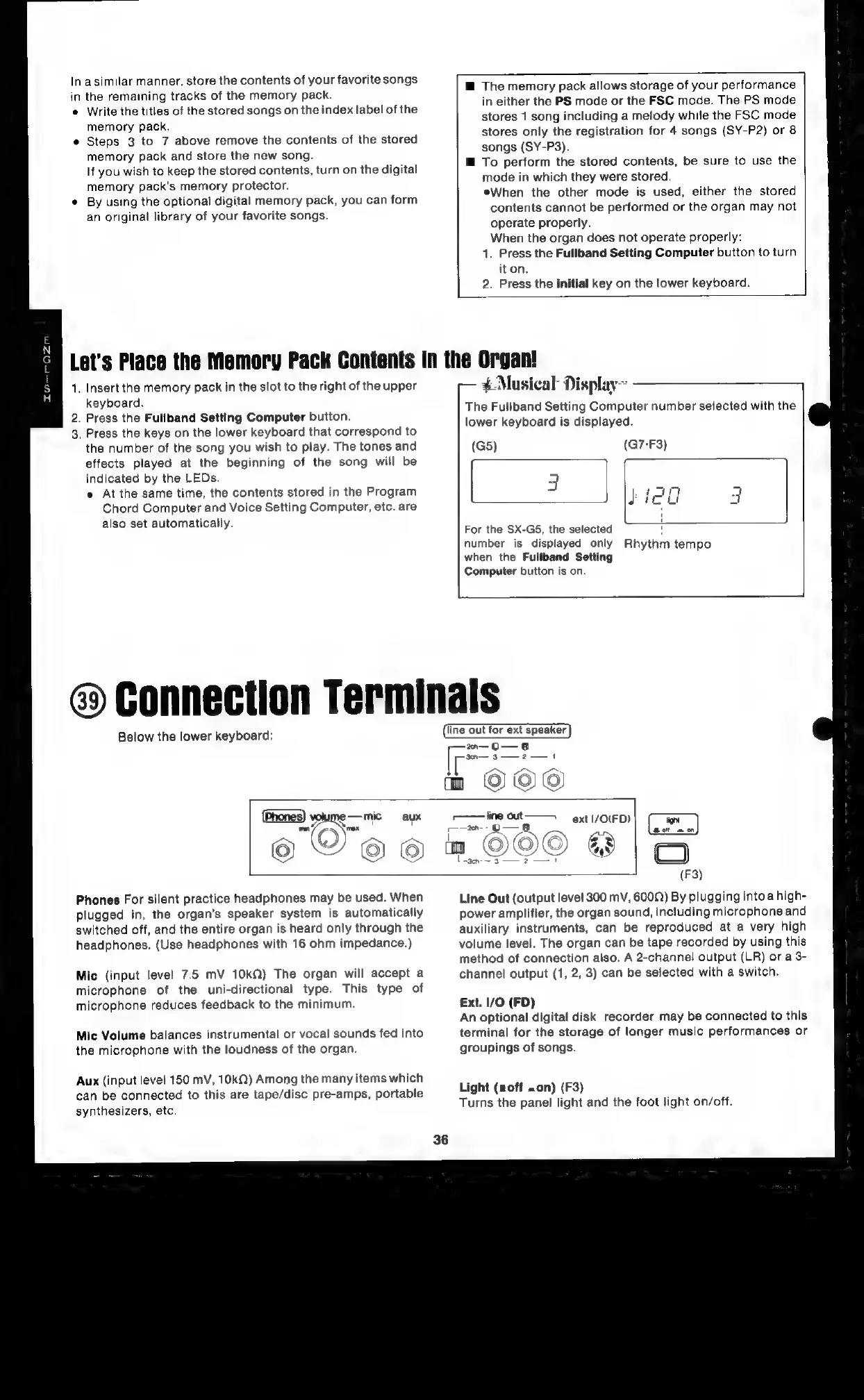
Connection
Terminals
Below
the
lower
keyboard:
line
out
for
ext
speaker
es
;
eee
m
OCO
(Phones)
mic
aux
On
oe
mn
©©©
¢
ae
ne
ext
|/O(FD)
CO
!
-aen-
3
7
7
Phones
For
silent
practice
headphones
may
be
used.
When
plugged
in,
the
organ’s
speaker
system
is
automatically
switched
off,
and
the
entire
organ
is
heard
only
through
the
headphones.
(Use
headphones
with
16
ohm
impedance.)
Mic
(input
level
7.5
mV
10kQ)
The
organ
will
accept
a
microphone
of
the
uni-directional
type.
This
type
of
microphone
reduces
feedback
to
the
minimum.
Mic
Volume
balances
instrumental
or
vocal
sounds
fed
into
the
microphone
with
the
loudness
of
the
organ.
Aux
(input
level
150
mV,
10kQ)
Among
the
many
items
which
can
be
connected
to
this
are
tape/disc
pre-amps,
portable
synthesizers,
etc.
(F3)
Line
Out
(output
level
300
mV,
6009)
By
plugging
intoa
high-
power
amplifier,
the
organ
sound,
including
microphone
and
auxiliary
instruments,
can
be
reproduced
at
a
very
high
volume
level.
The
organ
can
be
tape
recorded
by
using
this
method
of
connection
also.
A
2-channel
output
(LR)
ora
3-
channel
output
(1,
2,
3)
can
be
selected
with
a
switch.
€xt.
1/O
(FD)
An
optional
digital
disk
recorder
may
be
connected
to
this
terminal
for
the
storage
of
longer
music
performances
or
groupings
of
songs.
Light
(off
»on)
(F3)
Turns
the
panel
light
and
the
foot
light
on/off.

Related product manuals