16
iPod/iPhone DOCKING BAY
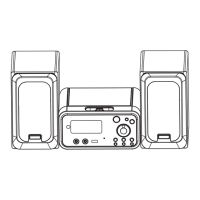
Your system includes a built-in dock for an iPod or iPhone.
NOTE: iPod in the text of this section refers to both iPod and
iPhone models.
To open the iPod dock:
Press the • CD/iPod/USB/CARD button until ‘iPod’ is
displayed.
Press the • iPod OPEN/CLOSE button.
The door will slide open to reveal the iPod dock.
Press the dock tilt lever.•
The lever will pop out.
To tilt the dock forward:
You can now pull the lever to tilt the dock connector •
forward.
With the dock tilted forward, it is much easier to dock or remove
an iPod.
To lock the dock in place:
Once you have docked your iPod, press the lever to close •
the dock.
Press the • iPod OPEN/CLOSE button to close the door over
the dock.
NOTE: There is an interlock on the door to prevent it closing
when the lever is tilted forward.
Dock tilt lever



 To Next Page