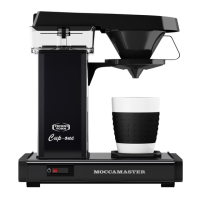
8
1. Power switch should be in the o position.
2. Fill the water container with fresh COLD water by hand or press the
autoll button (optional feature).
3. Place a uted lter into the lter cone. Fill the paper with the
required amount of lter ne ground coee and slide the lter cone
rmly into position.
4. Place an empty carafe underneath the lter cone and switch the
machine on.
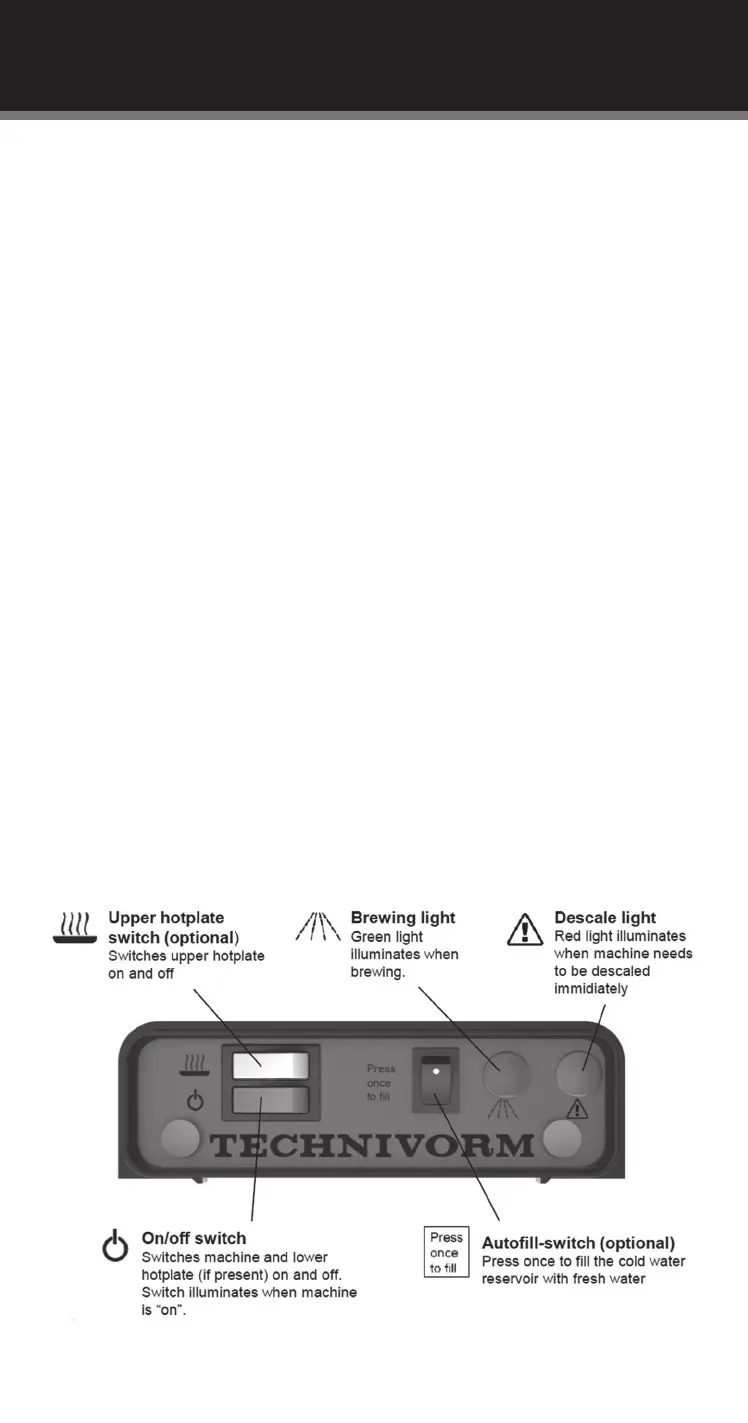
5. A green brewing light will illuminate to indicate that the machine is
brewing. It will go out then the brewing cycle is completed.
6. The machine ON switch also controls the bottom hotplate, so leave
the switch on whilst keeping the coee hot. The top hotplate (if
present) has its own switch on top of the main ON switch.
7. Make sure all hotplates are switched OFF when the carafes are
empty. Overheating empty glass will weaken the glass.
8. Always remove used coee/lter paper from the lter pan at the
end of each brew. NEVER use the hotplate to re-heat coee or other
liquids.
DIRECTIONS FOR USE
Switches and lights



 To Next Page