For Support Visit· support.technocnc.com or Call: (631) 648-7481
35
HDS User Manual
(HTT06291133)
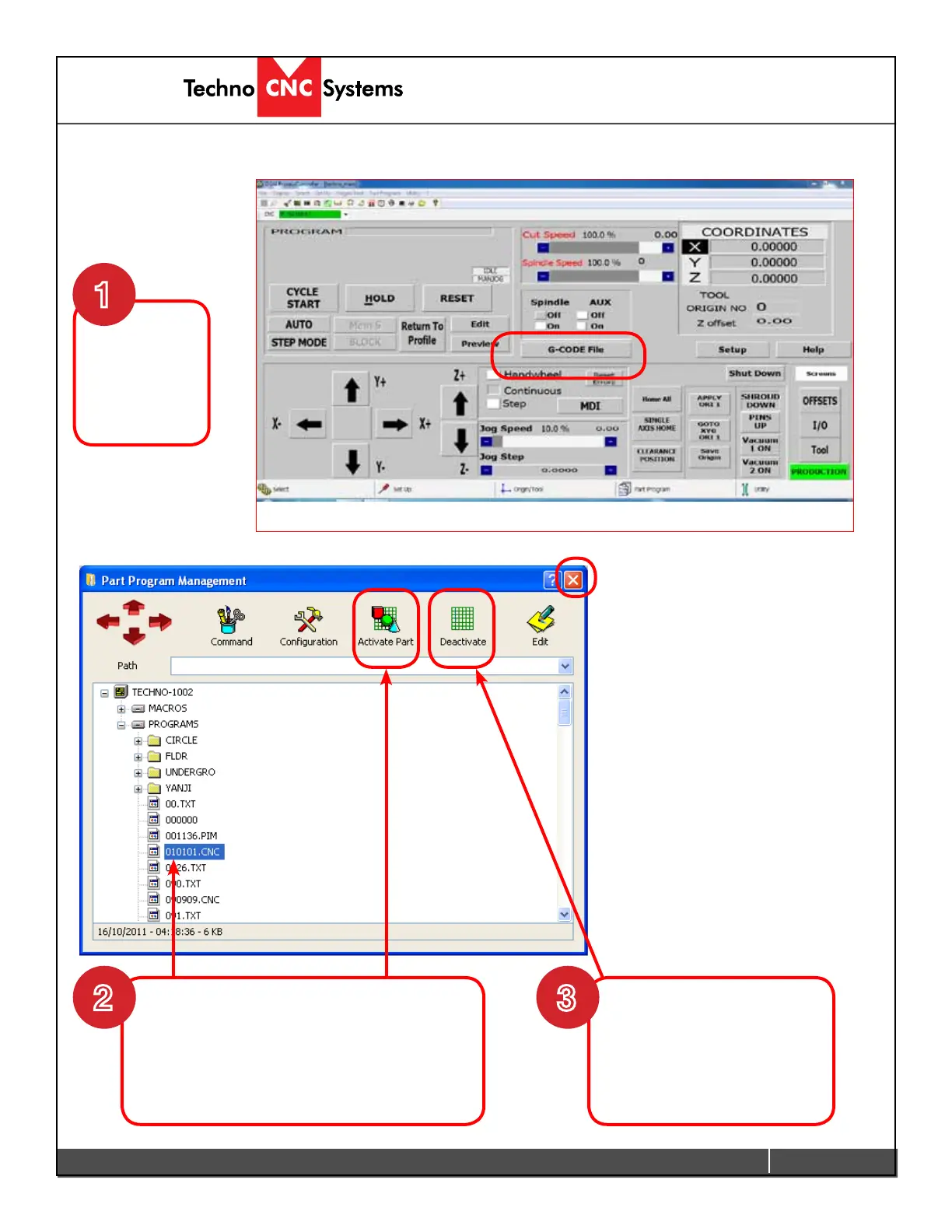
Click on
G-CODE File
to access the
le menu.
Locate the File you want to load.
Leftclickonthele.
- Click Activate to load it to the machine.
- Close the window by clicking X.
3.5 Running a G-Code File
1
2
When loading a new le
click Deactivate to remove
the old le, before you click
activate.
3
(Continued on next page)



 To Next Page