40
For Support Visit· support.technocnc.com or Call: (631) 648-7481
HDS User Manual
(HTT06291133)
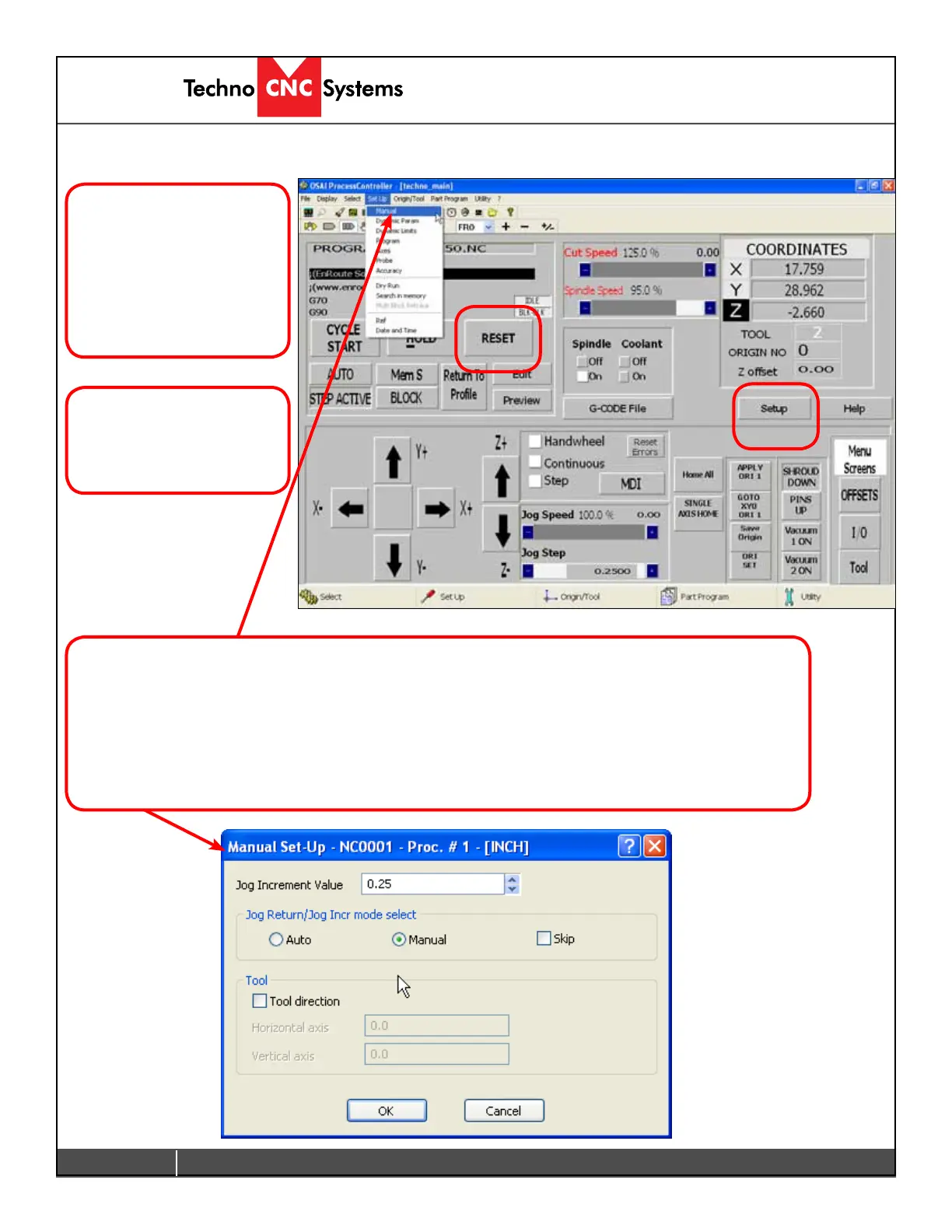
4.4. Setup Parameters
Certain parameters for a
G-codelecanbechanged
from the Setup window in
the interface. Any changes
here are cleared when
RESET is pressed in the
main screen.
Click on Setup and the
drop down menu will
appear.
Manual Setup will allow the user to change the Jog step size.
Checking Auto willmeanthemachinewilljogthefullstepsizewhenthejogarrowispressedonce.
Checking Manual willmeanthemachinewillonlyjogwhilethearrowishelddown.Whenitreaches
the step size, it will stop and the user will have to release the button and press again.
All the other options on this window are disabled.



 To Next Page