For Support Visit· support.technocnc.com or Call: (631) 648-7481
39
HDS User Manual
(HTT06291133)
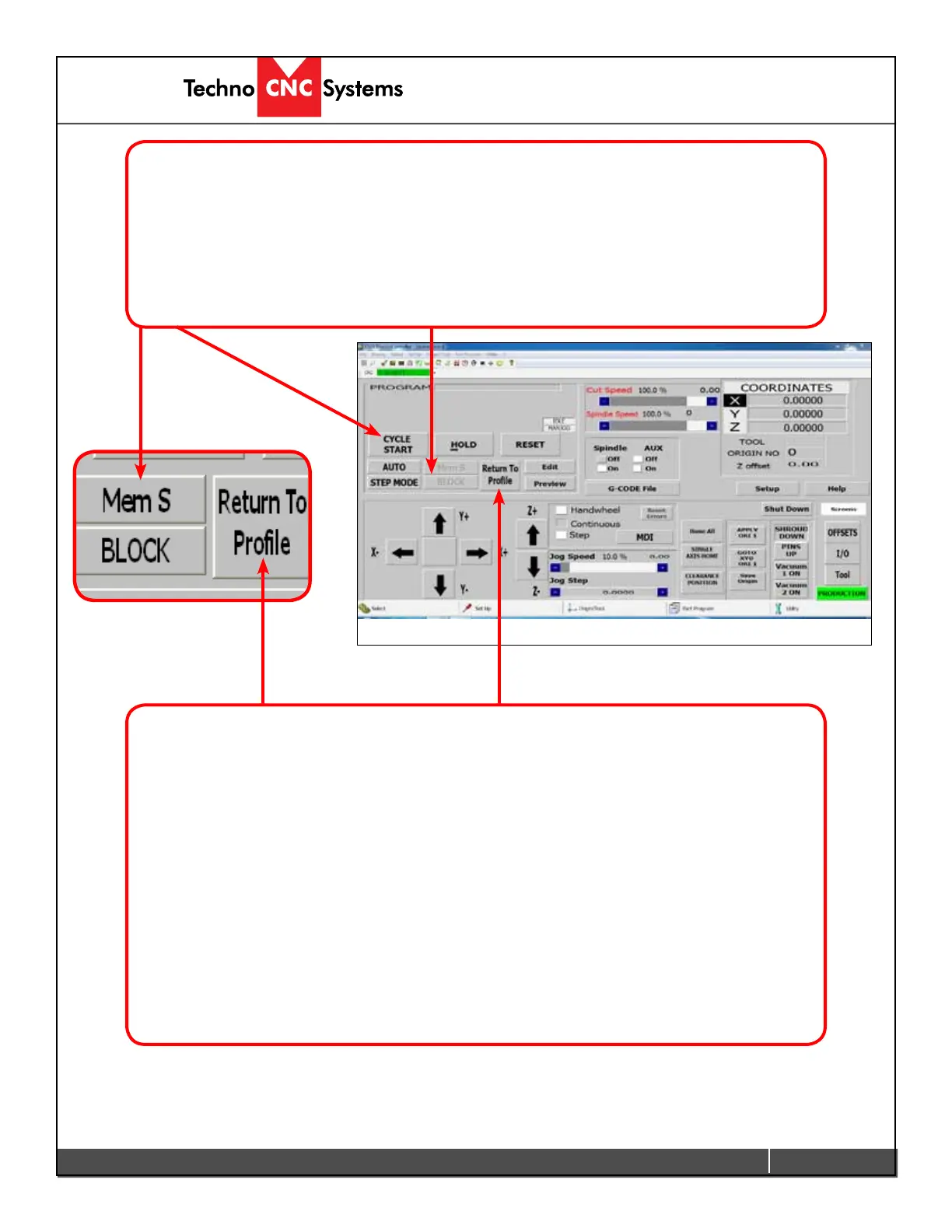
4.2 Mem Search
Mem searchwillallowyoutondthelastresetpointinthelecurrentlyactivated.
If you press RESETwhilerunningale,youcancontinuefromthatpointbypressingMEM S.
The G-code will be searched for the last break point, and once it has been found, pressing
CYCLE START will continue from that point.
4.3 Return to Prole.
If the user presses HOLD whilealeisrunningandjogsoffthepart,whentheytrytorestart,a
“Not on part prole error” will appear.
Toreturntothepartprole:
- Press Return to Prole.
- Press the Y axis arrow, the Y axis will move to the position it was in when hold was pressed.
- Press the X axis arrow, the X-axis will move to the position it was in when hold was pressed.
- Press the Z axis arrow, the Z-axis will move to the position it was in when hold was pressed.
- “Spindle on Part Prole” message will appear on the screen.
- Deactivate hold, by clicking HOLD.
- Select AUTO.
- Click CYCLE START tocontinuethele.


 To Next Page
 Loading...