46
For Support Visit· support.technocnc.com or Call: (631) 648-7481
HDS User Manual
(HTT06291133)
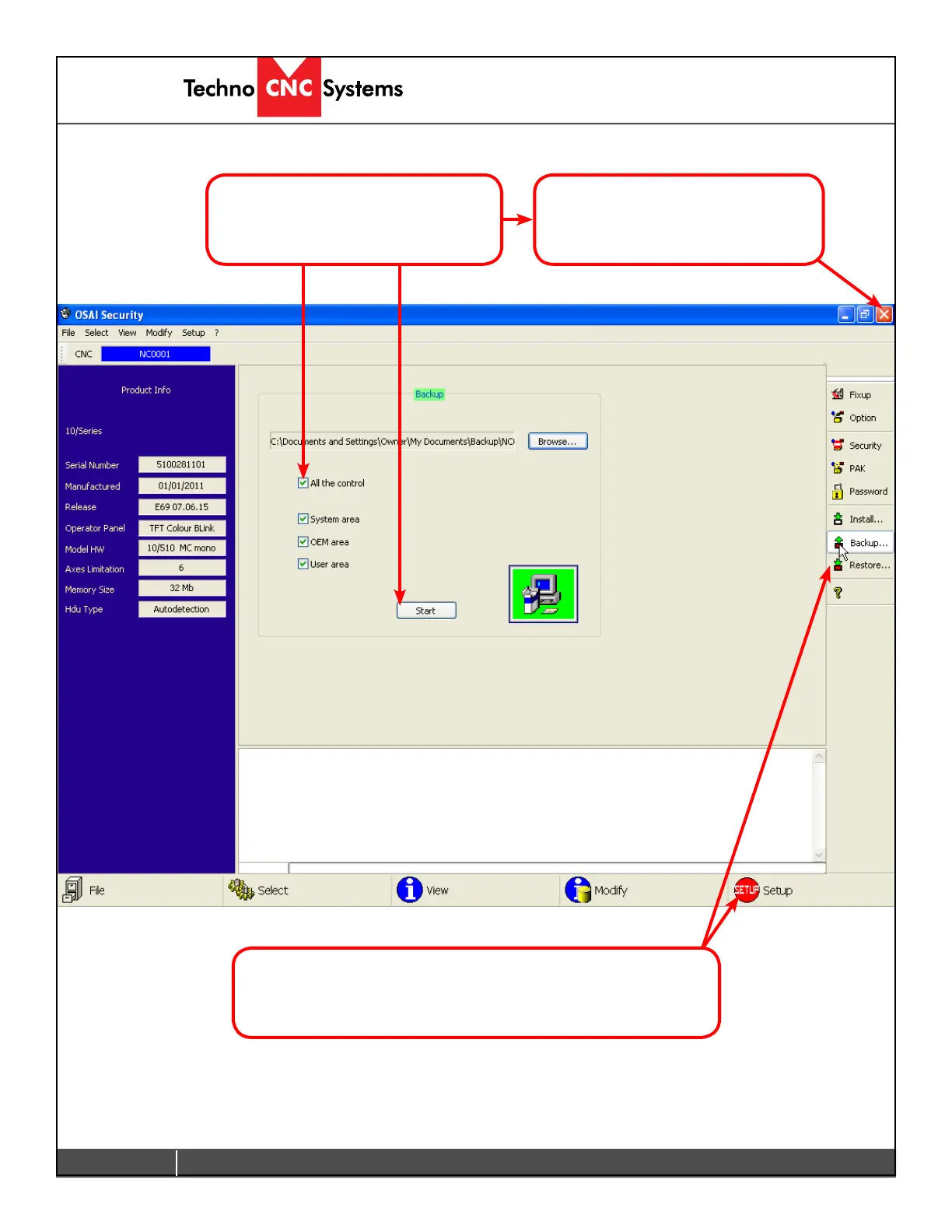
Check the box beside All the control
and click Start to begin the backup.
To Restoreasavedbackup,justreboot in setup mode again,
and select Restore to load the saved settings.
Once complete, close the Security
window, and reboot the controller
in Normal mode.



 To Next Page