EasyManua.ls Logo

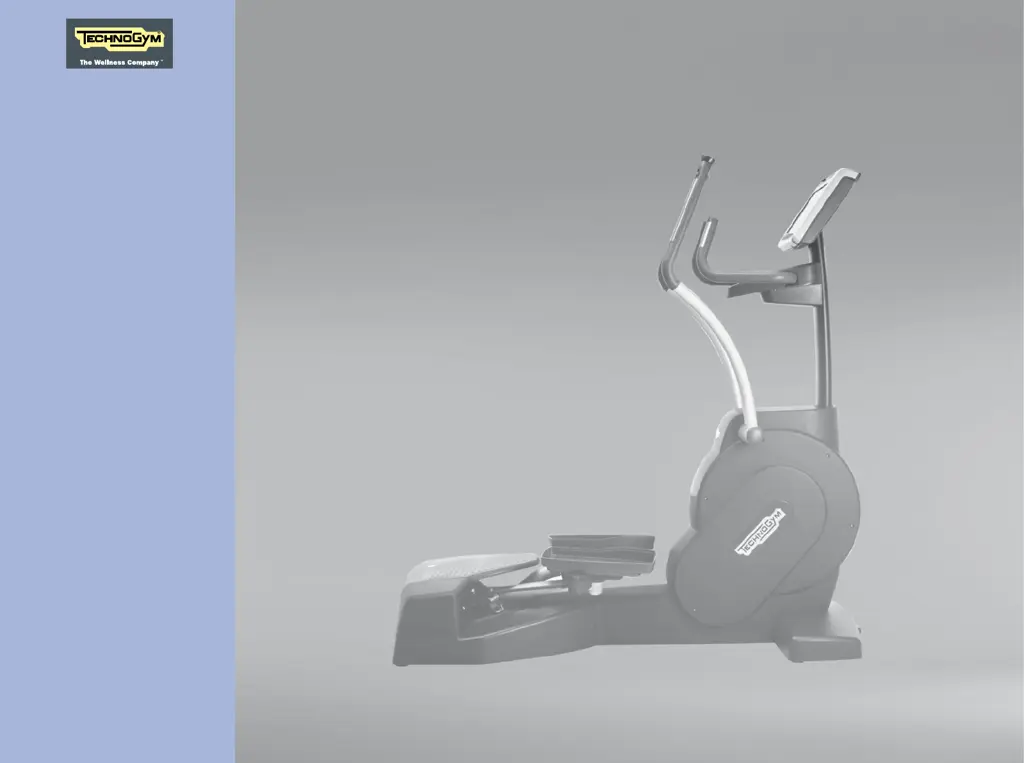
Technogym Crossover - User Manual

Technogym Crossover
40 pages
Print Icon
To Next Page IconTo Next Page
Loading...
CROSSOVER
User manual
Technical
information
700 version
software
500 version
software

Questions and Answers

  • R
    Richard LeachJul 27, 2025
    What to do if my Technogym Crossover equipment doesn't switch on?
    • R
      Rita BrennanJul 27, 2025
      If your Technogym Crossover equipment doesn’t switch on, first check the power supply at the wall socket by plugging in a working appliance. For versions 700 and 500, also check the connection. If it still doesn't work, there may be a damaged power supply cable, burnt-out fuses, or a disconnected control panel connector. In these cases, contact the Technogym Technical Support Service.
  • C
    Cory JamesAug 3, 2025
    Why is my Technogym Crossover so noisy?
    • A
      Allison VillarrealAug 4, 2025
      If your Technogym Crossover is too noisy, start by checking its position and level the adjustment feet. If the noise persists, it could be due to damaged bearings or a worn belt, in which case you should contact the Technogym Technical Support Service.
  • C
    Charles WilsonAug 11, 2025
    What to do if I have problems monitoring heart rate with the chest band on my Technogym ?
    • T
      Timothy CostaAug 11, 2025
      If you're experiencing problems monitoring your heart rate with the chest band on your Technogym Crossover, try the following: * Ensure other transmitters are far enough away to prevent signal interference (minimum distance of 80 cm between units). * Identify and move any strong interference sources, such as electrical appliances. * Dampen the inside of the chest band with water to ensure proper skin contact. If these steps don't resolve the issue, the chest band may be worn or the transmitter damaged, requiring you to change the chest band. If the control panel is not working properly, contact the Technogym Technical Support Service.
  • T
    Tiffany WellsAug 19, 2025
    Why is the data incorrect on my Technogym Crossover?
    • J
      john47Aug 19, 2025
      If you're experiencing incorrect or unreliable data while your Technogym Crossover is running, it might be due to a blocked key on the keypad or interference from nearby electrical appliances. Move the equipment away from any potential sources of radio interference. If the problem persists, contact the Technogym Technical Support Service, as it could be due to a disconnected internal connector or an internal contact issue in the control panel.

Summary

Manufacturer and Equipment Identification

Description of the Equipment

Key User Interface Components

Details the main interactive elements like the control panel, levers, and handles used during workouts.

Functional Parts and Accessories

Describes the equipment's functional parts such as pedals and bases, along with optional accessories and readers.

Technical Data

Accessories

Safety Devices and Notices

Safety Features and Warnings

Covers safety guards, indicators, main switch, fuses, and general warnings about labels and hazards.

Place of Installation

Moving the Equipment

Levelling

Electrical Connection (700 and 500 Versions)

Connection to Another Device

Routine Maintenance

Changing the Fuses (700 and 500 Versions)

Recharging the Battery (700 SP and 500 SP Versions)

Troubleshooting

Power, Noise, and Connection Issues

Addresses common operational problems including power failures, noise, and connection issues, with suggested remedies.

Data, Heart Rate, and Sensor Issues

Troubleshoots issues related to data accuracy, radio interference, and heart rate monitoring systems.

Technical Assistance

Storage

Disposing of the Equipment

Switching On and Off

Monitoring the Heart Rate

Heart Rate Measurement Methods

Explains how the equipment measures heart rate using hand sensors and a chest band transmitter.

Interpreting Heart Rate Zones and Data

Guides users on understanding heart rate zones and interpreting the data shown on the console.

Ergonomic Positioning on the Equipment

Technogym Crossover Specifications

General IconGeneral
BrandTechnogym
ModelCrossover
CategoryCrossover
LanguageEnglish