17
(2) Turn off the UPS by DC without mains power
a) Press and hold the OFF key for more than half a second to turn off the UPS.
b) When turning off the UPS, it will do self-testing firstly. The LEDs light and go out
circularly and orderly until there is no display on the cover.
2-5 Configuring Battery Setings
Set the UPS for the number of EBPs installed.
To ensure maximum battery runtime, configure the UPS for the correct
number of EBPs, refer to Table 8 for the appropriate setting of battery numbers and
type. Use the up and down scroll keys to select the number of battery strings
according to your UPS configuration:
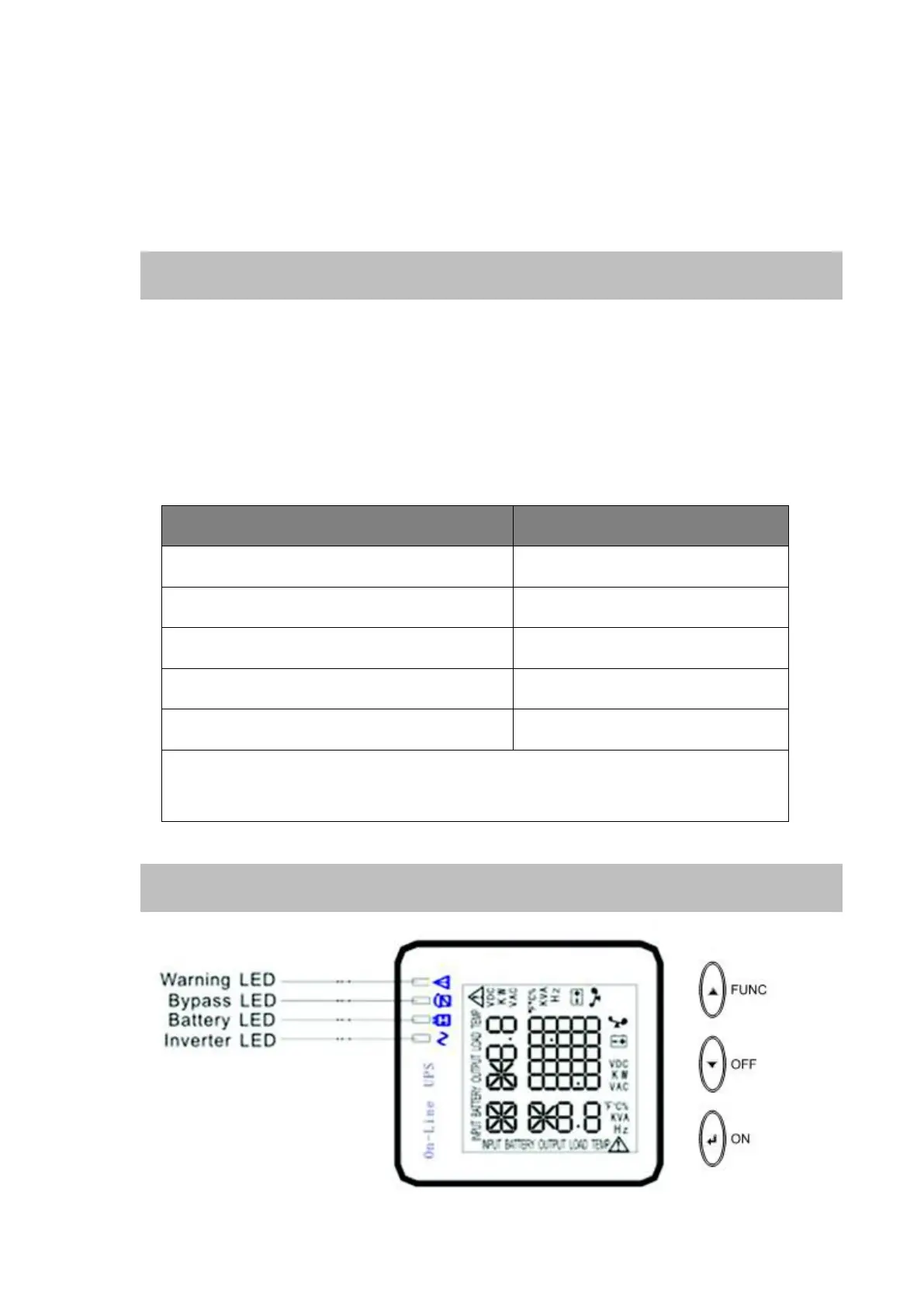
2-6 LCD control panel



 To Next Page