EN12
station device will automatically exit AP mode. If not please press and hold “WIFI”
button for 3 seconds to exit it.
7. Confirm the city of your current location:
Make sure your phone’s location service are turned on and allowed for this App.
Make sure that your current location city can be successfully located in the map.
Some cities may fail to locate because there is no corresponding success in the
App. You can manually move the location or be automatically positioned to a
large administrative level city.
8. The device will connect to your home Wi-Fi network automatically in few minutes.
Wi-Fi and signal symbol and all weather data will be displayed after Wi-Fi is suc-
cessfully connected.
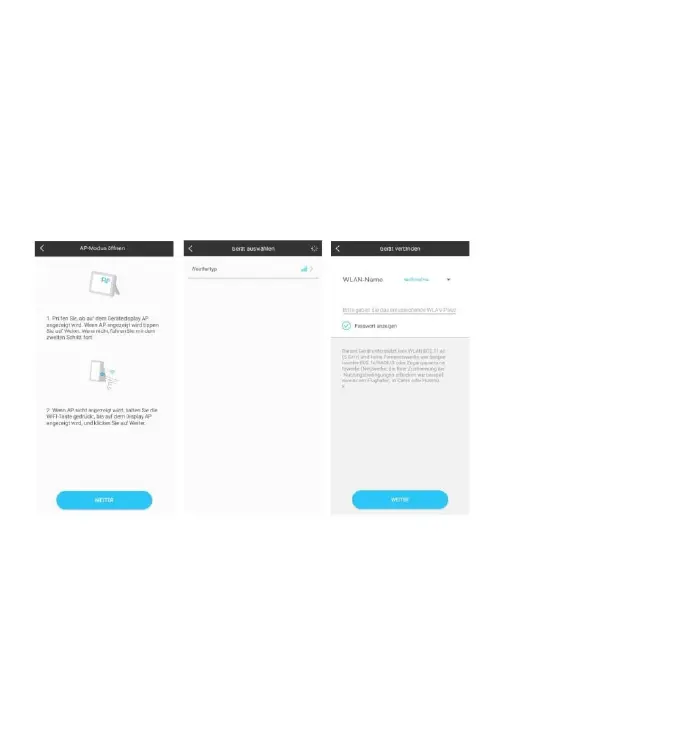
Make sure the device enter AP mode ->
Select the device name “Weathertyp” ->
Input correct Wi-Fi password











 To Next Page