EN2
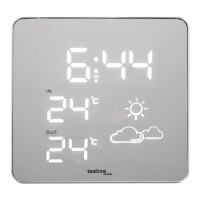
A – Front side
A1: Time A2: Indoor temperature A3: Tendency indicator
A4: Weather forecast A5: Outdoor temperature
B – Back side
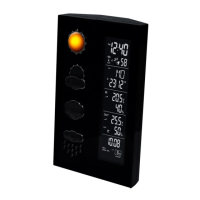
B1: Snooze/Dimmer button B2: Time button B3: Alarm On/Off button
B4: Hour/Wave button B5: Minute button B6: Alarm 1 button
B7: Alarm 2 button B8: Reset button B9: DC socket
B10: Battery compartment door B11: AC/DC adaptor B12: DC plug-in jack
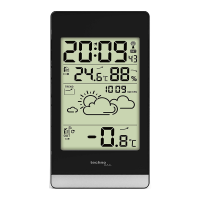
C – Outdoor sensor
C1: Stand C2: Channel selection switch C3: Battery compartment
ENVIRONMENTAL RECEPTION EFFECTS
The weather station obtains the accurate time with wireless technology. Same as all wireless
devices, the reception is maybe affected by the following circumstances:
Long transmitting distance
Nearby mountains and valleys
Among tall buildings
Near freeway, railway, airports, high voltage cable etc.
Near construction site
Inside concrete buildings
Near electrical appliances (computers, TV’s, etc)
Inside moving vehicles
Near metallic structures
Place the station at a location with optimal signal, i.e. close to a window and away from metal
surfaces or electrical appliances.
QUICK SETUP
Step 1 Keep your weather station and wireless sensor next to each other. Slide open the battery
cover at the back of your wireless outdoor sensor. Make sure the channel selector is set at position 1
(top position), then insert 2 x AAA batteries (not included) to the back of it. Replace the battery cover.
Only one sensor is receivable by the station.
Step 2 Insert the AC/DC adaptor to any 230V AC household outlet. Then insert the AC jack to the
back case of the station. Insert the round base to the back pole (as indicated) of your LED weather
station, turn the base to the right to secure it in position.
Step 3 Slide open the battery cover at the back of the station, then insert 3 x AAA batteries (not
included) by observing the correct “+/-“ polarity signs inside the battery compartment. Then replace
the battery cover.
Step 4
Peel off the protective label on the front. The weather station is ready to work.
The station will receive data signal from the outdoor sensor in few seconds. Then place the outdoor
sensor in a dry and shaded area outdoor.











 To Next Page