GB 5
Press and hold the “ + ” or “ - “ button to accelerate the setting process.
Alarm time setting:
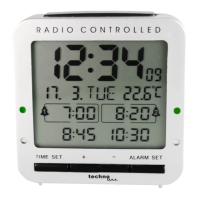
Press the “ALARM SET” button to enter alarm setting mode and the alarm time of ALARM-1
blinks on the display. Press the “ + ” or “ - “ button to set the alarm time of ALARM-1.
Press the “ALARM SET” button to confirm your setting and the alarm time of ALARM-2 blinks
on the display. Press the “ + ” or “ - “ button to set the alarm time of ALARM-2.
Press the “ALARM SET” button to confirm your setting and the alarm time of ALARM-3 blinks
on the display. Press the “ + ” or “ - “ button to set the alarm time of ALARM-3.
Press the “ALARM SET” button to confirm your setting and the alarm time of ALARM-4 blinks
on the display. Press the “ + ” or “ - “ button to set the alarm time of ALARM-4.
Press the “ALARM SET” button to confirm and end your setting. The clock goes back to
normal time display.
Notes:
After 30 seconds without pressing any button, the clock switches automatically from alarm
setting mode to normal time display.
Press and hold the “ + ” or “ - “ button to accelerate the setting process.
Alarm setting switches:
On the side of the clock there are 4 ALARM ON/OFF-switches for ALARM-1, ALARM-2,
ALARM-3 and ALARM-4.
Slide an “ALARM ON/OFF” switch to the ON position and the corresponding alarm will be
activated. As long as the alarm is activated, the corresponding alarm bell symbol with the











 To Next Page