GB 6
number of the alarm will be displayed with the alarm time.
Slide the same “ALARM ON/OFF” switch to the OFF position, the corresponding alarm is
deactivated and the alarm bell symbol is no longer displayed.
Notes:
Any combination of alarms can be set on or off at the same time.
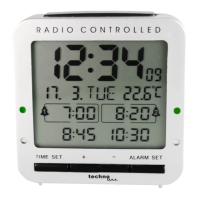
The alarm tone will sound, when the time of the clock reaches an activated alarm time.
When the alarm sound is active, press any button except the “SNOOZE/LIGHT” button to end
the alarm. The alarm will automatically sound again on the next day.
Slide the “ALARM ON/OFF” switch to OFF to end and deactivate the alarm. The alarm will not
sound again.
The alarm tone will automatically stop after 2 minutes if no button is pressed.
Snooze function:
Press the “SNOOZE/LIGHT” button during the active alarm tone to silence the alarm and enter
snooze mode. The “Zz” icon flashes on the display during snooze mode and the alarm will
sound again after 5 minutes.
Press any buttons to stop the alarm and or slide the “ALARM ON/OFF” switch to OFF to stop
and deactivate the alarm.
Temperature display:
The indoor temperature is displayed either in °C or °F.











 To Next Page