GUIDA OPERATIVA
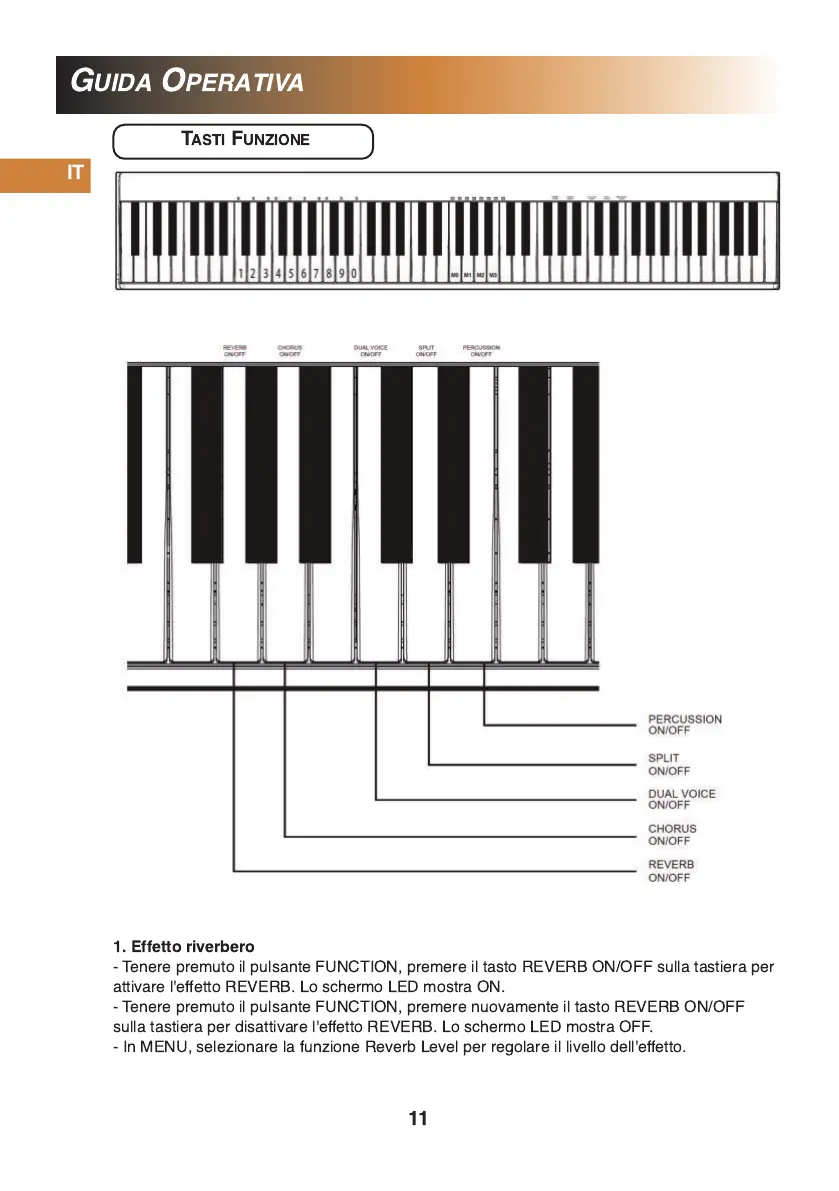
TASTI FUNZIONE
11
1 . Effetto riverbero
- Tenere premuto il pulsante FUNCTION, premere il tasto REVERB ON/OFF sulla tastiera per
attivare l'effetto REVERB. Lo schermo LED mostra ON.
- Tenere premuto il pulsante FUNCTION, premere nuovamente il tasto REVERB ON/OFF
sulla tastiera per disattivare l'effetto REVERB. Lo schermo LED mostra OFF.
- In MENU, selezionare la funzione Reverb Level per regolare il livello dell'effetto.
IT


 To Next Page