ENGLISH
27
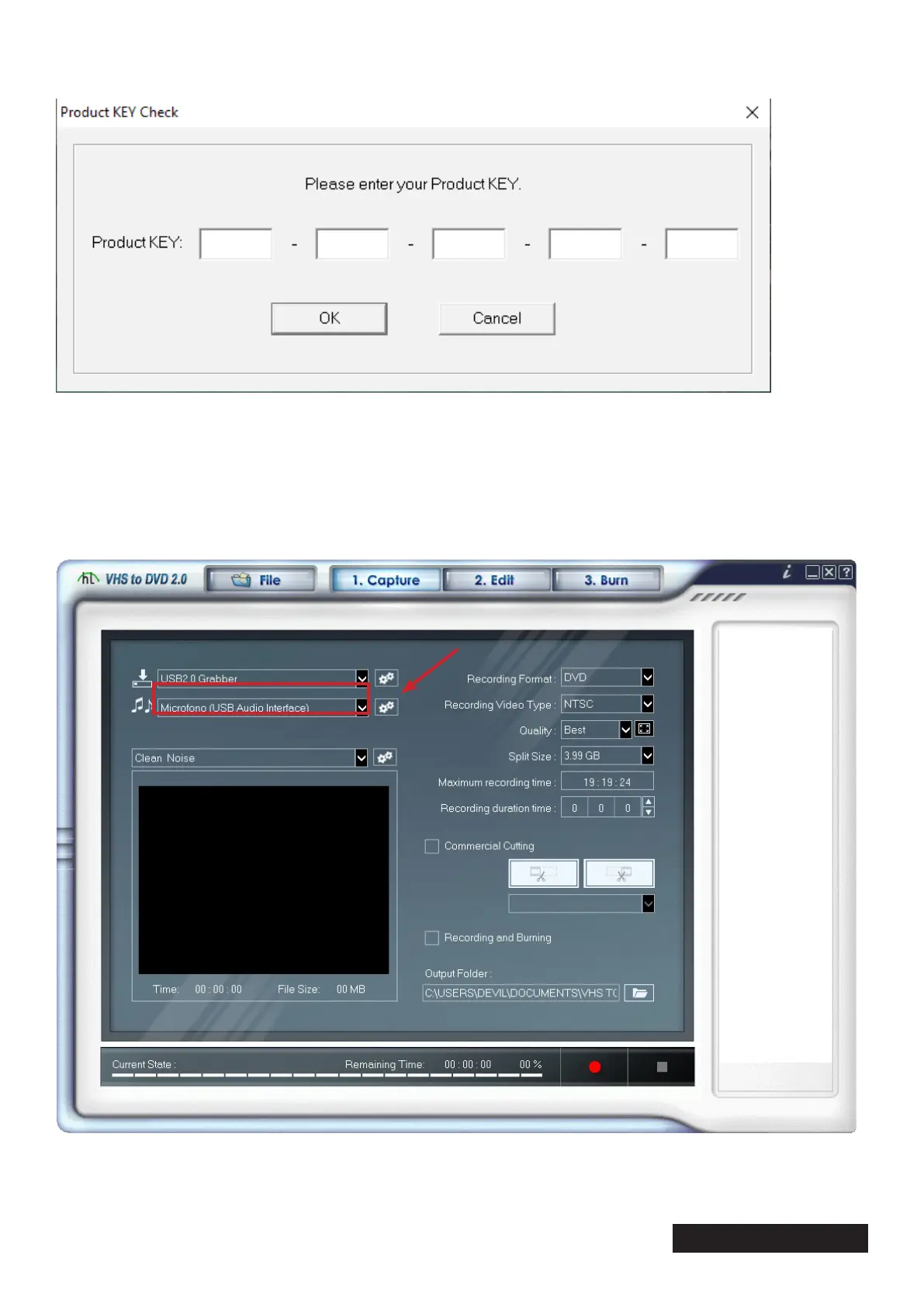
At the start it will ask you to enter the license code that you will nd written on the cd.
After transcribing it, click on the “OK” button, so that the software license key can be registered.
To use the device correctly it is recommended to restart the computer.
8. Software conguration:
Let’s place ourselves on the “1.Capture” point to start capturing our video.
Now we select the device as shown in gure (1)
Click on the wheel with gears next to the drop-down eld where the product is selected. (2)
1
2


 To Next Page