ENGLISH
28
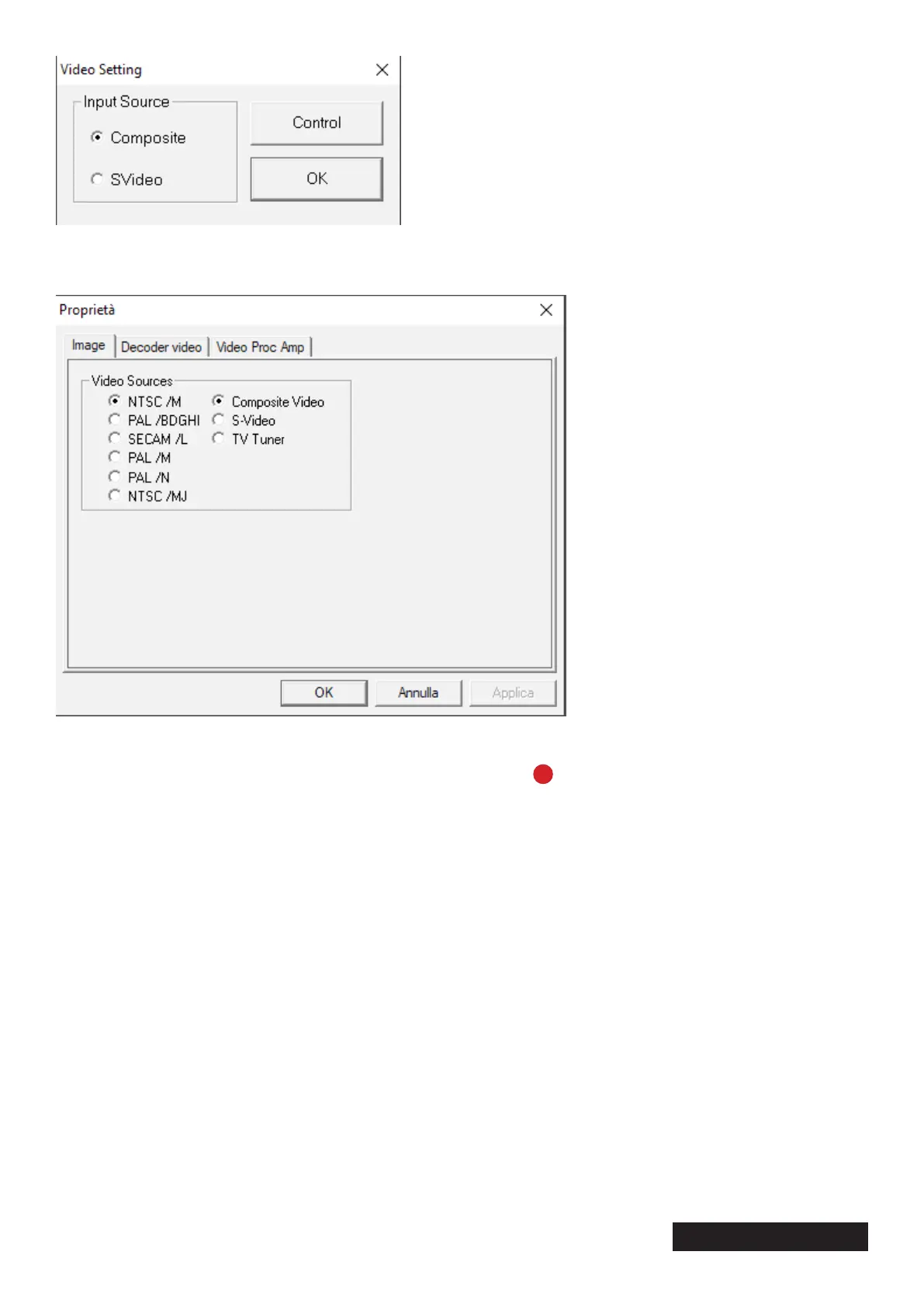
Choose the right source “Composite” (White, red yellow) or S Video and press “Control”
Specify the correct encoding based on the geographical area.
Then conrm the interface used by clicking on the “Ok” button.
To record the video, exit the capture panel and click the red “ ” button. When you want to stop re-
cording, click on the same button again.
At this point the image of the tape being played will be displayed in the preview window.
If this is not the case, check that “USB2.0 Grabber” e is present on the main screen
“USB Audio Interface”, as shown in the photo.
If the problem still persists, contact us on info@techsideworld.com.


 To Next Page