ENGLISH
29
9. Audio settings in Windows 7 preview:
Depending on the version of the operating system, the programs installed and the settings made, it is pos-
sible that no audio output can be obtained in the preview of the recording program.
This usually refers only to the preview. As a result, recorded videos contain the desired audio channel.
Below, on the example of Windows 7, it is explained how it is possible not to give up the preview audio
track.
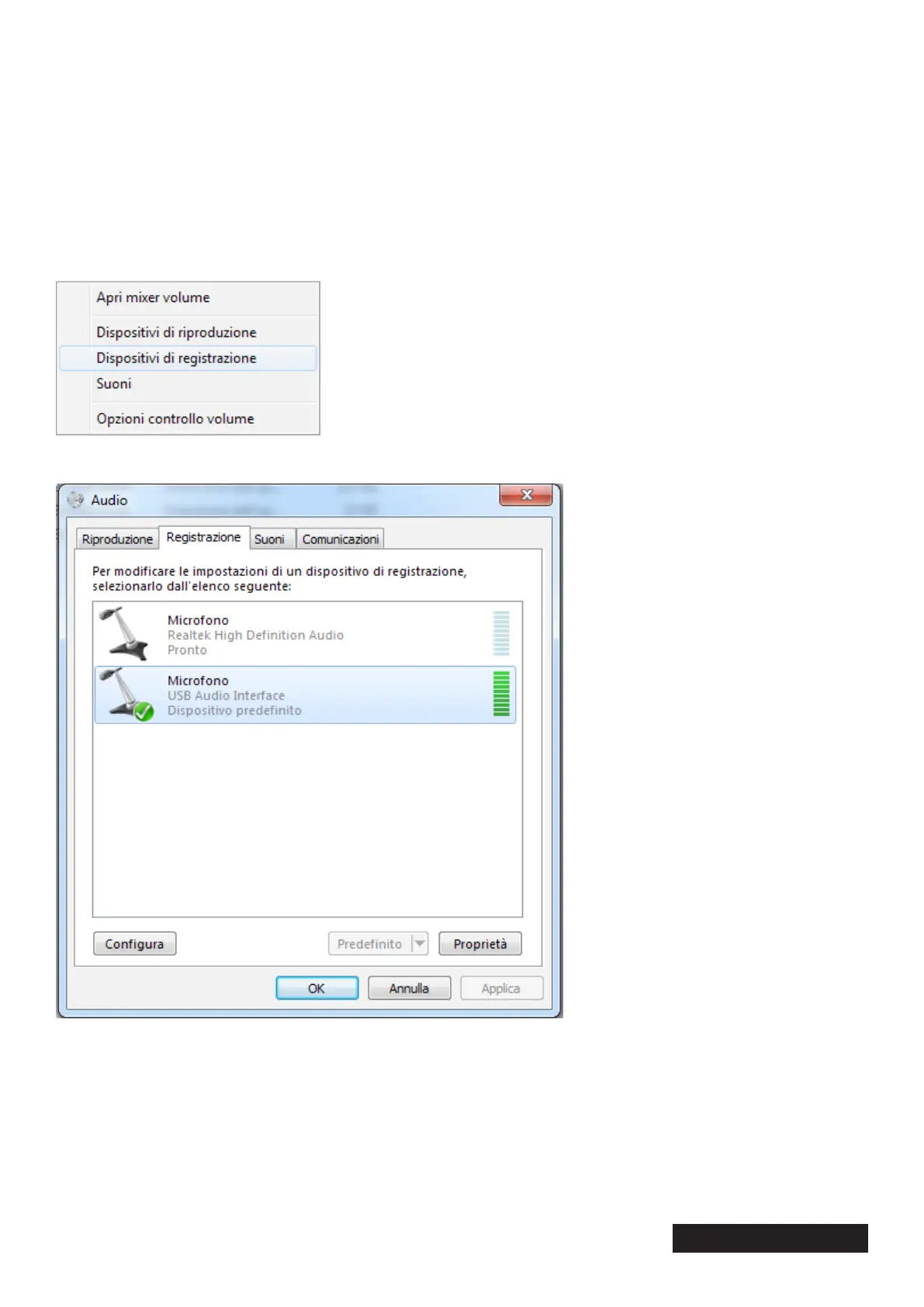
1. Open the settings for the recording devices by right-clicking on the audio icon on the taskbar at the
bottom right and then right-clicking on “Recording devices”.
2. In the list that appears, select the “Digital Audio Interface” or “Microphone” device with the denition
“USB Audio Interface” below and click on “Properties”.


 To Next Page