ENGLISH
30
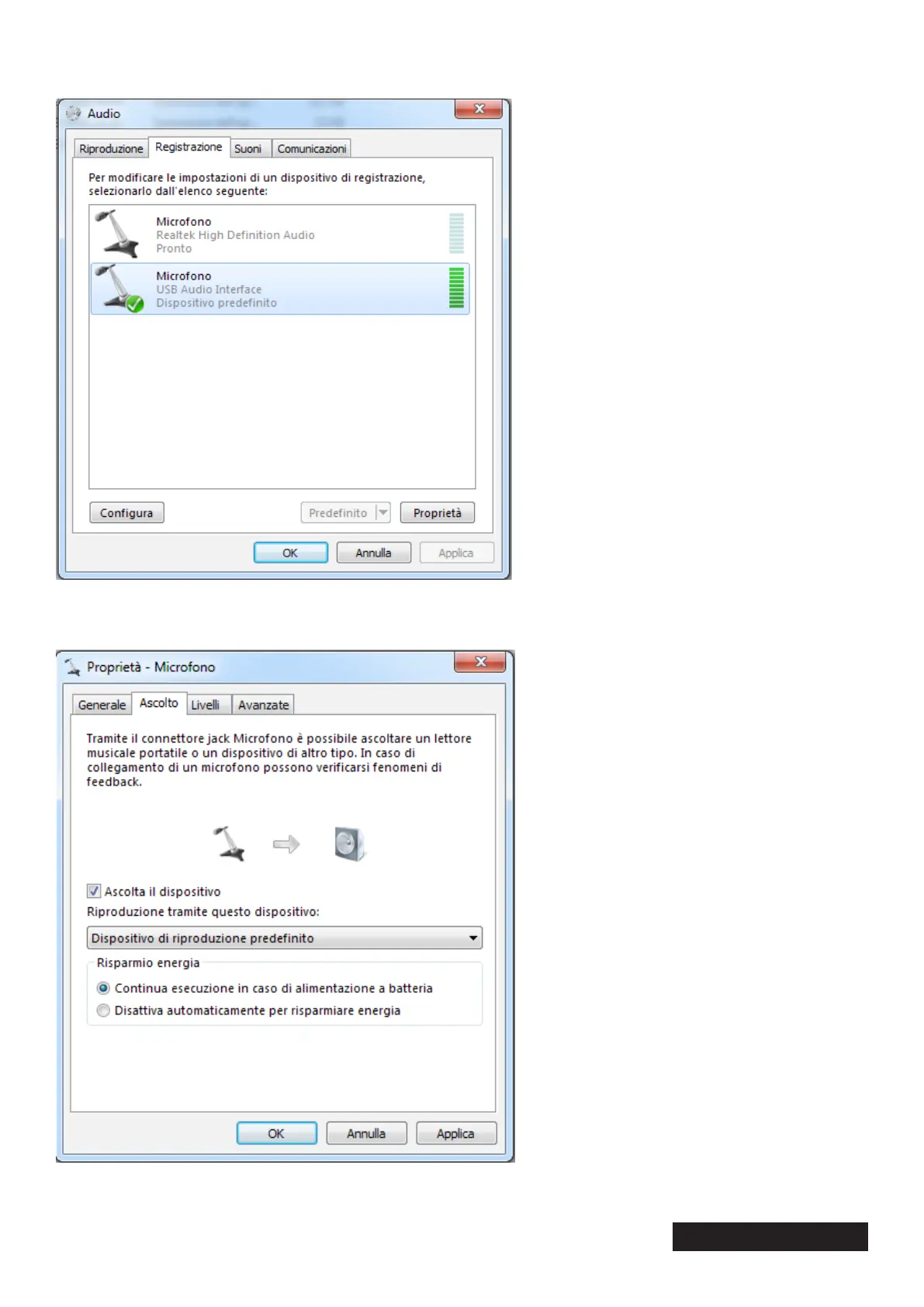
3. Go to the “Listening” tab and check the “Playback via this device” box. Then conrm the change by
clicking on “Apply” and close the window using the “OK” button
4. Subsequently, the audio that is embedded in the capture card is played back through the speakers or
headphones. To disable the function, proceed as described above again, but remove the check mark
from “Playback via this device”.


 To Next Page