Software version 2.2.1_2015-02-21
-
10
-
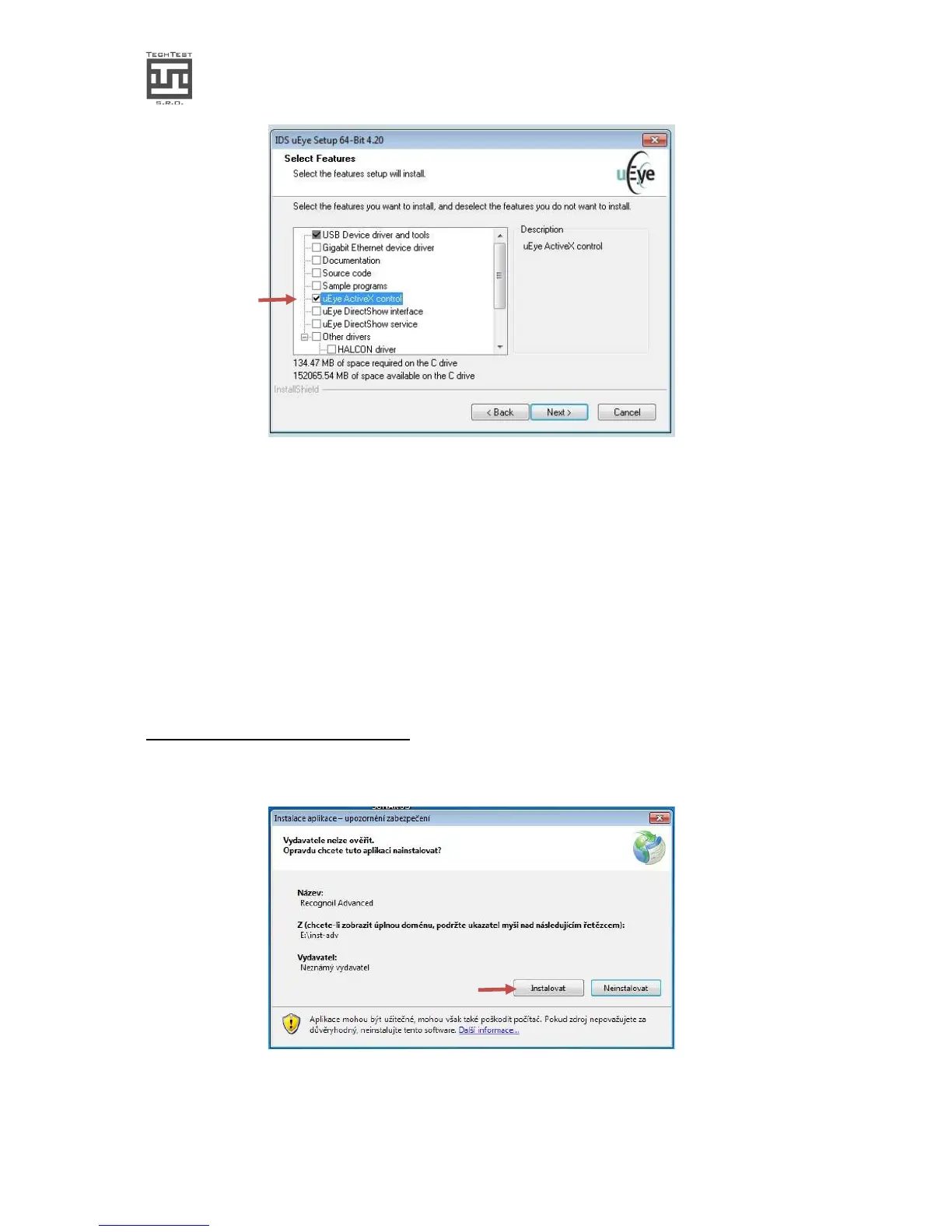
obr.5.
• Now if you want the driver to be installed in a different path, please select it and
click „Next“. Otherwise click „Next >“
• Now you can choose the „Start“ item list path and click „Next>”. Otherwise click
“Next>” directly.
• Now click on „Install“ and wait a few seconds for the installation to be finished.
• Now in the „Additional features“ dialog, there is no item necessary. Please uncheck
all fields and click „Next >“.
• After the installation has been finished, please click „Finish“.
3.3.2. Recognoil software installation
• Please run the „setup.exe“ program from the root folder of the flash drive.
img.6.
• In case of any error warning, it is necessary to install the
„dotNetFx40_full_x86_x64.exe“ utility, placed in the „Utilities“ folder on the flash


 To Next Page