Techwell,Inc. TW8816 Evaluation Board User’s Manual
- SPI ( SPI EEPROM available for internal microcontroller firmware )
- TW8816 as I2C Master
- Internal microcontroller will not be initialized by “RESET while pressing MENU KEY”
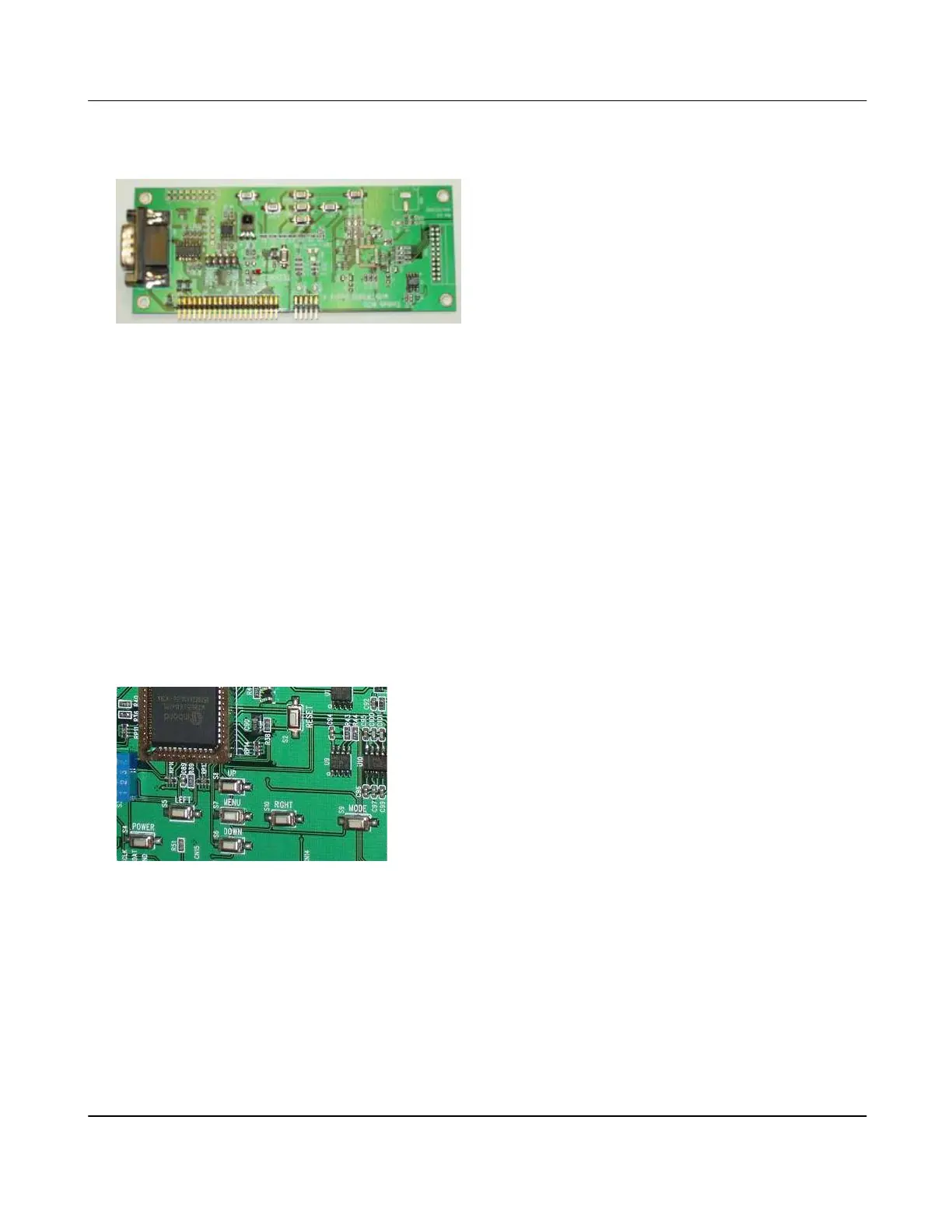
8. Operation Keys
There are 8 operation keys. Keys are shown with the Built-in and External microcontrollers.
Button Function
POWER Power On/Off
MENU Display OSD Menu On/Off
UP Menu Up
DOWN Menu Down
LEFT Move to Up Menu / Decrease Menu Item Value / Volume Down
RIGHT Select / Increase Menu Item Value / Volume Up
MODE Change Input Mode
RESET Reset the system
9. Controlling the TW8816
There are various ways to control the operation of TW8816 on the evaluation board. An RS-232
Null modem cable can be used directly from a PC to the RS-232 connector or a USB connection to
the USB Interface board for RS-232, I2C, and SPI communication. The USB Interface board is
an adapter that can be used with the evaluation board, and it also has an I2C interface ( USB-to-
I2C ) that may be used with customer’s board. Using the USB Interface board is recommended.
Via the USB or the RS-232 of the PC, basic commands can be used in the HyperTerminal or the
recommended sample application called TW_terminal2 provided with the evaluation kit.
Version 1.00 9/25/2007



 To Next Page