This can be done before or after pairing
To Change the Chime
1. Plug in the receiver, there would be a chime prompt.
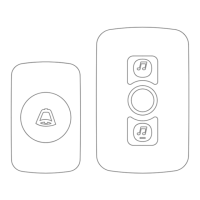
2. Simply press Music + or Music – to play through the different chimes included in
the receiver.
3. Once you have found the chime you like simply let it play,
A. If your transmitter is paired, the next time it is pressed it will play your
selected chime.
B. If it doesn’t however, please follow the instructions for deleting the paring
history. Choose your chime again and then re-pair as instructed above.
Receiver Instructions
Simply put the receiver into the socket
,
there will be a warning tone "Ding-Dong"
showing the receiver is on.
Product Specification
Receiver Power Supplied:
Receiver Working Current:
Transmitter Working Voltage:
Working Frequency:
Transmission Power: 10 dBm
AC 100V-240V
<5mA
DC 3V
433MHZ±2MHZ
EN


 To Next Page