[↓][↑]
[↓][↑]
MESSAGE
MENU
►►Test phases
►►Results
►►Errors/Alarms
PROGRAMMING
TEST TABLE
SELECTION
PROGRAMMING
TEST TABLES
PROGRAMMING
CONFIGURATION
AND OPTIONS
READY
TABLE n XX
T1 xx.x mmH20
T2 xx.x Pr YYYY
T3 xx.x Dp XX
SELECT
TABLE n XX
T1 xx.x mmH20
T2 xx.x Pr YYYY
T3 xx.x Dp XX
MODIFY
TABLE n XX
T1 xx.x mmH20
T2 xx.x Pr YYYY
T3 xx.x Dp XX
CONFIGURATION ->
Language:
Test table:
Test pressure:
[MAX + %] XXX
[MIN - %] YYY
PROVASET 2P
Model: Rev:
2PXB00 X.X
Pressure:
mmH2O YYYY
PRESSURE
CALIBRATION
FOLLOW
CAREFULLY THE
INSTRUCTION !
CONFIGURATION ->
Start Command:
Enable test for
Obstruction:
Final pressure
Discharge:
CONFIGURATION
Buzzer:
Programming:
[table n. ] XX
[parameters] XX
TEST COUNTERS
TESTS XXXXXX
PASSED XXXXXX
FAILED XXXXXX
TEST COUNTERS
TESTS XXXXXX
PASSED XXXXXX
FAILED XXXXXX
RESET +YES -NO
CONFIGURATION ->
Pressure scale:
Test phases:
Time base:
[↓][↑] [↓][↑] [↓][↑] [↓][↑]
[↓][↑]
[↓][↑]
[↓][↑]
P
P
P
P
P
P
PROVASET 2P code 2P2B00 - 2P6B00 - Instruction manual
rev. 14/02/2013
page 18
5 MESSAGE DISPLAY
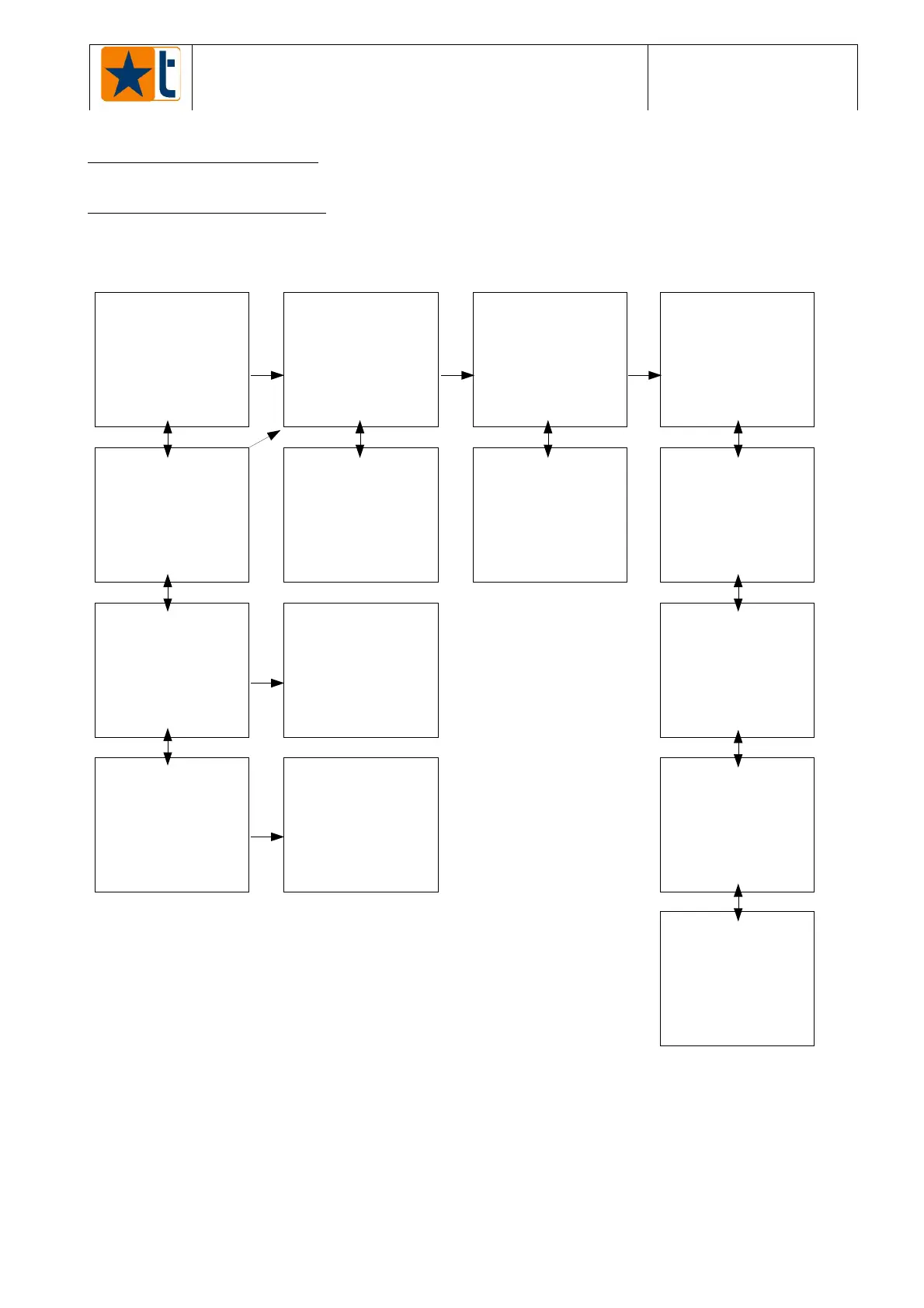
5.1 Base menu structure
The BASE MENU is subdivided into MENUS (message groups or programmable parameters).
Each menu can be recognised thanks to its initial page.
PROVASET
2P - Structure of the base menu
PICTURE 5
Press button [P
↵
] to scroll the base menu and select the menu you want to access; it can be
recognised by the initial page which is visualised by the tester.
After selecting the menu, press the arrow down button [â] to enter. The instructions to move
inside the base menu by using the keys are described in paragraph 6.1.
NOTE: PRESS BUTTON [P
↵
] OR THE ARROW UP BUTTON TO RETURN TO THE BASE MENU.



 To Next Page
 Loading...