PROVASET T3LPF REV.20210610
82
9. COLLECTION OF TEST DATA ON THE PEN DRIVE
The Provaset T3L is equipped with two USB Host Type A ports, one on the front panel
and one on the rear panel both can be used to collect test data on a pen drive.
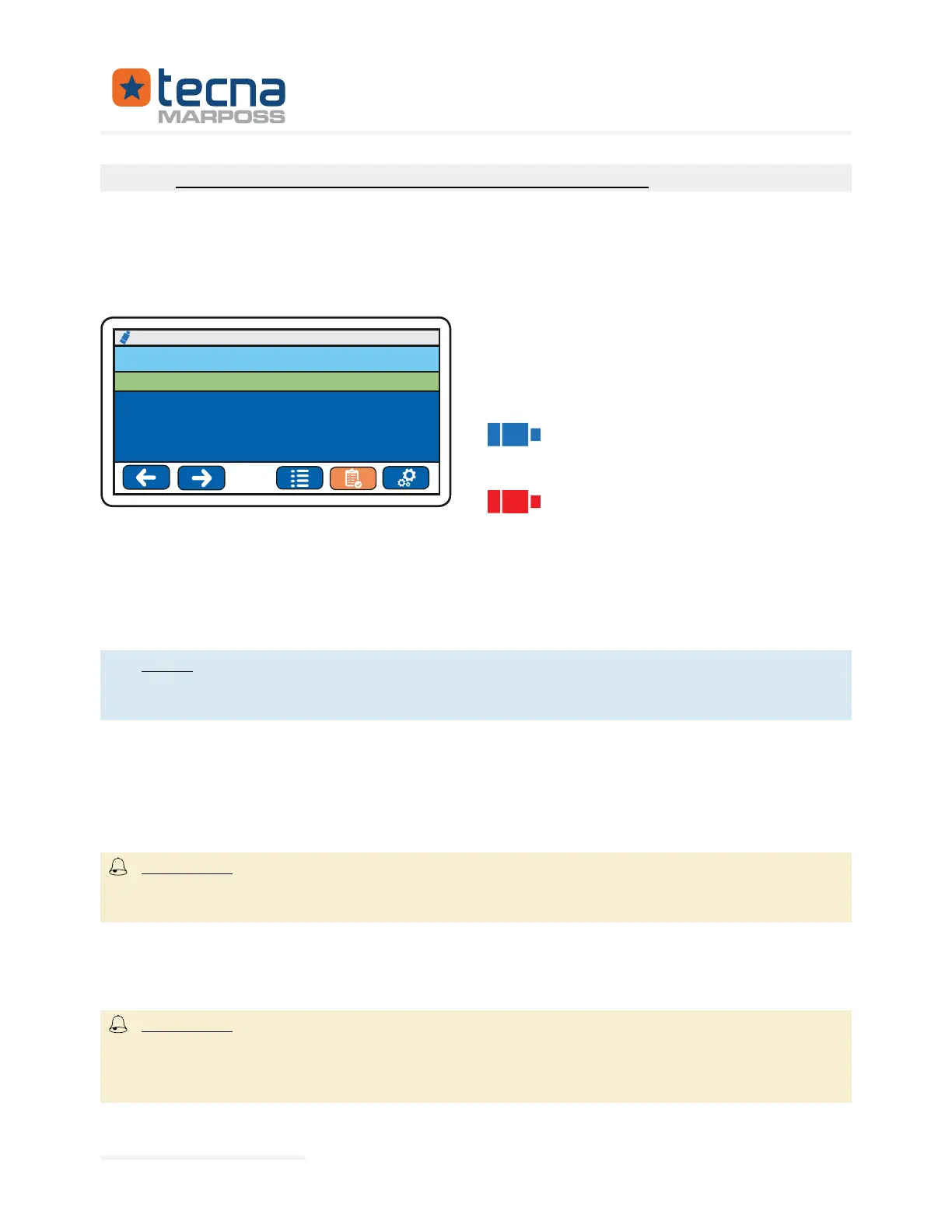
If a pen drive is connected to one of the T3L ports, the top bar of the display shows
the status of the USB interface.
The status of the pen drive is indicated
by the colour of the icon displayed in the
top bar of the T3L display in the top left
corner:
blue icon, the pen drive is inserted
correctly and functioning, data collection
is enabled on the pen drive
red icon (momentary), data writ-
ing is in progress do not extract the pen
drive from the port
150.049 mbar
P1: 151.20 mbar
P2: 150.05 mbar
18/01/17 09:23
PRODUCT n°001: VALVE_A PASSED
READY TO START
OPERATOR: MARPOSS
To save the test data on the pen drive, proceed as follows:
• Insert the pen drive into the desired USB port either on the front panel or on
the rear panel
test data can only be saved on a pen drive. If two pen drives are connect-
ed to the respective ports of the T3L, data collection is performed only on the
pen drive connected to the front panel.
• The blue pen drive icon will appear in the top left corner of the T3L display.
• Press the START button on the front panel to perform a test
• After the test the pen drive icon will turn red to indicate that the writing of the
test data is in progress (during this phase do not remove the pen drive from
the USB port)
damage to the pen drive and loss of data;
the pen drive may be damaged if it is removed during the writing phase indi-
cated by the red USB icon, with the consequent risk of losing the collected data.
•
the T3L display will turn blue, now it is possible to extract the pen drive from
the USB port.
date and time error during data collection.
The date and time of the tests are important information for data collection;
incorrect date and time values can render the collected data unusable.
Represented By: GTEK AUTOMATION Lake Forest, CA 92630 Ph. 949-680-4242 www.gtek-automation.com


 To Next Page
 Loading...
