Revised 03/25/2020 5
3.) Specimen Loading:
Note: Never mount magnetic specimen discs in the clamp holder. The clamp
spring is not strong enough to prevent the specimen from attaching to the objective
lens polepiece.
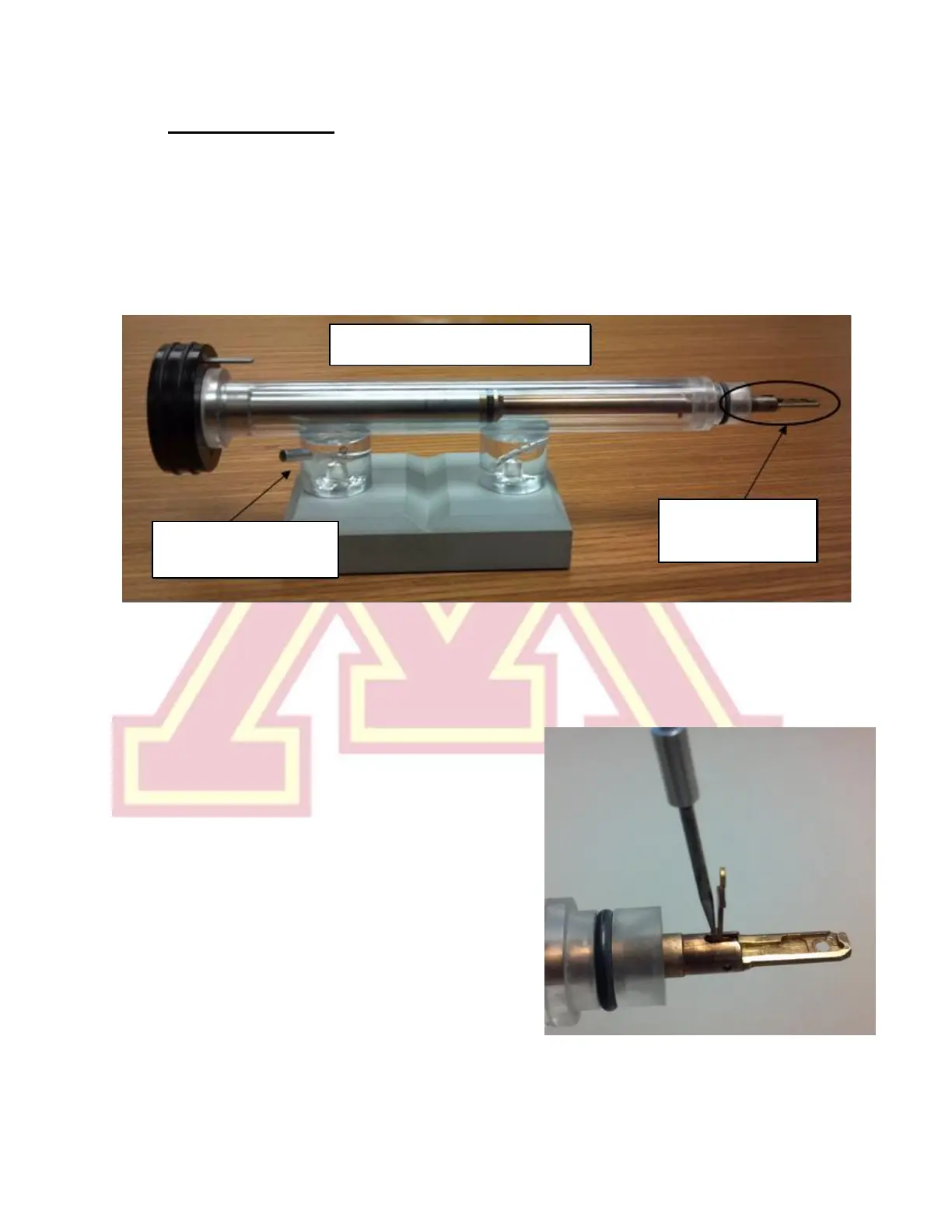
a.) Place the sample holder in the protective stand.
b.) Remove the sample loading tool from the base of the stand.
c.) Using one hand to prevent the holder from slipping out of the stand, insert the
tool into the hole in the specimen clamp and gently raise the clamp straight
up until it stops.
d.) Place the specimen grid into the recess
at the end of the holder.
e.) Gently lower the clamp straight down
to hold the grid securely. Return the tool
to the base of the holder stand.
f.) Retract the holder slightly and turn it
upside down. Tap the back end several
times, then turn the holder upright and
check that the grid has not moved
(movement suggests the grid is not
properly secured).
g.) Use the microscope to inspect the holder o-ring for debris. Gently remove any
debris using a sheet of lens paper.



 To Next Page