Revised 03/25/2020 8
1.) Finding the Beam
a.) Click the “Col. Valves Closed” button to open the column valves (button
turns grey and status becomes “Ready”)
i.) If no beam is visible, try decreasing the magnification (RC “Magnification”)
or moving the specimen stage (RC trackball), in case a grid bar is blocking
the beam path.
ii.) If these steps fail, see Troubleshooting (Section VIII).
2.) Gun Tilt
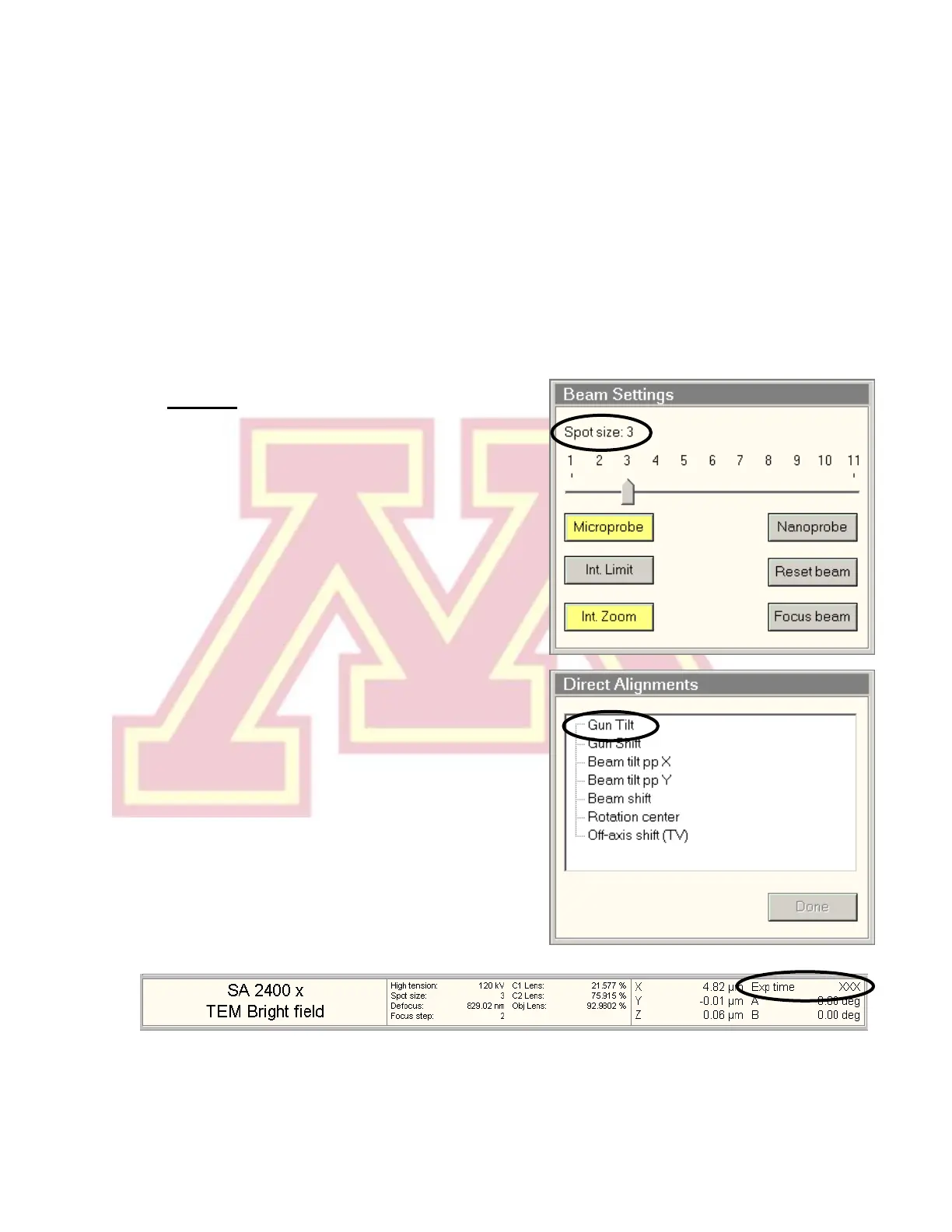
a.) Set the microscope magnification (RC
“Magnification”) in the 10−60 kx range
and set “Spot size” to 3.
b.) Center the beam using the beam shift
(LC trackball) and spread the beam (LC
“Intensity”) clockwise from crossover to
~3/4 the size of the screen.
Note: If the beam is very asymmetrical,
roughly adjust the condenser stigmation
(see step 5).
c.) Select “Gun Tilt” from the “Direct
Alignments” panel in the “Tune”
workspace.
d.) Adjust the gun tilt using the
multifunction (MF) knobs (LC & RC) to
produce the brightest beam by
minimizing the Exposure time. The
sensitivity of both MF knobs is controlled
by the +/− buttons (LC).
e.) Press “Done” in “Direct Alignments”.



 To Next Page