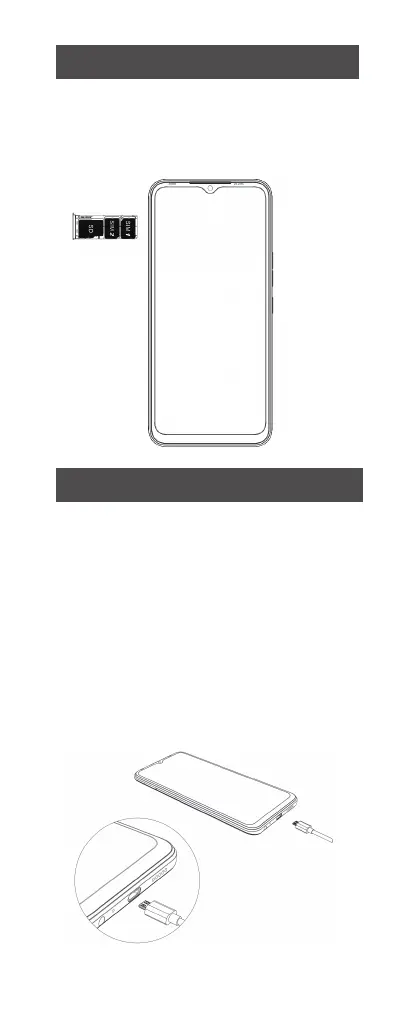
SIM/SD card installation
1. Power off mobile.
2. Refer to the following picture for SIM/SD
card installation.
Charging the phone
You can charge your device using a charger
or by connecting it to the computer using a
USB cable (comes with the phone).
1. Please remind the front and back of the
plug.
2. Use only TECNOMobile charger and
cables. Other chargers or cables may
damage the device. This will invalidate your
phone warranty.
02



 To Next Page