
 Need help?
Do you have a question about the Tecno TH300 and is the answer not in the manual?
This document is a user manual for the TECNO TH300 Intelligent Security WiFi Camera.
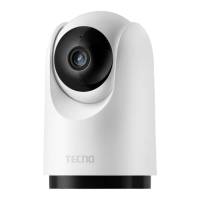
The TECNO TH300 is an intelligent security WiFi camera designed for surveillance and monitoring. It can be placed on flat surfaces like desks or tables, or mounted on walls. The camera connects to the "TECNO Smart Home" APP, allowing for control and interconnection with other smart home products. It features a MicroSD card slot for local storage and an indicator light to show its status.
Package List: The manual instructs users to check the camera host and accessories upon opening the package. Components: The camera features an indicator light, lens, microphone, MicroSD card slot, speaker, reset button, and a Type-C port for power. Installation: * Flat Surface Placement: Can be placed on writing desks, dining tables, coffee tables, etc. * Hanging Wall Installation: 1. Mark the wall using the base hole as a guide. 2. Drill two holes (approx. 6mm diameter, 30mm depth). 3. Screw plastic expansion nuts into the holes. 4. Align the base (arrow side up) with the wall holes, insert screws through the base, and secure into the expansion nuts with a cross screwdriver. 5. Align the notch on the camera's bottom with the raised portion of the base, snap it into place, and rotate clockwise to lock. Installing a MicroSD Card: * Ensure the camera is powered off. * Toggle the lens up to expose the MicroSD card slot. * Insert the MicroSD card with the contact side facing down. * Note: The camera must be powered off for installation/removal. Use a MicroSD card from a regular manufacturer (max 128GB), with a read/write speed of at least U1/Class10 level. Power On: * Plug the power cable into the Type-C port on the back of the camera. * The camera will automatically turn on, indicated by a flashing green light. * Tip: Do not force the lens to rotate manually after powering on. If the lens positioning is inaccurate, it can be calibrated via the APP. Indicator Light Status: * Green light always on: Successful connection/normal status. * Green light flashing: Waiting for connection. * Green light slow flashing: Upgrading. * Red light flashing: Network abnormal. Connecting to "TECNO Smart Home" APP: * The camera is controlled by the "TECNO Smart Home" APP and can interconnect with other products. * Users can scan a QR code to download and install the APP, which will direct them to the device connection page if already installed. * Alternatively, search for "TECNO Smart Home" in the app store. * Open the APP, click "+" in the top right corner, and follow the APP instructions to add devices. Register and Log In to APP: * Users need to register an APP account and log in, or log in directly if already registered.
Attentions (Important Usage Guidelines):
 General
| Brand | Tecno |
|---|---|
| Model | TH300 |
| Category | Security Camera |
| Language | English |

 To Next Page