Installation instructions
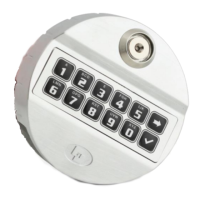
The Push & Pull version (T4710/MP) is supplied by default with RCS option, where closing is
triggered by an external signal (i.e. boltwork switch). This avoids the motor to be activated when
boltworks are not expanded yet.
It’s recommended to correctly use this signal to avoid motor damages.
Lock is also programmed by default with 8 seconds automatic
reclosure, which can be modified upon request. This means that if
the lock will open but the external signal don’t (i.e. boltworks not
expanded), lock will auromatically close after 8 seconds (smart
reclosure).
The maximum load applicable to the bolt must not exceed the limit values specified in the
table below. Contact Tecnosicurezza in case of heavier loads.
Maximum force to apply
on the bolt
Maximum load pulled up
and pushed by the bolt
Pull and spring version – Cass B
Push and pull version – Class B
It’s possible to connect a relocker to the lock cover through the appropriate holes.
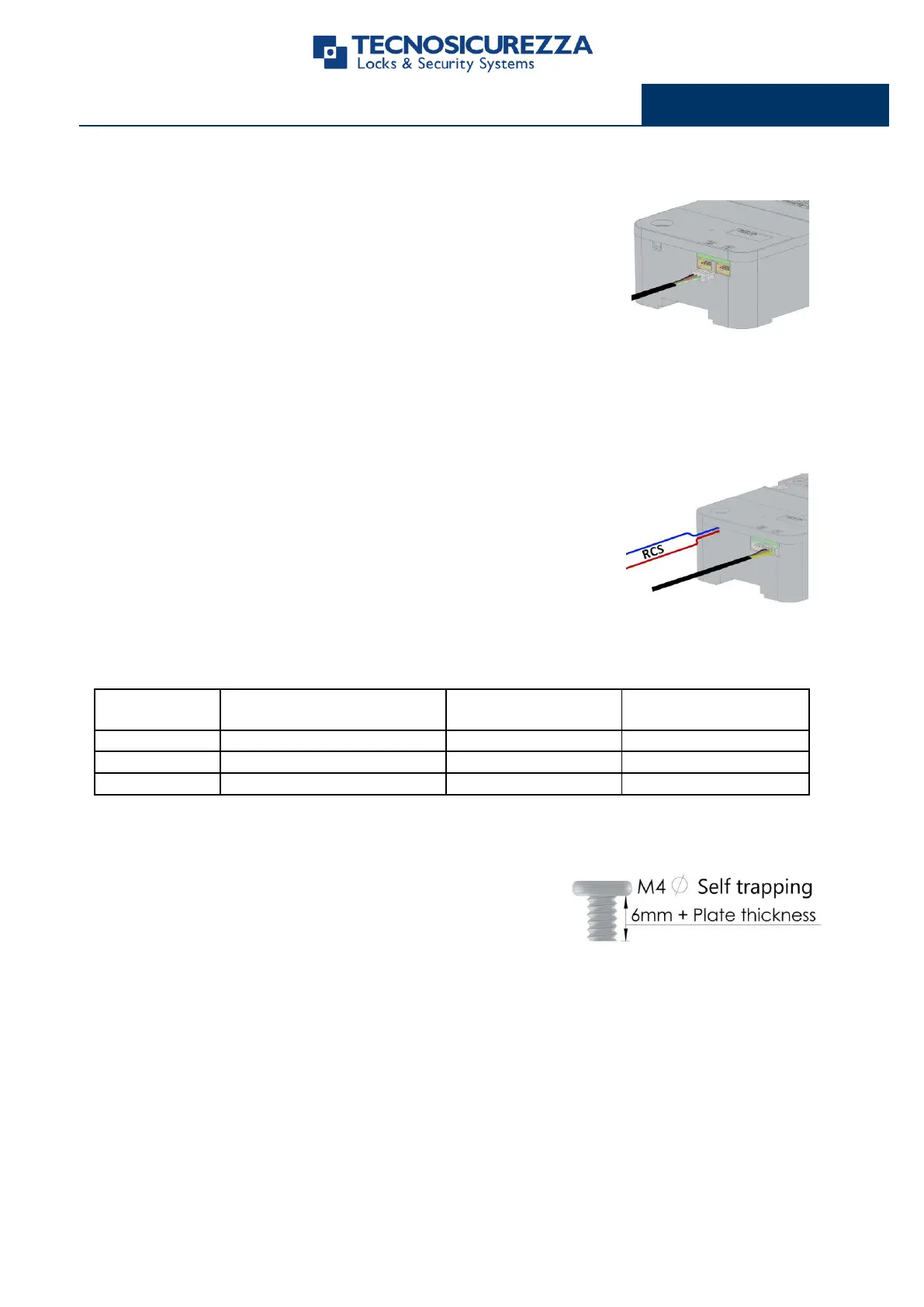
Connect the keypad cable to the lock connector "1", making sure it
is fully inserted and locked.
Any alarm interface or battery holder needs to be connected to the
lock connector “2”.
To remove the cable, bring the connector upwards and carefully
pull it out.
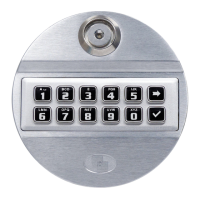
Fix the relocker plate with M4 self tapping flat head screws.
Length must be 6mm + plate thickness.
(i.e. 6 mm + 2 mm plate = 8 mm screw)


 To Next Page