STARGAS _______________________________________________________________________________
36 OPERATING INSTRUCTIONS
4.0 - BEFORE THE TEST
• Turn on the STARGAS by means of the ignition key (15) or (34).
• The LCD shows the presentation page.
• Press ENTER to display directly the application programs page.
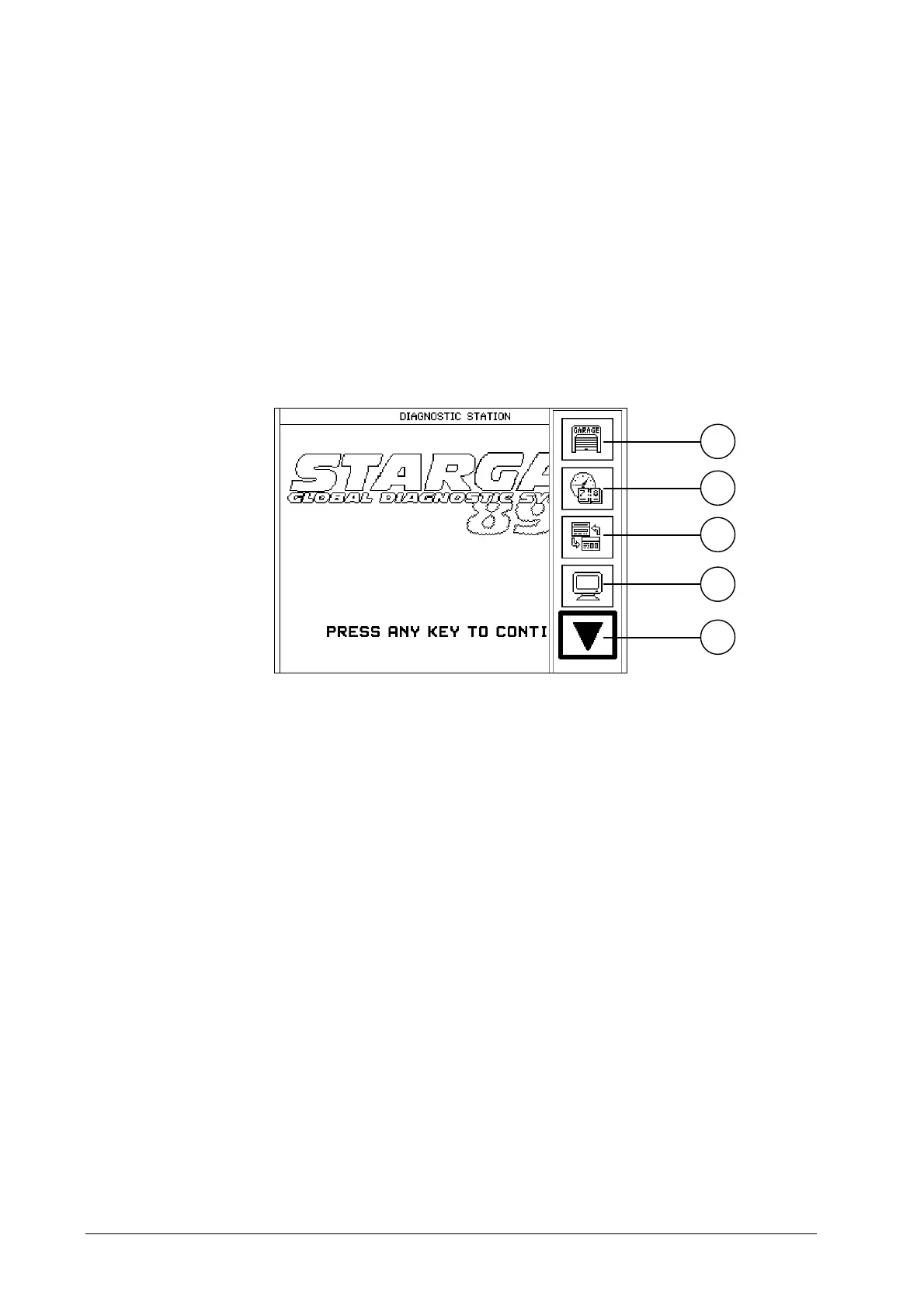
• Press MENU to enable or disable the FUNCTIONS BAR displayed as icons
(workshop data entry, installed program version, limit voltage setting, etc.).
1. Garage data: To insert the workshop data.
2. Date and time: Function for the Technical Service staff only.
3. Application manager: To return to the page of the application programs.
4. Video settings: To set-up the signal for the type of required display: monitor or
TV color (PAL/NTSC system).
5. Following: To display the following FUNCTIONS BAR.
1
2
3
4
5


 To Next Page