Installation
The unit should be mounted via its screw holes on the brack-
et. Always ensure that the unit is rmly xed to avoid vibra-
tion and slipping while operating. Always ensure that the
structure to which you are attaching the unit is secure and is
able to support a weight of 10 times of the unit’s weight. Also
always use a safety cable that can hold 12 times of the weight
of the unit when installing the xture.
The equipment must be xed by professionals. And it must
be xed at a place where is out of the touch of people and has
no one pass by or under it.
Technical Specications
• Three operational modes: DMX, Master/Slave and
Sound Active
• DMX Channel mode: 4/8 CH
• Three built-in programs. Control Master/Slave mode
by voice
• 0-100% smooth dimming function
• Suitable for disco, bar mobile Dj, etc.
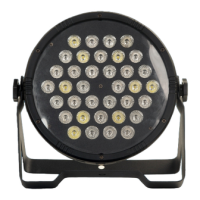
• LEDs: 36 x 1W RGBW LEDs
• Net weight: 1 Kg.
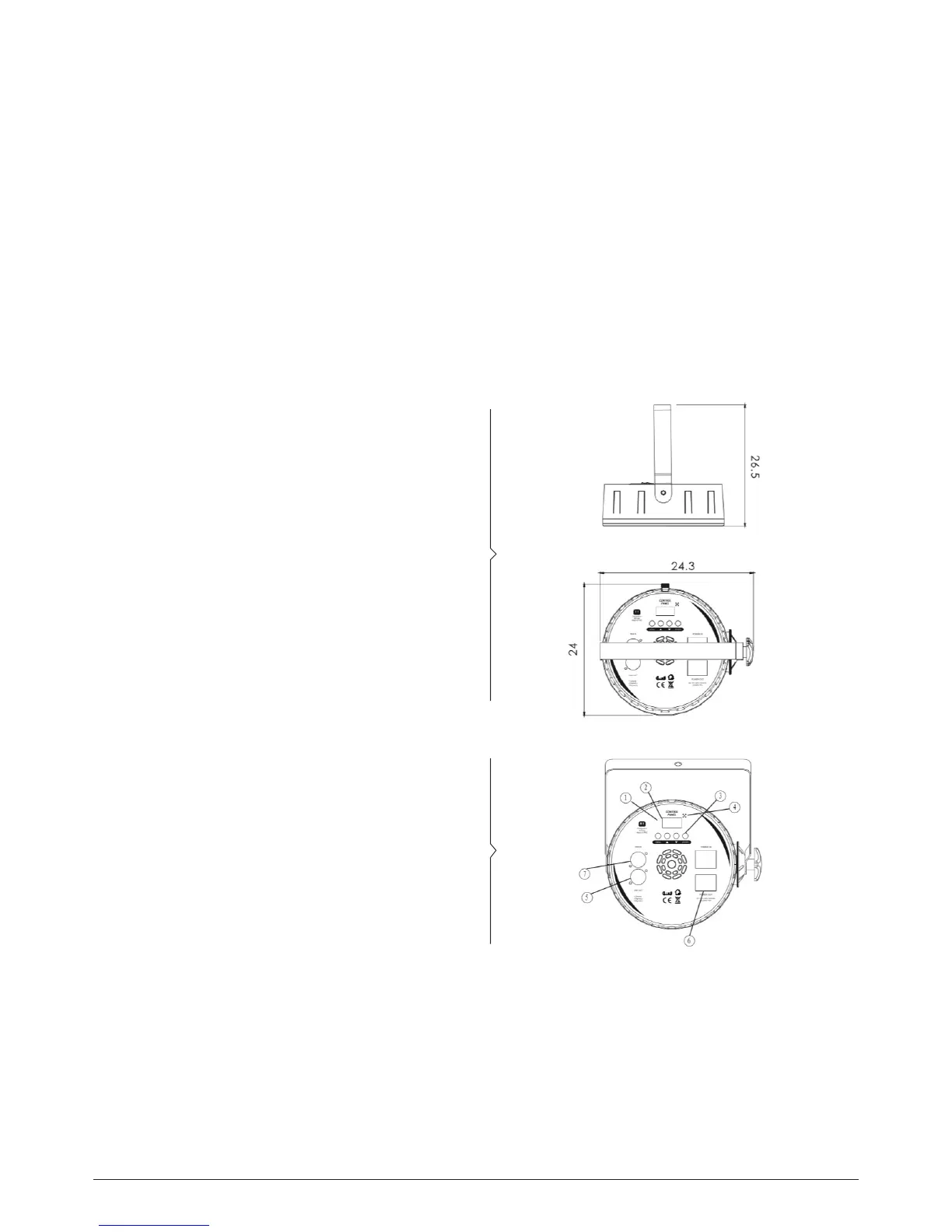
• Dimensions: 24x8x23.5 Cm.
How to Set the Fixture
1. The indicating light
2. Function display: display menu and the selected function
3. Menu button
4. Microphone
5. DMX signal output
6. power supply socket
7. DMX signal input
p. 4NEBULA 1 - 36x1 W LED PAR LIGHT
English Version


 To Next Page