EasyManua.ls Logo

Tectro TD 10 - User Manual

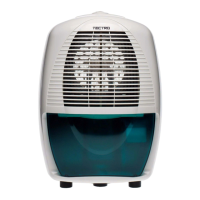
Tectro TD 10
10 pages
Print Icon
To Next Page IconTo Next Page
Loading...
TD 10
2
6
5
3
4
>
u
1
:
=
y
TR
FIN
GEBRAUCHSANWEISUNG
BRUGSANVISNING
INSTRUCCIONES DE USO
MANUEL D'UTILISATION
KÄYTTÖOHJE
OPERATING MANUAL
ISTRUZIONI D’USO
BRUKSANVISNING
GEBRUIKSAANWIJZING
INSTRUKCJA OBSŁUGI
BRUKSANVISNING
NAVODILA ZA UPORABO
KULLANIM KILAVUZU
2
12
20
28
36
44
52
62
70
78
88
96
104

Questions and Answers

  • G
    georgecobbAug 1, 2025
    What to do if my Tectro Dehumidifier unit does not work?
    • A
      Alexis RossAug 1, 2025
      If your Tectro Dehumidifier isn't working, several factors could be the cause. First, ensure the power cord is properly connected to the wall outlet. Next, check the hydrostat setting; if it's too low, turn it to the desired level. Also, make sure the water container isn't full; if it is, remove the water. Finally, verify that the water container is correctly placed in its position.
  • P
    Paul WalkerAug 17, 2025
    Why is my Tectro TD 10 Dehumidifier working, but reduces the relative humidity insufficiently?
    • R
      Robert DownsAug 17, 2025
      If your Tectro Dehumidifier is running but not effectively reducing humidity, it could be due to several reasons. The room might be too large for the unit's capacity, or there may be too many sources of humidity. In these cases, consider using a dehumidifier with a greater capacity. Also, excessive ventilation could be the issue; try to reduce ventilation by closing curtains and shutting doors.

Summary

Important Components Overview

Control Panel Identification

Identifies the main control panel of the dehumidifier.

Adjustment and Hydrostat Control

Details the adjustment button and hydrostat for humidity control.

Safety Instructions and Precautions

Electrical Connection Safety

Details requirements for safe electrical connection, including earthed sockets and voltage checks.

Device Handling and Maintenance Safety

Provides critical safety advice for handling, cleaning, and replacing components.

Control Lights and Operation

Dehumidifier Operation Guide

Step-by-step instructions for setting up and operating the dehumidifier.

Storage and Troubleshooting

Common Troubleshooting Issues

Addresses common problems like unit not working or insufficient dehumidification.

Tectro TD 10 Specifications

General IconGeneral
BrandTectro
ModelTD 10
CategoryDehumidifier
LanguageEnglish

Related product manuals