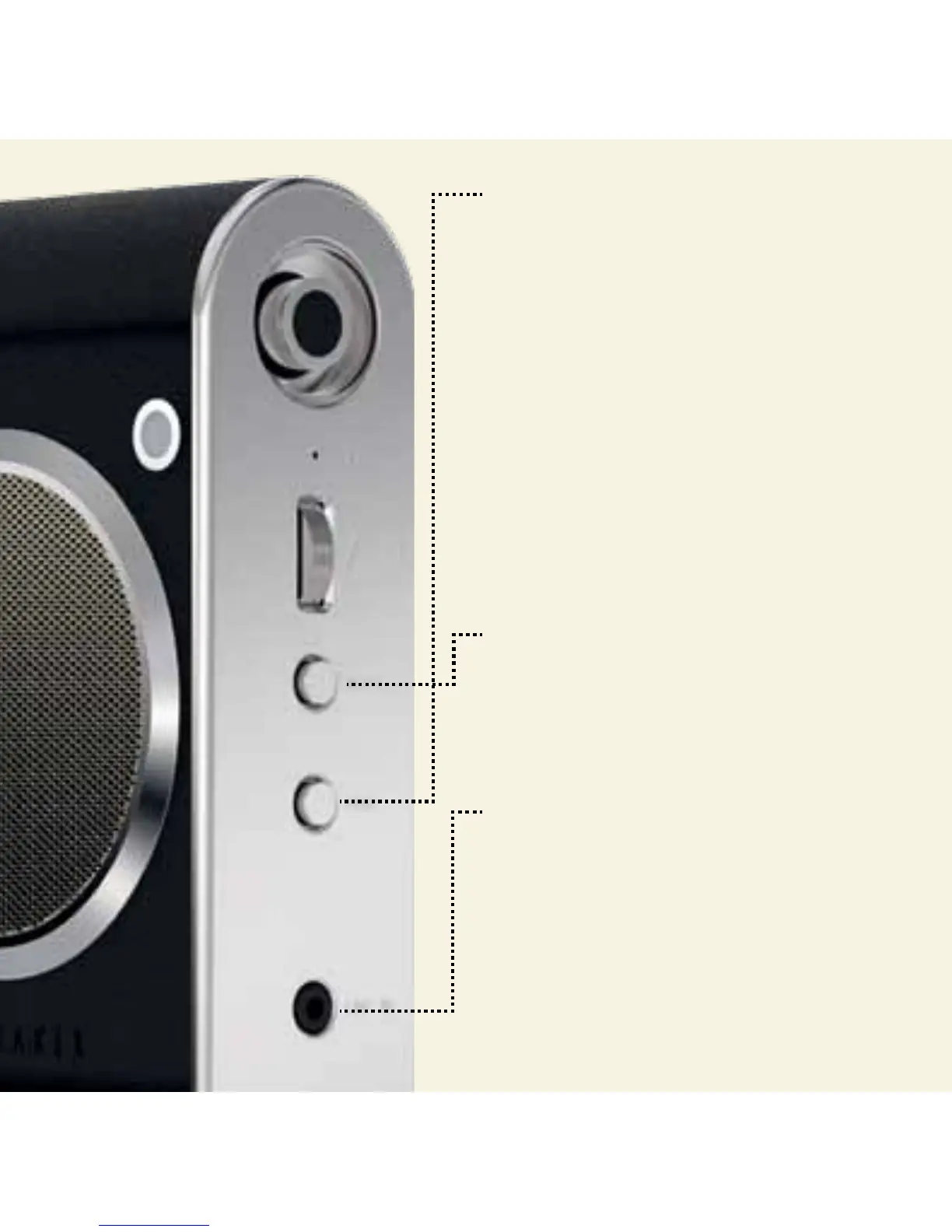
PAIR
Press for 2-3 seconds, then turn on
Bluetooth® on your digital device.
Whilst pairing, LED flashes blue twice every 2
seconds, then solid blue when paired.
Ted’s top tip: You cannot pair devices when
playing music.
To re-enter pairing mode, wait until LED
flashes blue twice every two seconds, then
long press until LED flashes blue on/o.
Ted’s top tip: Short press Pair to answer, and
again to end, a call. Long press (2-3 seconds)
to reject an incoming call.
PAIR + MUTE
Press together to clear paired devices memory.
AUX LINE IN
If you prefer wires, connect a 3.5mm line-in
stereo cable here to your music player.
MICRO USB
Connect the micro usb into socket on back.
Plug other end into power source.


 To Next Page