EN
Owner’s manual
13
WEIGHING STEPS
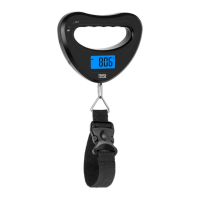
1. Hang the goods at the belt.
2. When the weight is established, the data will be locked and the
LCD will display HOLD.
3. If you press the power button the data will be unlocked and you
can weigh further goods.
4. If the scale is overloaded it will show Err. Remove the weight from
the scale to avoid damaging the scale.
If you use a container, hang it at the belt, press the power button
to reset to 0.00 and then put the goods you want to weigh into the
container. This way you get the net weight of the goods.
Press the UNIT button to select desired unit: g, kg, lb or oz.
TARE FUNCTION
UNIT SELECTION


 To Next Page