EasyManua.ls Logo

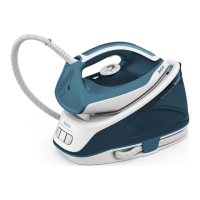
TEFAL Express Essential - User Manual

TEFAL Express Essential
31 pages
Print Icon
To Next Page IconTo Next Page
Loading...
EN
Express Essential
Express Easy

Questions and Answers

  • A
    Amanda SmithAug 18, 2025
    What to do if the anti calc indicator is flashing on my TEFAL Iron?
    • R
      Ryan CarterAug 18, 2025
      If the anti calc indicator is flashing on your TEFAL Iron, it means that the anti calc cartridge is no longer efficient. Replace the anti scale cartridge with a new one, then press the reset button for a minimum of 3 seconds. Also, the descaling procedure might need to be performed; see section "Descaling your generator" in this manual to perform the descaling procedure.
  • C
    Carla RiveraAug 21, 2025
    Why is the anti calc indicator flashing on my TEFAL Express Essential Iron?
    • L
      lroseAug 22, 2025
      If the anti-calc indicator is flashing on your TEFAL Iron, it means that the anti-calc cartridge is no longer efficient and should be replaced with a new one. After replacing, press the reset button for at least 3 seconds. Alternatively, the descaling procedure may need to be performed.
  • T
    Timothy HarveyAug 25, 2025
    What to do if my TEFAL Express Essential Iron is leaking water and staining clothes?
    • B
      Brian ReedAug 26, 2025
      If water streaks appear on the linen when using your TEFAL Iron, your ironing board is likely saturated with water because it is not suitable for use with an appliance. Check that your ironing board is appropriate. It is recommended to use a vented/mesh type ironing board.
  • J
    Jacob HollandAug 28, 2025
    How to reset the anti calc indicator on my TEFAL Express Essential Iron?
    • E
      Emily MossAug 28, 2025
      If the anti calc indicator is still flashing on your TEFAL Iron after replacing the cartridge, it means that you have not pressed the reset button. Press the reset button until the light stops flashing.
  • K
    Kathy HaleSep 1, 2025
    Why does my TEFAL Iron leave water streaks on linen?
    • J
      John PerezSep 1, 2025
      If water streaks appear on the linen when using your TEFAL Iron, it's likely because your ironing board is saturated with water because it is not suitable for use with an appliance. Check that your ironing board is suitable. We recommend that you use a vented/mesh type ironing board.
  • B
    Benjamin AshleySep 4, 2025
    Why does my TEFAL Express Essential leave brown streaks on linen?
    • E
      Erik JonesSep 4, 2025
      If brown streaks come through the holes in the soleplate of your TEFAL Iron and stain the linen, it is because you are using chemical descaling agents or additives in the water ironing. Never add this type of product in the water tank (see “for what water may be used”). Contact an Approved Service Centre.
  • B
    Brett MasonSep 7, 2025
    What to do if anti calc indicator is still flashing after replacing the cartridge in my TEFAL Iron?
    • J
      Joann KruegerSep 7, 2025
      If the anti calc indicator is still flashing after replacing the cartridge in your TEFAL Iron, it means that you have not pressed the reset button. Press the reset button until the light stops flashing.
  • R
    Rachael Collins PhDSep 12, 2025
    Why does my TEFAL Express Essential Iron leave brown streaks on my clothes?
    • R
      Russell LittleSep 12, 2025
      If brown streaks come through the holes in the soleplate and stain the linen when using your TEFAL Iron, it's likely because you're using chemical descaling agents or additives in the water. Never add this type of product in the water tank.
  • S
    Stacey AllisonNov 14, 2025
    Why is my TEFAL Iron producing little or no steam?
    • P
      patricia96Nov 14, 2025
      There are several reasons why your TEFAL Iron might not be producing steam: * The water tank may be empty - fill the tank. * You may be using steam for the first time, or you have not used it for some time - press the steam control button away from your ironing board until the iron produces steam. * The setting is not correct (1 dot / 2 dots) and the soleplate is not hot enough to produce steam - set the iron at 3 dots (••• or MAX) and wait for the iron thermostat light to go out before activating the steam button again. * Steam cannot be produced at the temperature you have selected - set the thermostat control in the coloured zone (••• or MAX). * There is no anti calc cartridge in the appliance or it is not properly installed - make sure the anticalc cartridge is installed and...

Summary

Using Your Appliance

Getting Started

Some models are equipped with a lock system to hold the iron onto the base for easy transport and storage.

Filling the Water Tank

Switch off and unplug the appliance. Remove the removable water tank using the handle located at the front of the steam generator.

Maintenance and Storage

Descaling Your Generator

The flashing 'anti calc' indicator alerts you when descaling is required. Switch off the unit by pressing the «Off» button, then unplug the appliance and allow it to cool completely.

Safety Instructions

Important Recommendations

Key advice for safe and proper use of the appliance, covering reading instructions and intended use.

Troubleshooting

Iron Producing Little or No Steam

Possible causes include just filling the tank, changing the anti-calc cartridge, or starting usage. Check cartridge installation and temperature settings.

Water Runs Out of Soleplate Holes

This can be due to using steam for the first time, incorrect settings, or during the Anti calc procedure. Ensure correct settings and tank level.

TEFAL Express Essential Specifications

General IconGeneral
Power2400 W
Steam Output45 g/min
Water Tank Capacity270 ml
Heat-up Time2 min
TypeSteam Iron
Vertical SteamYes
Anti-Drip SystemYes
Anti-ScaleYes
Auto shut-offYes
Self-cleaningYes
Anti-calc systemYes
Soleplate TechnologyDurilium

Related product manuals