45
ENGLISH
6 When the time is up, the alarm will go off
and will flash quickly.
7 Press any of the sensors to turn the
alarm off.
If you want to change the selected alarm time,
follow the instructions indicated above again.
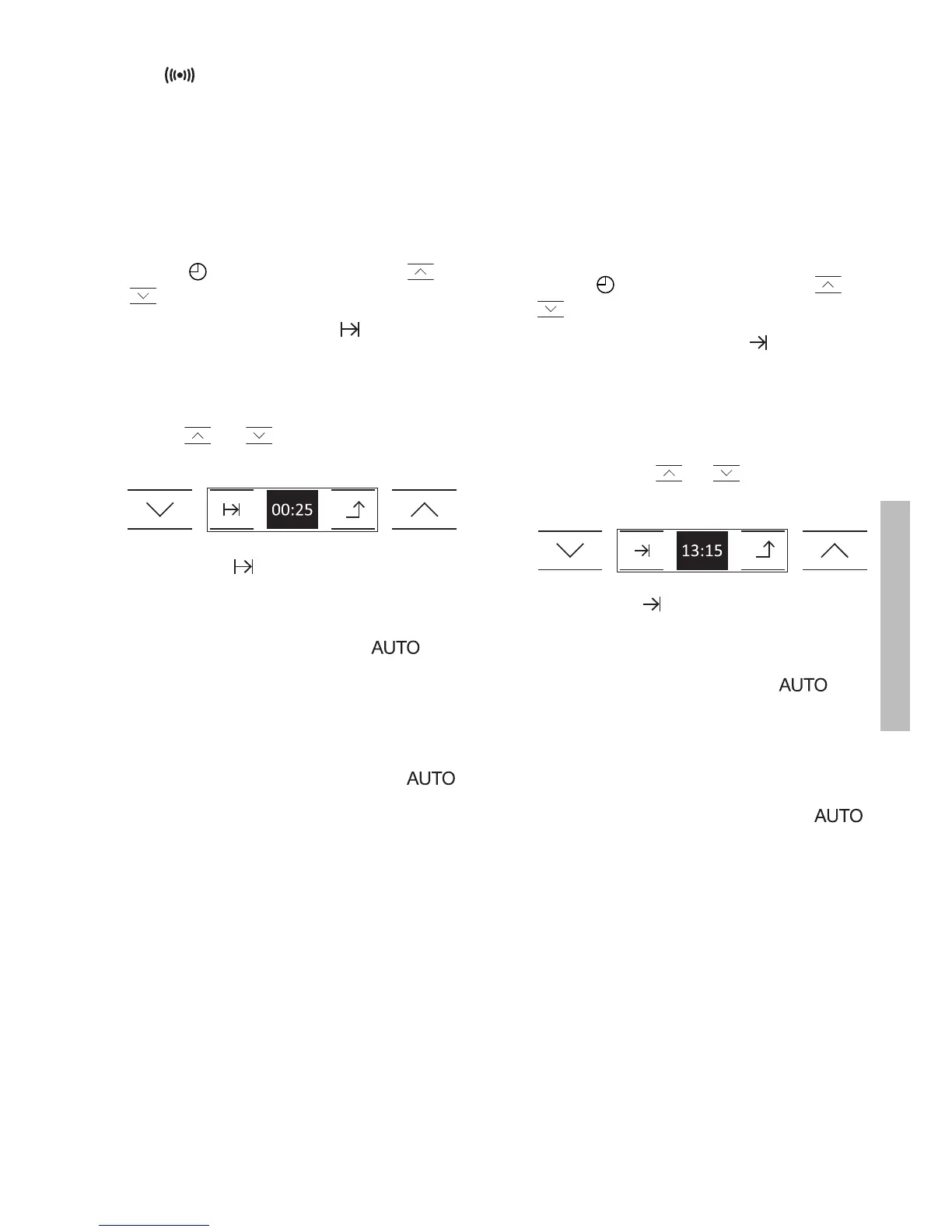
2. Programming the Cooking Time
1 Touch on the display. Touch or
to see the clock functions.
2 When you find function , touch the
symbol on the display. If you touch the
arrow, you will leave the menu and go
back to the previous display.
3 Touch or to select the cooking
duration.
4 Then touch to accept. If you touch
the arrow, you will leave the menu and
cancel the previous operation.
5 You will hear 2 beeps and will
flash slowly on the clock. The
programmed cooking time and cooking
stop time will be shown on the display.
6 When the time is up, the oven will switch
itself off, an alarm will go off and
will flash quickly.
7 You can select the following options on
the oven display:
CONTINUE COOKING: The oven will
continue cooking manually with the last
cooking function and temperature that
you had selected.
SAVE RECIPE: You can save the recipe in
the oven memory so you will be able to
repeat it at a later date.
TURN OFF: By touching this option, you
will turn off the alarm and the oven. The
food is cooked and ready to serve.
IMPORTANT
If you want to change the selected cooking
time, follow the above instructions again.
3. Programming the Cooking Stop Time
1 Touch on the display. Touch or
to see the clock functions.
2 When you find function , touch the
symbol on the display. If you touch the
arrow, you will leave the menu and go
back to the previous display.
3 You will see the current time on the
display. Touch or to programme
the cooking stop time.
4 Then touch to accept. If you touch
the arrow, you will leave the menu and
cancel the previous operation.
5 You will hear 2 beeps and will
flash slowly on the clock. The
programmed cooking time and cooking
stop time will be shown on the display.
6 When the time is up, the oven will switch
itself off, an alarm will go off and
will flash quickly.
7 After this, follow the steps indicated in
the previous section.


 To Next Page