EasyManua.ls Logo

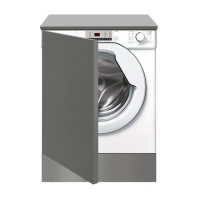
Teka LI5 1080 - User Manual

Teka LI5 1080
124 pages
Go to English
Print Icon
To Next Page IconTo Next Page
Loading...
User Manual
www.teka.com
LI5 1080 / LI5 1280
ES
EN
DE
FR
PT

Other manuals for Teka LI5 1080

Questions and Answers

  • D
    Daniel MayAug 13, 2025
    Why Teka LI5 1080 Washer does not spin?
    • E
      Edward WelchAug 13, 2025
      If your Teka Washer isn't spinning, consider the following: * Remove the load, de-tangle it, reload it, and restart the spin program. * Wait a few minutes to see if the water drains completely. If the problem continues, see Error 3 section. * Ensure the 'no spin' function is not selected, if your model has one. * Check the selected options and their impact on the spin cycle. * Make sure you're using the correct amount of detergent, as too much can hinder the spin cycle.
  • X
    xhernandezAug 16, 2025
    What to do if Teka LI5 1080 displays E2 error?
    • J
      Jeremy DunnAug 17, 2025
      If your Teka Washer shows an E2 error, here are some things to check: * Make sure the water supply tap is open. * Ensure the water supply hose isn’t bent, kinked, or trapped. * Verify the drain pipe is at the correct height. * Close the water supply tap, unscrew the filler hose, and clean the “anti-sand” filter. * Check the filter for clogs or foreign objects.
  • A
    Amber SimonAug 21, 2025
    What to do if Teka LI5 1080 displays E3 error?
    • R
      Ricardo HouseAug 21, 2025
      If your Teka Washer displays an E3 error, try these solutions: * Check the filter for clogs or foreign objects. * Make sure the drain hose isn’t bent, kinked, or trapped. * Ensure the home drainage system is not blocked. Try draining water in the sink to check.
  • J
    James FoleyAug 25, 2025
    What to do if Teka LI5 1080 displays E7 error?
    • G
      gregorybeckAug 25, 2025
      If your Teka Washer displays an E7 error, try the following: * Make sure the door is correctly closed and that clothes aren't preventing it from closing fully. * If the door is locked, turn off and unplug the washing machine, wait 2-3 minutes, and then reopen the door.
  • P
    Paul PattersonAug 27, 2025
    What to do if Teka LI5 1080 Washer displays E4 error?
    • L
      lukebutlerAug 28, 2025
      If your Teka Washer displays the E4 error, ensure you are using the correct amount of detergent and that the detergent is designed for use in a washing machine.
  • K
    Kevin WadeAug 31, 2025
    Why Teka LI5 1080 does not work / start?
    • A
      Anthony DavisSep 1, 2025
      If your Teka Washer doesn't start, check these things: * Make sure the washer is plugged into a working socket. * Confirm that the power is on. * Test the wall socket with another appliance. * Ensure the door is correctly closed. * Verify that you've selected the right program and pressed the start button. * Check that the washer isn't in pause or time delay mode.
  • B
    beltranscottSep 4, 2025
    What to do if Teka LI5 1080 Washer is leaking water on the floor?
    • S
      Stephanie GutierrezSep 5, 2025
      If you notice water leaking from your Teka Washer, it could be due to a leak from the seal between the tap, supply hose, and fill valve. If so, replace the seal and tighten the hose connections properly. Also, make sure the front filter is correctly closed.
  • N
    Natasha ByrdSep 8, 2025
    How to fix strong vibrations / noises during spin cycle of Teka LI5 1080?
    • G
      Gerald GomezSep 8, 2025
      If your Teka Washer is making strong vibrations or noises during the spin cycle: * Ensure the washing machine is fully leveled by adjusting the feet. * Verify that transport screws, rubber bungs, and spacer tubes were removed. * Check for any foreign objects inside the drum, such as coins or buttons.

Teka LI5 1080 Specifications

General IconGeneral
BrandTeka
ModelLI5 1080
CategoryWasher
LanguageEnglish

Related product manuals